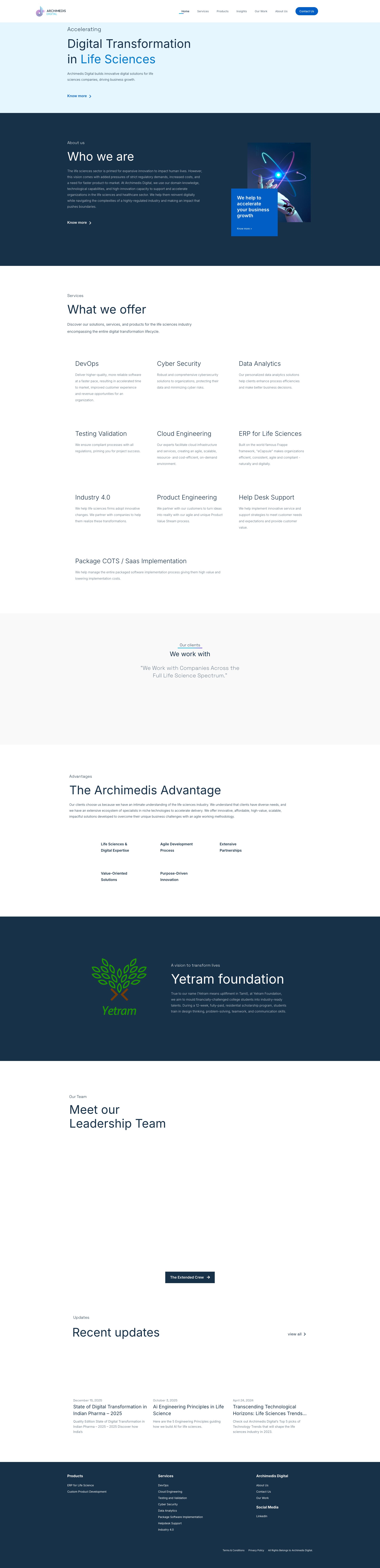
Critical content gap: 'Our services' section is empty
P10C9
usabilityinformation_architecture
Why It's a Bug
The page prominently displays a heading 'Our services' but provides no visible service cards, descriptions, or content below it. This is a major usability failure because: (1) Users cannot understand what services the company offers, which is a primary goal for visiting a business homepage, (2) The empty section breaks the visual flow and appears incomplete or broken, (3) Users may assume the page failed to load or the company has no clear service offerings, (4) This directly prevents users from accomplishing a key task: learning about available services.
Suggested Fix
Populate the 'Our services' section with visible service cards or descriptions. Add 3-4 service offerings with icons and brief descriptions that are immediately visible without scrolling. Ensure the section content is loaded and displayed on initial page view.
Fix Prompt
The 'Our services' section on the homepage is completely empty with no service cards or content visible. Add 3-4 service offerings to this section with relevant icons and brief descriptions (2-3 sentences each). Ensure the services are displayed immediately below the 'Our services' heading without requiring user interaction. If this content is supposed to load dynamically, debug and fix the data fetching to ensure services appear on initial page load.
Network: Potential failed API call to fetch services data
Elements: or similar container appears empty
Google Maps API Key Exposed in URL Parameters
P10C9
securitynetworkingcredentials_exposure
Why It's a Bug
The Google Maps API key 'AIzaSyCmL18misQw9KdwqGaw3zHkitj8vG6QF2Y' is exposed in multiple network requests as a URL query parameter. This credential is visible in browser network logs, can be captured in server logs, browser history, and shared in referer headers. An attacker can use this API key to make unauthorized requests to Google Maps services, potentially incurring costs or accessing location data. This is a critical credential exposure vulnerability.
Suggested Fix
Move the Google Maps API key to a backend server and create a proxy endpoint that authenticates requests before forwarding to Google Maps. Implement API key restrictions at the Google Cloud Console (HTTP referrer restrictions, IP whitelisting, and specific API method restrictions). Use a server-to-server authentication pattern instead of client-side exposure.
Fix Prompt
Create a backend endpoint that securely handles Google Maps API requests. Move the API key 'AIzaSyCmL18misQw9KdwqGaw3zHkitj8vG6QF2Y' from client-side code to server environment variables. Update all frontend Google Maps initialization calls to use the backend proxy endpoint instead of making direct requests with the exposed API key. Implement rate limiting and authentication on the backend endpoint to prevent unauthorized use.
Console: Network requests containing API key in URL query parameters
Network: GET https://maps.googleapis.com/maps/api/js?key=AIzaSyCmL18misQw9KdwqGaw3zHkitj8vG6QF2Y&paint_origin=&libraries=geometry,search&v=weekly&loading=async&language=en®ion=in&callback=onApiLoad
Multiple Google Maps Requests Transmitting API Key in URL
P10C9
securitynetworkingcredentials_exposure
Why It's a Bug
The Google Maps API key appears in numerous repeated requests to maps.googleapis.com and www.google.com/maps/vt endpoints across multiple map tile and service requests. Each request leaks the credential through the URL query parameter 'key=AIzaSyCmL18misQw9KdwqGaw3zHkitj8vG6QF2Y'. This creates extensive evidence of the exposed credential across logs, proxies, and caches.
Suggested Fix
Implement a backend proxy service that handles all Google Maps requests. Update the frontend to call your backend endpoint which then forwards requests to Google Maps with the API key. This keeps the credential server-side and out of browser network traffic. Apply API key restrictions in Google Cloud Console (restrict to your domain and necessary APIs only).
Fix Prompt
Refactor the Google Maps integration to use a backend proxy architecture. Create a server endpoint (e.g., /api/maps/tiles or /api/maps/viewport) that accepts map tile requests from the frontend and forwards them to Google Maps APIs using the server-side API key stored in environment variables. Update all frontend map tile loading logic to call this backend proxy instead of making direct requests with the exposed API key. Ensure the backend endpoint validates requests to prevent abuse.
Console: Multiple network requests to Google Maps services with exposed API key
Network: GET https://www.google.com/maps/vt?pb=...&key=AIzaSyCmL18misQw9KdwqGaw3zHkitj8vG6QF2Y&token=... (multiple instances)
Exposed Google Maps API Key in Source Code
P10C9
genaisecurity_vulnerability
Why It's a Bug
The Google Maps API key 'AIzaSyCmL18misQw9KdwqGaw3zHkitj8vG6QF2Y' is exposed in multiple network requests visible in the network activity log. This is a critical security vulnerability common in AI-generated code where developers hardcode API keys without proper secret management. Anyone with access to this key can use it for their own purposes, potentially incurring charges or causing service abuse on the legitimate account.
Suggested Fix
Move the API key to a backend environment variable and create a server-side proxy endpoint for Maps API requests. Update the frontend to call the proxy instead of directly calling Google Maps APIs. Implement proper authentication/authorization on the backend to ensure only legitimate requests are proxied.
Fix Prompt
This application exposes a Google Maps API key (AIzaSyCmL18misQw9KdwqGaw3zHkitj8vG6QF2Y) directly in client-side network requests, creating a security vulnerability. Please: 1) Create a backend endpoint that proxies Google Maps API requests, 2) Move the API key to a backend environment variable (.env file), 3) Update the frontend JavaScript to call your backend proxy instead of directly calling maps.googleapis.com, 4) Implement rate limiting and authentication checks on the backend proxy to prevent abuse. Show me the backend proxy code and the updated frontend call.
Network: GET https://maps.googleapis.com/maps/api/js?key=AIzaSyCmL18misQw9KdwqGaw3zHkitj8vG6QF2Y&paint_origin=&libraries=geometry,search&v=weekly&loading=async&language=en®ion=in&callback=onApiLoad - Status: 200
Missing or empty alt text on informative image
P9C9
accessibilitywcagperceivable
Why It's a Bug
The page contains an image with src='https://archimedis.io/wp-content/uploads/2022/10/b' that has an empty alt attribute (alt='') and is marked as decorative (hasAlt: false). However, the screenshot shows this is clearly an informative image depicting a business meeting/discussion scenario with multiple people. This image conveys meaningful content about team collaboration or meeting context that screen reader users cannot access. Empty alt text on informative images violates WCAG 2.1 Level A (1.1.1 Non-text Content).
Suggested Fix
Replace the empty alt attribute with a descriptive alt text that conveys the meaning and purpose of the image. For example: alt='Three professionals in business attire having a discussion in a meeting room with a laptop and documents on the table'. Ensure the alt text describes what is happening and why the image is on the page.
Fix Prompt
Fix the alt text for the image at https://archimedis.io/wp-content/uploads/2022/10/b. Currently it has an empty alt attribute (alt='') but the image is informative, showing a business meeting with three professionals. Replace the empty alt text with descriptive text that conveys what the image shows and its relevance to the page content. This is required by WCAG 2.1 Level A (1.1.1 Non-text Content). The alt text should describe the scene, people, and context so screen reader users can understand the image meaning without seeing it.
Console: No console errors detected, but page data shows: {"images":[{"src":"https://archimedis.io/wp-content/uploads/2022/10/b","alt":"","hasAlt":false,"isDecorative":true}]}
Network: None detected
Missing alt text on informative image
P9C9
accessibilitywcagperceivable
Why It's a Bug
The page contains an image with src='https://archimedis.io/wp-content/uploads/2022/10/b' that has an empty alt attribute (alt=''). The page structure shows this image is marked as 'hasAlt': false and 'isDecorative': true, but based on visual inspection, this appears to be a content image showing a person in an office/casual setting near a window with a red bean bag chair. This is informative content that conveys meaningful information about the product or service, not decorative. Screen reader users cannot access this visual information, violating WCAG 2.1 Level A (1.1.1 Non-text Content). An empty alt attribute should only be used for purely decorative images; this appears to be content that requires descriptive alt text.
Suggested Fix
Replace the empty alt attribute with descriptive alt text that conveys the content and purpose of the image. For example: alt='Person sitting on green artificial grass next to a red bean bag chair in a bright office space with windows'. Ensure the alt text accurately describes the image content and its relevance to the page context. If the image is purely decorative, use alt='' with role='presentation' to explicitly mark it as decorative.
Fix Prompt
Fix the missing alt text on the image at src='https://archimedis.io/wp-content/uploads/2022/10/b'. The image currently has an empty alt attribute (alt='') but contains informative content showing a person in an office setting. Add descriptive alt text that accurately describes the image content and its purpose on the page. This is required for WCAG 2.1 Level A (1.1.1 Non-text Content) compliance to ensure screen reader users can perceive the image content. If the image is decorative, explicitly mark it as such with role='presentation' and keep alt='' empty.
The page contains an image with src='https://archimedis.io/wp-content/uploads/2022/10/b' that has an empty alt attribute (alt=''). The image appears to show a group of people in a professional/educational setting, which is informative content. Screen reader users cannot understand what this image depicts, violating WCAG 2.1 Level A requirement 1.1.1 (Non-text Content). This is a critical barrier for blind and low-vision users.
Suggested Fix
Replace the empty alt attribute with descriptive alt text that conveys the purpose and content of the image. For example: alt='Team members collaborating during a mentoring or training session in an office environment' or similar text that captures the informative content of the image.
Fix Prompt
The image on this page has an empty alt attribute. Add descriptive alt text to the image with src='https://archimedis.io/wp-content/uploads/2022/10/b'. The alt text should describe what the image shows (appears to be people in a professional/educational setting). This is required for WCAG 2.1 Level A compliance (criterion 1.1.1). Change alt='' to alt='[descriptive text about the image content]'.
Console: No console errors, but page structure shows: {"images":[{"src":"https://archivedis.io/wp-content/uploads/2022/10/b","alt":"","hasAlt":false,"isDecorative":true}]}
The page contains an image with src='https://archimedis.io/wp-content/uploads/2022/08/M' that has an empty alt attribute (alt=''). The data indicates hasAlt is false and isDecorative is marked as true, but the image appears to be content showing a person working at a desk with a laptop in a professional setting. This is not decorative content - it conveys meaningful information about the product/service context. Screen reader users will have no way to understand what this image depicts, violating WCAG 2.1 Level A criterion 1.1.1 (Non-text Content). The image appears to be a key visual element demonstrating product usage or work environment context.
Suggested Fix
Replace the empty alt text with a descriptive alternative text such as: alt='Professional working at desk with laptop near window with green plants' or alt='Man using laptop in modern office environment with natural lighting'. Ensure the alt text accurately describes the image content and context. Remove or correct the isDecorative flag in the page metadata.
Fix Prompt
Fix the missing alt text on the image with src containing 'wp-content/uploads/2022/08/M'. The current alt attribute is empty and the image is incorrectly marked as decorative. This image shows a person working at a desk with a laptop and should have descriptive alt text. Update the alt attribute to provide a meaningful description of the image content (e.g., 'Professional man using laptop at desk near window'). This is required by WCAG 2.1 Level A criterion 1.1.1 (Non-text Content) to ensure screen reader users can understand the image content.
The page lacks a skip navigation link that allows keyboard users and screen reader users to bypass repetitive navigation elements and jump directly to main content. This forces keyboard users to tab through all navigation links on every page load, creating a significant usability barrier and violating WCAG 2.1 Level A (2.4.1 Bypass Blocks).
Suggested Fix
Add a skip link as the first focusable element in the HTML body. Include HTML like: 'Skip to main content' and style it to be visually hidden by default but visible on focus. Ensure the target element with id="main-content" wraps the main page content after the navigation.
Fix Prompt
Add a skip navigation link to bypass the main navigation menu and jump directly to main content. This is required for WCAG 2.1 Level A compliance (2.4.1 Bypass Blocks). Add a visually hidden skip link as the first element in the page body that links to an id='main-content' anchor on the main content section. Style it to be hidden by default but visible on :focus. The skip link text should be 'Skip to main content'.
Multiple images lacking proper alt text for informative content
P9C8
accessibilitywcagperceivable
Why It's a Bug
The page content analysis reveals multiple images with empty alt attributes (alt="") that are marked as decorative but appear to be informative content based on their file names (e.g., 'e', 's', 'S', 'b', 'C', 'e', '1', 'I', 'P', 'p', 'R'). These appear to spell out text or convey important information about the eCapsule product and service offerings. Screen reader users cannot access this content, violating WCAG 2.1 Level A requirement 1.1.1 (Non-text Content).
Suggested Fix
Audit all images currently marked as decorative with empty alt text. For images that convey information (product names, features, service components), provide descriptive alt text that conveys the same information. For example, if images spell out 'eCapsule', the alt text should describe what the image represents in context. Update the isDecorative flag appropriately based on actual content purpose.
Fix Prompt
Review all images on the eCapsule landing page that currently have empty alt attributes (alt=""). For each image that conveys informational content (such as text characters, product names, feature icons, or service descriptions), replace the empty alt text with descriptive alt text that accurately conveys the image's purpose and content. For truly decorative images with no informational value, keep alt="" but ensure the isDecorative flag is correctly set to true. This ensures WCAG 2.1 Level A compliance for non-text content (1.1.1). Audit images with filenames like 'e', 's', 'S', 'b', 'C', 'I', 'P', 'R' as these appear to be informative rather than decorative.
Console: Images with empty alt attributes: data:image/svg+xml (marked decorative), https://archimedis.io/wp-content/uploads/2023/05/e, https://archimedis.io/wp-content/uploads/2023/05/s, https://archimedis.io/wp-content/uploads/2023/06/S, https://archimedis.io/wp-content/uploads/2023/06/b, https://archimedis.io/wp-content/uploads/2023/06/C, https://archimedis.io/wp-content/uploads/2023/06/e, https://archimedis.io/wp-content/uploads/2023/06/1, https://archimedis.io/wp-content/uploads/2023/06/I, https://archimedis.io/wp-content/uploads/2023/06/P, https://archimedis.io/wp-content/uploads/2023/06/p, https://archimedis.io/wp-content/uploads/2023/06/R
Network: None
Missing skip navigation link to main content
P9C8
accessibilitywcagoperable
Why It's a Bug
The page lacks a skip navigation link that allows keyboard users to bypass repetitive navigation elements and jump directly to main content. This forces keyboard and screen reader users to navigate through the header and navigation menu on every page load, violating WCAG 2.1 Level A (2.4.1 Bypass Blocks). This is a critical usability barrier for users relying on keyboard navigation.
Suggested Fix
Add a hidden skip link at the very beginning of the page body that becomes visible on keyboard focus. Example: Skip to main content. Then add id="main-content" to the main content section. Style the skip link to be hidden by default but visible on :focus with sufficient contrast and size (at least 44x44px).
Fix Prompt
Add a skip navigation link to this website. Create a hidden anchor link at the start of the body with href="#main-content" and text 'Skip to main content'. Add id="main-content" to the primary content container. Style the skip link with CSS to be hidden by default but visible on :focus with white text on a solid background, minimum 44x44px size, and 4.5:1 contrast ratio. This fixes WCAG 2.1 Level A 2.4.1 Bypass Blocks requirement.
Missing heading hierarchy and structural landmarks
P9C8
accessibilitywcagunderstandable
Why It's a Bug
The page lacks proper semantic HTML landmarks and heading hierarchy. The main hero section shows 'Leading the way with relevant conversations' but there is no clear h1 heading, and the page structure does not use semantic elements like , , , or proper heading levels. Screen reader users cannot understand the page structure or navigate through content sections effectively. This violates WCAG 2.1 Level A (1.3.1 Info and Relationships) and Level A (2.4.6 Headings and Labels).
Suggested Fix
Restructure the page with proper semantic HTML: (1) Add an h1 heading as the primary page heading in the hero section; (2) Wrap main content in a landmark; (3) Use elements with descriptive headings (h2) for major content areas like the insights section and footer; (4) Use proper heading hierarchy without skipping levels (h1 > h2 > h3, etc.); (5) Ensure nav element wraps the navigation menu.
Fix Prompt
Fix the page structure and heading hierarchy for accessibility. Replace the hero section text with a proper h1 element containing 'Leading the way with relevant conversations'. Wrap the main content area in a landmark element. Convert major content sections into elements, each with an h2 heading describing that section. Ensure the navigation menu is wrapped in a
The page lacks a skip navigation link that allows keyboard users to bypass repetitive navigation elements and jump directly to main content. This forces keyboard and screen reader users to tab through the entire navigation menu on every page load, violating WCAG 2.1 Level A (2.4.1 Bypass Blocks). This is a critical barrier for keyboard users.
Suggested Fix
Add a hidden skip link at the very beginning of the page body with the text 'Skip to main content' that links to the main content area. Use CSS to hide it visually but keep it available to screen readers and keyboard users via focus. Example: Skip to main content at the start of body, with corresponding id="main-content" on the main content container.
Fix Prompt
Add a WCAG 2.1 Level A compliant skip navigation link to this website. Create a hidden skip link at the very beginning of the tag with the text 'Skip to main content' that jumps to id='main-content' on the main content section. Use CSS to hide it visually (display:none or clip) but keep it visible on keyboard focus. This addresses WCAG 2.4.1 Bypass Blocks requirement.
Inaccessible link with image-only content lacking alt text
P9C8
accessibilitywcagperceivable
Why It's a Bug
The first navigation link in the header contains only an image with src pointing to a logo file. According to the page data, this link has text '
Suggested Fix
Add either: 1) A descriptive alt attribute to the image inside the link (e.g., alt="Archimedis Home"), or 2) An aria-label attribute to the link itself (e.g., aria-label="Archimedis Home"), or 3) Add visible text alongside or near the logo. This ensures screen reader users understand the link purpose is to return to the home page.
Console: Image link found: {"src":"https://archimedis.io/wp-content/uploads/2026/02/A","alt":"AD_Logo_2025","hasAlt":true,"isDecorative":false}
Network: N/A
Missing skip navigation link to main content
P9C8
accessibilitywcagoperable
Why It's a Bug
The page lacks a skip navigation link that allows keyboard users to bypass repetitive header and navigation elements to jump directly to main content. This forces keyboard and screen reader users to navigate through all navigation items on every page visit, violating WCAG 2.1 Level A (2.4.1 Bypass Blocks). This is a critical accessibility barrier for efficient keyboard navigation.
Suggested Fix
Add a visually hidden skip link at the very beginning of the page body that links to the main content area. Example: 'Skip to main content' with CSS that reveals it on focus. Ensure the target element (main content section) has id="main-content". The skip link should be the first focusable element when tabbing from the page start.
Fix Prompt
Add a skip navigation link to bypass repetitive header content and jump to main content. Create a hidden skip link at the start of the page body with the text 'Skip to main content' that links to id="main-content". Make it visually hidden by default but visible on keyboard focus (using .skip-link:focus). Ensure it's the first focusable element in tab order and meets WCAG 2.1 2.4.1 (Bypass Blocks) Level A requirement.
Console: No console errors detected, but structural analysis shows missing skip link pattern.
Network: None
Form inputs lack associated labels
P9C8
accessibilitywcagunderstandable
Why It's a Bug
The contact form has five input fields (name, email, organization, contact number, and message) that appear to lack proper label associations. While placeholder text is visible, screen reader users cannot reliably identify what information each field requires because labels are not programmatically associated with inputs using
Suggested Fix
Add explicit
Fix Prompt
The contact form on the 'Get in touch' page has accessibility barriers. Add explicit
Network: Form submission endpoint (not visible in static screenshot)
Missing skip navigation link for keyboard users
P9C8
accessibilitywcagoperable
Why It's a Bug
The page lacks a skip navigation link that allows keyboard users to bypass repetitive navigation elements and jump directly to main content. This is a WCAG 2.1 Level A requirement (2.4.1 Bypass Blocks). Keyboard users must tab through the entire navigation menu before reaching the main content, creating unnecessary friction and violating accessibility standards.
Suggested Fix
Add a skip navigation link as the first focusable element on the page. Example: Skip to main content. Style it to be hidden visually but accessible to keyboard users. Add an id="main-content" attribute to the main content section. Ensure the skip link is keyboard-accessible and visible when focused.
Fix Prompt
Add a skip navigation link to bypass the main navigation menu. Create a visually hidden but keyboard-accessible link as the first focusable element: Skip to main content. Add id="main-content" to the main content container. Use CSS to hide it visually (position: absolute, left: -9999px) but show it on focus (outline, visibility). This satisfies WCAG 2.1 2.4.1 Bypass Blocks requirement and improves keyboard navigation experience.
Console: No console errors, but structural analysis shows missing skip link implementation
Network: N/A
Form submission blocked without required field completion
P9C8
usabilityform_design
Why It's a Bug
The 'Download Report' button is prominently displayed and clickable, but the form has two visible input fields (Name and Email) that appear to be required for downloading the report. Users cannot visually determine which fields are mandatory, and there are no visible validation messages or error states shown. This creates friction in the primary conversion goal of the page - getting users to download the quality edition report.
Suggested Fix
Add clear visual indicators (red asterisks or 'Required' labels) to mandatory form fields. Display inline validation messages when users attempt to submit without completing required fields. Consider making the button disabled until required fields are populated, or show clear error feedback immediately upon submission.
Fix Prompt
Add clear required field indicators to the Name and Email input fields in the download form. Display red asterisks (*) next to 'Name' and 'Email' labels to indicate they are required. Additionally, implement form validation that prevents the 'Download Report' button from functioning until both fields contain valid input. When users click the button with empty fields, display a clear inline error message above the form stating which fields need to be completed.
Console: No console errors visible, but form structure analysis shows missing labels
Network: N/A
No visible focus indicators on interactive elements
P9C8
accessibilitywcagoperable
Why It's a Bug
Interactive elements (buttons, links, form inputs) appear to lack visible focus indicators in the screenshot. The 'Download Report' button, form inputs, and navigation links do not show obvious focus outlines or highlights. This violates WCAG 2.1 Level AA requirement 2.4.7 (Focus Visible) which requires a visible indicator for keyboard focus with sufficient contrast.
Suggested Fix
Add explicit focus styles to all interactive elements using CSS :focus and :focus-visible pseudo-classes. Ensure focus indicators have sufficient contrast (minimum 3:1) against adjacent colors. Example: button:focus-visible { outline: 3px solid #0066ff; outline-offset: 2px; } for buttons, inputs, and links.
Fix Prompt
Add visible focus indicators to all interactive elements to meet WCAG 2.1 Level AA (2.4.7 Focus Visible). Ensure every button, link, input field, and interactive control displays a clear, high-contrast focus outline when navigated via keyboard. Use CSS :focus-visible with a minimum 3:1 contrast ratio. Example: *:focus-visible { outline: 3px solid [contrasting-color]; outline-offset: 2px; }. Verify focus indicators are visible on: Download Report buttons, form inputs (Name, Email), all navigation links, and the LinkedIn icon.
Console: No console errors visible; focus styling issue detected through visual inspection
Network: N/A
Missing skip navigation link to main content
P9C8
accessibilitywcagoperable
Why It's a Bug
The page lacks a skip navigation link that allows keyboard users and screen reader users to bypass repetitive navigation elements and jump directly to main content. This forces users to navigate through the entire header navigation on every page load, violating WCAG 2.1 Level A (2.4.1 Bypass Blocks). The navigation appears in the header with multiple menu items (Home, Services, Products, Insights, Our Work, About Us, Contact Us) that repeat before reaching meaningful content.
Suggested Fix
Add a visually hidden skip navigation link as the first focusable element in the page that links to the main content area. Example: 'Skip to main content' positioned absolutely off-screen, with CSS to make it visible on focus.
Fix Prompt
Add a skip navigation link to bypass repetitive header navigation. Insert a visually hidden anchor link as the first element in the body that jumps to id="main-content". Style it with position: absolute, left: -9999px to hide it visually, then use CSS :focus rule to display: block and reposition it when focused. This satisfies WCAG 2.1 Level A criterion 2.4.1 (Bypass Blocks).
Console: No console errors, but structural analysis shows missing skip link pattern
Network: N/A
Missing skip navigation link to main content
P9C8
accessibilitywcagoperable
Why It's a Bug
The page lacks a skip navigation link that allows keyboard users and screen reader users to bypass repetitive navigation elements and jump directly to main content. This forces users with disabilities to navigate through the entire header and navigation menu on every page load, violating WCAG 2.1 Level A (2.4.1 Bypass Blocks).
Suggested Fix
Add a skip navigation link as the first focusable element on the page. The link should be visually hidden by default (using sr-only or clip techniques) but visible on keyboard focus. It should link to the main content area (id='main' or similar). Example: Skip to main content
Fix Prompt
Add a skip navigation link to bypass the main navigation menu. Create a visually hidden link with the text 'Skip to main content' that appears as the first focusable element on page load. Position it absolutely and use clip or sr-only CSS to hide it visually. Make it visible on :focus. The link should have href='#main' and jump to the page's main content area. This satisfies WCAG 2.1 Level A criterion 2.4.1 (Bypass Blocks). Reference: https://www.w3.org/WAI/WCAG21/Understanding/bypass-blocks
Case study content lacks clear value proposition for specific user intent
P9C8
usabilitycontent_clarity
Why It's a Bug
The page title is 'Growing pharma company seeks to convert business functions' but the headline and immediate content don't clearly explain what problem was solved or what benefit the reader will gain by reading this case study. A pharma company executive needs to quickly understand: What was the challenge? How was it solved? What were the results? The page lacks prominent results/metrics that would justify spending time reading the full case study.
Suggested Fix
Add a prominent results section or summary box immediately after the hero image, featuring 1-3 key metrics or outcomes (e.g., '40% time savings' or 'Reduced implementation time by X weeks'). Include a brief 2-3 sentence summary of the challenge and solution near the top to quickly communicate value before readers decide to scroll.
Fix Prompt
The case study page lacks a prominent results/metrics section that appears immediately after the hero image. Readers cannot quickly determine if this case study is relevant to their needs before scrolling extensively. Add a 'Results' highlight box below the hero image that displays 2-3 key quantified outcomes (e.g., 'Reduced process time by 40%', 'Saved $X in operational costs', 'Achieved go-live in X weeks'). This should be visually distinct (different background color, larger font, clear formatting) so scanning readers immediately see the business impact before deciding to read the full case study.
The page lacks a skip navigation link that allows keyboard users to bypass repetitive navigation elements and jump directly to main content. This forces keyboard and screen reader users to navigate through the entire navigation menu on every page visit, violating WCAG 2.1 Level A (2.4.1 Bypass Blocks). This is a critical barrier for keyboard users.
Suggested Fix
Add a skip navigation link as the first focusable element on the page (before navigation). Make it visually hidden but keyboard-accessible. The link should point to the main content area (e.g., #main or role='main'). Example: Skip to main content. Style with CSS to show on focus: .skip-link:focus { position: static; }
Fix Prompt
Add a skip navigation link to bypass repetitive navigation. Create a hidden-until-focused link as the first element in the body that jumps to the main content area using an anchor (#main). Style it to be invisible by default but become visible with a clear focus indicator when tabbed to. This is required for WCAG 2.1 Level A compliance (2.4.1 Bypass Blocks). The link should be keyboard accessible and not obscured by other elements.
Console: No console errors related to skip link functionality
Network: N/A
Image used as link without proper accessible text
P9C8
accessibilitywcagperceivable
Why It's a Bug
The page content shows a link containing only an image: . While the image may have an alt attribute, image-only links without descriptive alt text or aria-label fail WCAG 2.1 Level A (1.1.1 Non-text Content and 2.4.4 Link Purpose). Screen reader users cannot understand the link's purpose if the image alt text is missing or inadequate.
Suggested Fix
Ensure the image within the link has meaningful alt text that describes the link purpose (e.g., alt='Archimedis Home' or similar). Alternatively, wrap the image in a link with an aria-label that describes the link function (e.g., ). Make sure the alt text clearly indicates this is a navigational link to the homepage.
Fix Prompt
Review all image-only links on the page, particularly the logo in the header. Ensure each image used as a link has meaningful alt text or an aria-label that clearly describes the link's purpose and destination. For a homepage logo link, use alt text like 'Archimedis - Return to homepage' or aria-label='Archimedis Home'. This meets WCAG 2.1 Level A requirements for link purpose (2.4.4) and non-text content (1.1.1).
The primary CTA button 'Subscribe Now' appears only once in the footer area of the page, far below the fold. For a page whose main purpose is to get users to subscribe (as evidenced by the 'Subscribe Now!' section heading), the CTA is positioned too low and too late in the user journey. This violates fundamental conversion optimization principles where primary CTAs should be visible without scrolling and appear multiple times throughout key content sections. Users who find the value proposition compelling may have already scrolled past the page or lost momentum before encountering the subscription button.
Suggested Fix
Add a prominent 'Subscribe Now' button in the hero section or near the top of the page, immediately after the value proposition is introduced. Additionally, consider adding a floating or sticky CTA button that remains visible during scroll. Ensure the primary CTA appears at least twice on the page - once above the fold and once in a natural position within the content flow.
Fix Prompt
Add a primary 'Subscribe Now' CTA button to the hero/top section of the page (above the fold), positioned immediately after the value proposition text. The button should be visually prominent and use the same styling as the existing subscription button. Also consider implementing a sticky or floating CTA button that appears when users scroll. This ensures users encounter the primary call-to-action early in their journey, significantly improving conversion rates for subscription signups.
The page lacks a skip navigation link that allows keyboard users to bypass repetitive navigation elements and jump directly to main content. This forces keyboard and screen reader users to navigate through the entire header and navigation menu on every page load, violating WCAG 2.1 Level A (2.4.1 Bypass Blocks). This is a critical accessibility barrier that significantly impacts keyboard navigation efficiency.
Suggested Fix
Add a visible or visually hidden skip to main content link at the very beginning of the page (before the navigation). Include CSS to make it visible on keyboard focus using :focus selector. Example: Skip to main content and add id='main-content' to the main content section.
Fix Prompt
Add a skip to main content link to improve keyboard navigation. Insert a hidden skip link at the beginning of the page before the navigation menu: Skip to main content. Add CSS: .skip-link { position: absolute; left: -9999px; } .skip-link:focus { left: 0; }. Then add id='main-content' to the main content container. This meets WCAG 2.1 Level A requirement 2.4.1 (Bypass Blocks) and allows keyboard users to skip repetitive navigation.
Console: No console errors detected, but skip link is missing from DOM structure
Network: N/A
Poor color contrast on hero section text
P9C7
accessibilitywcagperceivable
Why It's a Bug
The hero section contains white text 'Leading the way with relevant conversations' on a light blue background. The contrast ratio appears to be below WCAG AA standards (4.5:1 for normal text). This makes the text difficult to read for users with low vision, color blindness, or when viewing on mobile devices with reduced screen brightness. This violates WCAG 2.1 Level AA (1.4.3 Contrast Minimum).
Suggested Fix
Increase the contrast ratio of the hero section text to at least 4.5:1 against the background. Options: (1) Use a darker blue background color; (2) Make the text color darker (darker gray or navy instead of white); (3) Add a semi-transparent dark overlay behind the text; (4) Use a solid dark background for the text area. Verify the final contrast ratio using a tool like WebAIM Contrast Checker (target: 4.5:1 or higher).
Fix Prompt
Fix the color contrast in the hero section. The white text 'Leading the way with relevant conversations' on the light blue background does not meet WCAG AA standards. Increase the contrast ratio to at least 4.5:1 by either: (1) darkening the background color from the current light blue to a darker shade, (2) changing the text color to a darker color (dark gray #333 or darker), or (3) adding a semi-transparent dark overlay (rgba(0,0,0,0.3) or stronger) behind the text. Use WebAIM Contrast Checker to verify the final ratio meets 4.5:1 minimum. This fixes WCAG 2.1 Level AA 1.4.3 Contrast Minimum requirement.
The network activity shows that virtually all resources (CSS files, JavaScript, fonts, images) are returning HTTP 200 status with '⚠️ MISSING CACHE HEADERS'. This means the server is not sending Cache-Control, ETag, or other caching directives. On repeat visits, browsers will re-download all these assets instead of using cached versions, significantly increasing page load time and bandwidth consumption. This is a critical performance issue affecting all users on subsequent visits.
Suggested Fix
Configure server cache headers for all static assets. Add Cache-Control headers with appropriate max-age values (e.g., 'Cache-Control: public, max-age=31536000' for versioned assets, or 'Cache-Control: public, max-age=3600' for unversioned assets). Configure ETag generation for static resources. For WordPress/Elementor, ensure WP Rocket or similar caching plugins are properly configured to add cache headers to generated CSS and JavaScript files.
Fix Prompt
Configure HTTP caching headers for all static assets on the archimedis.io WordPress site. Add Cache-Control headers to CSS files (elementor/css/*.css), JavaScript files (plugins/wp-rocket/assets/js/*.js), image assets, and font files. For versioned assets with query parameters (?ver=...), use long-term caching (max-age=31536000). For unversioned assets, use shorter cache periods. Implement ETag or Last-Modified headers for cache validation. If using WP Rocket, verify cache settings are correctly configured. Test that repeat page visits serve assets from browser cache instead of re-downloading.
Route To
DevOps Engineer / Backend Engineer / System Administrator
Network: GET https://archimedis.io/wp-content/uploads/elementor/css/global.css?ver=1766073334 - Status: 200 ⚠️ MISSING CACHE HEADERS
Missing Cache Headers on All Static Assets
P9C9
performancecaching
Why It's a Bug
The network activity shows that virtually all static resources (CSS files, JavaScript, images, fonts, SVGs) are being served with missing Cache-Control headers. This means browsers cannot cache these resources, forcing a full re-download on every page visit. With 99 total network requests and no caching, repeat visitors will experience significantly slower load times. This is a critical performance issue affecting both initial and repeat visits.
Suggested Fix
Configure HTTP caching headers on the server (via .htaccess, nginx.conf, or CDN settings). Set Cache-Control headers for different resource types: 1) CSS/JS: 'Cache-Control: public, max-age=31536000' (1 year with versioning), 2) Images: 'Cache-Control: public, max-age=31536000', 3) Fonts: 'Cache-Control: public, max-age=31536000', 4) HTML: 'Cache-Control: public, max-age=3600' (1 hour). Use file versioning (hash in filename) to bust cache when files change.
Fix Prompt
Configure HTTP caching headers for all static assets on the archimedis.io server. Add Cache-Control headers to .htaccess or web server config: set 'Cache-Control: public, max-age=31536000' for all CSS, JS, image, font, and SVG files; set 'Cache-Control: public, max-age=3600' for HTML. Ensure filenames include content hashes for cache busting when assets change. This applies to all resources in wp-content/uploads, wp-content/cache, wp-content/plugins, and wp-content/themes directories.
Network: GET https://archimedis.io/wp-content/cache/min/1/6213d9218f45f6380f23ae59607c797b.css - Status: 200 ⚠️ MISSING CACHE HEADERS
Missing Cache Headers on All Static Assets
P9C9
performancecaching
Why It's a Bug
65 network requests show missing Cache-Control headers across CSS files, JavaScript, images, SVGs, fonts, and other assets. This forces browsers to re-download unchanged resources on every page visit, causing unnecessary bandwidth consumption, slower repeat visits, and increased server load. With 27+ resources explicitly flagged as 'MISSING CACHE HEADERS', users and search engines experience poor performance metrics.
Suggested Fix
Configure .htaccess or web server (Apache/Nginx) to add Cache-Control headers with appropriate max-age values: CSS/JS: max-age=31536000 (1 year), Images: max-age=31536000, Fonts: max-age=31536000, HTML: max-age=3600 (1 hour). Alternatively, configure caching rules in WordPress admin or via WP Rocket plugin settings to ensure all asset types include proper Cache-Control, ETag, and Last-Modified headers.
Fix Prompt
Add Cache-Control headers to all static assets on archimedis.io. Configure your web server (.htaccess for Apache or nginx.conf for Nginx) to set 'Cache-Control: public, max-age=31536000, immutable' for CSS, JavaScript, fonts, SVG, and image files (jpg, png, woff2). Set 'Cache-Control: public, max-age=3600' for HTML. Also add ETag and Last-Modified headers. If using WP Rocket, enable caching and configure the cache lifespan. Test that resources return proper Cache-Control headers in response headers.
Network: GET https://archimedis.io/wp-content/uploads/elementor/css/post-5.css?ver=1766073332 - Status: 200 ⚠️ MISSING CACHE HEADERS
Missing Cache Headers on All Static Resources
P9C9
performancecaching
Why It's a Bug
Every single resource loaded (CSS, JavaScript, images, fonts) is missing cache headers. This means browsers cannot cache these resources, forcing re-downloads on every page visit. The network activity shows Status 200 responses but all flagged with '⚠️ MISSING CACHE HEADERS'. This dramatically increases bandwidth consumption, slows repeat visits, and wastes resources for all users. With 55 total network requests, this is a critical issue affecting Core Web Vitals and user experience.
Suggested Fix
Add Cache-Control headers to all static resources in .htaccess or web server configuration. For CSS/JS: 'Cache-Control: public, max-age=31536000, immutable'. For images: 'Cache-Control: public, max-age=2592000'. Implement versioning in filenames (already partially done with query parameters) and ensure server is sending proper Cache-Control, ETag, and Last-Modified headers.
Fix Prompt
Configure the web server to add proper Cache-Control headers for all static assets. For CSS and JavaScript files, use 'Cache-Control: public, max-age=31536000, immutable'. For images and fonts, use 'Cache-Control: public, max-age=2592000'. Also ensure ETag and Last-Modified headers are set. This can be done via .htaccess for Apache or nginx configuration blocks. Verify in browser DevTools that responses include these headers.
Network: GET https://archimedis.io/wp-content/uploads/elementor/css/post-5.css?ver=1766073332 - Status: 200 ⚠️ MISSING CACHE HEADERS
Missing Cache Headers on All Static Assets
P9C9
performancecaching
Why It's a Bug
66 network requests lack proper Cache-Control and ETag headers. This forces browsers to re-download identical CSS, JavaScript, font, and image files on every page visit, even when content hasn't changed. This significantly increases bandwidth usage and page load times, especially for repeat visitors who should benefit from browser caching.
Suggested Fix
Configure the web server (Apache/Nginx) to add Cache-Control headers with appropriate max-age values for different asset types: CSS/JS (1 year), images (1 year), fonts (1 year), HTML (0 or short duration). Enable ETag generation for validation. For WordPress, ensure proper .htaccess configuration or use server-level headers.
Fix Prompt
Configure HTTP caching headers for all static assets on archimedis.io. Add Cache-Control headers with max-age=31536000 (1 year) to CSS files (wp-content/uploads/elementor/css/*), JavaScript bundles, web fonts (fonts.googleapis.com, fonts.gstatic.com), and image files. Enable ETag generation. Add Vary headers for compression. Test with curl -I to verify Cache-Control headers are present. Use .htaccess (Apache) or nginx.conf to implement these headers at the server level.
Network: GET https://archimedis.io/wp-content/uploads/elementor/css/post-5.css?ver=1766073332 - Status: 200 ⚠️ MISSING CACHE HEADERS
Missing Cache Headers on All Static Assets
P9C9
performancecaching
Why It's a Bug
Every single static asset (CSS, JavaScript, fonts, images) is missing cache headers. This means browsers cannot cache these resources, forcing re-download on every page visit. With 158 network requests and no caching strategy, repeat visitors experience unnecessary bandwidth waste and slow page loads. This severely impacts Core Web Vitals metrics and page load performance.
Suggested Fix
Add Cache-Control headers to all static assets. For immutable assets (versioned files), use 'Cache-Control: public, max-age=31536000, immutable'. For mutable assets, use appropriate max-age values (e.g., 'Cache-Control: public, max-age=3600'). Implement this at the server level (.htaccess for Apache, nginx config, or CDN settings) and also set proper ETag headers for cache validation.
Fix Prompt
Configure cache headers for all static assets on the Archimedis website. For versioned/immutable assets (CSS, JS files with version query parameters), set 'Cache-Control: public, max-age=31536000, immutable'. For Google Fonts and other external CDN resources, set 'Cache-Control: public, max-age=2592000'. Configure this in your server configuration (nginx, Apache, or CDN) to ensure all static assets return proper Cache-Control and ETag headers.
Route To
DevOps / Backend Engineer or Site Reliability Engineer
Network: GET https://archimedis.io/wp-content/cache/min/1/78c8fc1ab783bf9b89824a87c7ec257e.css - Status: 200 ⚠️ MISSING CACHE HEADERS
Missing Cache Headers on All Static Assets
P9C9
performancecaching
Why It's a Bug
Every single static asset (CSS, JavaScript, fonts, images) is missing proper Cache-Control headers. This means browsers cannot cache these resources, forcing re-downloads on every page visit. With 48 total network requests all lacking cache headers, repeat visitors will experience significant performance degradation. This directly impacts page load speed and wastes bandwidth.
Suggested Fix
Configure the web server (Apache/Nginx) to add Cache-Control headers to all static assets. For CSS, JS, and fonts, use: 'Cache-Control: public, max-age=31536000, immutable'. For images, use: 'Cache-Control: public, max-age=2592000'. Alternatively, use WordPress plugins like WP Super Cache or configure caching through CDN or server configuration.
Fix Prompt
Configure server-wide cache headers for all static assets on archimedis.io. Add Cache-Control headers to .css, .js, .woff2, .png, .jpg, and .svg files. Use 'Cache-Control: public, max-age=31536000, immutable' for versioned assets (those with ?ver= parameters) and 'Cache-Control: public, max-age=2592000' for unversioned images. This can be done via .htaccess, nginx.conf, or WordPress caching plugin configuration.
Route To
DevOps/Backend Engineer or WordPress Administrator
Network: GET https://archimedis.io/wp-content/uploads/elementor/css/post-5.css?ver=1766073332 - Status: 200 ⚠️ MISSING CACHE HEADERS
Missing Cache Headers on All Static Resources
P9C9
performancecaching
Why It's a Bug
49 network requests are missing proper cache headers (Cache-Control, ETag). This forces the browser to re-download CSS, JavaScript, fonts, SVG placeholders, and images on every page visit, even when they haven't changed. This significantly increases bandwidth usage and page load time for returning visitors. The network log shows 'MISSING CACHE HEADERS' on critical resources including CSS files, Google Fonts, woff2 font files, and image assets.
Suggested Fix
Configure proper Cache-Control headers on all static assets. Set aggressive caching (e.g., 'Cache-Control: public, max-age=31536000, immutable') for versioned/hashed assets (post-5.css?ver=1766073332), and moderate caching for non-versioned resources. Set ETag headers for validation. This can be configured in .htaccess, nginx.conf, or via WordPress caching plugins like WP Rocket (which is already installed).
Fix Prompt
Configure caching headers for static assets on the archimedis.io WordPress site. For versioned CSS files in wp-content/uploads/elementor/css/ (with ?ver= query parameters) and woff2 font files, set Cache-Control: public, max-age=31536000, immutable. For non-versioned assets, set Cache-Control: public, max-age=2592000. Add ETag headers to all static resources. Update the .htaccess file or server configuration (nginx/Apache) to enable browser caching. Also verify WP Rocket plugin is configured to cache headers correctly.
Route To
DevOps/Backend Engineer or WordPress Administrator
Network: All resources showing 'MISSING CACHE HEADERS' including GET https://archimedis.io/wp-content/uploads/elementor/css/global.css?ver=1766073334 - Status: 200, GET https://fonts.googleapis.com/css - Status: 200, GET https://fonts.gstatic.com/s/inter/v20/UcC73FwrK3iLTeHuS_nVMrMxCp50SjIa1ZL7.woff2 - Status: 200
Missing Cache Headers on All Static Assets
P9C9
performanceCaching & Resource Hints
Why It's a Bug
55 network requests lack proper Cache-Control headers, including CSS files, JavaScript, fonts, and images. This forces the browser to re-download unchanged resources on every visit, significantly increasing bandwidth usage and page load times for repeat visitors. Missing cache headers directly impact Core Web Vitals and user experience.
Suggested Fix
Configure server-side caching headers for all static assets. Add Cache-Control headers with appropriate max-age values: 1 year (31536000 seconds) for versioned assets, 30 days for fonts, and 7 days for CSS/JS. Implement ETag headers for cache validation. Use .htaccess or server configuration to apply cache headers globally.
Fix Prompt
Add Cache-Control headers to all static assets on the archimedis.io server. For versioned assets (with query parameters like ?ver=1766073332), add 'Cache-Control: public, max-age=31536000, immutable' in the server configuration. For fonts from fonts.googleapis.com and fonts.gstatic.com, add 'Cache-Control: public, max-age=2592000'. Update your Apache .htaccess or Nginx server block to implement these headers globally for /wp-content/ and /wp-includes/ directories.
Route To
Backend/DevOps Engineer or Site Reliability Engineer
Network: GET https://archimedis.io/wp-content/cache/min/1/b4d38517f7cafda623a5f194d223bdca.css - Status: 200 ⚠️ MISSING CACHE HEADERS
Missing Cache Headers on All Static Assets
P9C9
performancecaching
Why It's a Bug
54 network requests show 'MISSING CACHE HEADERS' across CSS files, JavaScript, fonts, images, and SVGs. Without proper Cache-Control headers (max-age, public/private), browsers cannot cache these resources effectively. This forces repeated downloads of unchanged assets on subsequent visits, significantly increasing page load times for returning visitors and wasting bandwidth.
Suggested Fix
Configure server-side cache headers for all static assets. Set Cache-Control headers with appropriate max-age values: CSS/JS files (31536000 seconds for versioned files), fonts (31536000 seconds), images (2592000 seconds), and HTML (3600 seconds). Implement cache busting with version parameters in filenames for files that change frequently.
Fix Prompt
Add Cache-Control headers to all static assets served from archimedis.io. For CSS/JS files in /wp-content/cache/ and /wp-content/uploads/elementor/css/, set 'Cache-Control: public, max-age=31536000, immutable'. For Google Fonts and font files, set 'Cache-Control: public, max-age=31536000'. For images in /wp-content/uploads/, set 'Cache-Control: public, max-age=2592000'. For SVG data URIs and the main HTML page, set 'Cache-Control: public, max-age=3600'. Ensure your .htaccess or web server configuration applies these headers correctly.
Network: GET https://archimedis.io/wp-content/cache/min/1/b4d38517f7cafda623a5f194d223bdca.css - Status: 200 ⚠️ MISSING CACHE HEADERS
Missing Cache Headers on All Static Assets
P9C9
performancecaching
Why It's a Bug
Every single static asset (CSS, JavaScript, fonts, images) is returning HTTP 200 responses with ⚠️ MISSING CACHE HEADERS. This means browsers cannot cache these resources, forcing re-downloads on every page visit. This significantly increases page load times, bandwidth usage, and server load. Repeat visitors will experience identical load times as first-time visitors.
Suggested Fix
Configure Cache-Control headers on all static assets in the web server configuration (nginx/Apache) or CDN. Set appropriate cache durations: CSS/JS (1 year with versioning), images (1 month), fonts (1 year). Use ETags for validation. Example: 'Cache-Control: public, max-age=31536000' for versioned assets, 'Cache-Control: public, max-age=2592000' for images.
Fix Prompt
Configure HTTP caching headers for all static assets served from archimedis.io. Add Cache-Control headers with appropriate max-age values: 31536000 seconds (1 year) for versioned CSS, JavaScript, and fonts; 2592000 seconds (30 days) for images. Add ETag headers for cache validation. Implement this in the web server configuration (nginx/Apache) or via CDN settings. Test that responses include 'Cache-Control' header with proper max-age values.
Route To
DevOps/Infrastructure Engineer or Backend Engineer
Network: GET https://archimedis.io/wp-content/cache/min/1/b4d38517f7cafda623a5f194d223bdca.css - Status: 200 ⚠️ MISSING CACHE HEADERS
Missing Cache Headers on Image Assets
P9C9
performancecaching
Why It's a Bug
Two critical image assets (banner-3.png and cropped-archimedis-digital-logo-edit-1-32x32.png) returned HTTP 200 status but lack Cache-Control headers. This forces the browser to re-download these images on every page visit, wasting bandwidth and increasing load time. Repeat visitors will experience degraded performance as cached resources cannot be utilized.
Suggested Fix
Add Cache-Control headers to both image resources. Set 'Cache-Control: public, max-age=31536000, immutable' for versioned assets or 'Cache-Control: public, max-age=604800' for non-versioned assets. Configure server-side caching headers in .htaccess (Apache) or nginx configuration.
Fix Prompt
Configure HTTP caching headers for all static image assets served from /wp-content/uploads/. Add Cache-Control headers with appropriate max-age values (31536000 seconds for versioned/immutable assets, 604800 for static resources). Apply this to all PNG, JPG, and other image formats. Update server configuration (Apache .htaccess or nginx nginx.conf) to set these headers for the uploads directory.
Network: GET https://archimedis.io/wp-content/uploads/2022/10/banner-3.png - Status: 200 ⚠️ MISSING CACHE HEADERS
Unvalidated Form Inputs with No CSRF or Security Tokens
P9C7
genaisecurity_vulnerability
Why It's a Bug
The form collects Name and Email fields but there is no visible CSRF (Cross-Site Request Forgery) protection mechanism, no nonce/security tokens, and no indication of secure form submission. This is a critical security vulnerability common in GenAI-generated forms that implement the UI without security considerations. An attacker could forge requests to submit the form on behalf of users.
Suggested Fix
1) Add WordPress nonce field if using WordPress/Elementor (wp_nonce_field), 2) Server-side verification of nonce on form submission, 3) Use SameSite cookie attribute on session cookies, 4) Implement rate limiting on form submissions, 5) Validate and sanitize all inputs server-side.
Fix Prompt
A form on a WordPress/Elementor website collects Name and Email fields for report download but lacks CSRF protection. This is a security vulnerability that allows attackers to forge form submissions. Fix this by: 1) Adding a WordPress nonce field to the form HTML using wp_nonce_field('report_download_action', 'report_nonce'), 2) Creating a PHP handler function that verifies the nonce before processing form data using wp_verify_nonce(), 3) Adding validation and sanitization of all inputs using sanitize_text_field() and sanitize_email(), 4) Setting appropriate security headers. Provide the complete form HTML with nonce, the PHP handler function, and explain how the nonce verification works.
Console: Form fields visible with no nonce or CSRF tokens in page content
Network: Form submission endpoint not visible in network logs
Missing skip navigation link to main content
P8C8
accessibilitywcagoperable
Why It's a Bug
Keyboard users and screen reader users are forced to navigate through the entire header navigation (Home, Services, Products, Insights, Our Work, About Us, Contact Us) on every page load before reaching main content. This violates WCAG 2.1 Level A (2.4.1 Bypass Blocks). The page shows extensive navigation links that must be traversed sequentially, creating a significant keyboard navigation burden.
Suggested Fix
Add a visually hidden skip link at the very beginning of the page that reads 'Skip to main content' and links to the main content area. Implement with CSS to hide it visually but keep it available to screen readers (e.g., using sr-only class). Ensure the main content area has an id attribute (id='main-content') that the skip link targets.
Fix Prompt
Add a skip to main content link that meets WCAG 2.1 Level A bypass blocks requirement (2.4.1). Create a visually hidden skip link as the first focusable element in the page that links to id='main-content' on the main content area. Use CSS class 'sr-only' with position: absolute, width: 1px, height: 1px, overflow: hidden to hide visually while keeping it available to screen readers. The skip link should become visible on keyboard focus for sighted keyboard users. This allows keyboard and screen reader users to bypass the navigation menu.
The network activity shows multiple resources marked as '⚠️ POTENTIALLY RENDER-BLOCKING': (1) The minified CSS bundle 'a382cc14b94c1713d9106ea7e8cd2be8.css', (2) The lazyload.min.js script from WP Rocket. These resources are loaded in the critical rendering path and prevent the browser from rendering the page until they are downloaded and parsed. This directly impacts Largest Contentful Paint (LCP) and First Contentful Paint (FCP), degrading perceived performance.
Suggested Fix
1) Move the lazyload script to load asynchronously using the 'async' attribute rather than blocking rendering. 2) Consider splitting the CSS bundle into critical CSS (inlined in
) and non-critical CSS (deferred). 3) Defer non-critical JavaScript using the 'defer' attribute. 4) Use media queries to separate print stylesheets (print.css) from critical rendering CSS. 5) Implement lazy loading for below-fold images to reduce initial page load CSS requirements.
Fix Prompt
Optimize render-blocking resources on archimedis.io: 1) Add async attribute to the lazyload.min.js script tag to prevent blocking rendering. 2) Extract critical CSS needed for above-the-fold content and inline it in the tag using Elementor critical CSS feature. 3) Defer non-critical CSS using link rel='preload' with 'onload' callback. 4) Ensure all non-critical JavaScript uses 'defer' attribute. 5) Move print.css to media='print' to exclude from critical rendering. 6) Use WP Rocket or similar tool to automatically split and optimize CSS delivery. Test page load waterfall to confirm rendering begins before all CSS/JS downloads complete.
Network activity shows multiple render-blocking resources: 1) The minified CSS file (6213d9218f45f6380f23ae59607c797b.css) is marked as POTENTIALLY RENDER-BLOCKING, 2) The lazyload.min.js script is marked as POTENTIALLY RENDER-BLOCKING. These resources are loaded in the
and delay initial page render. The page has 5 CSS files loaded (post-5.css, global.css, post-6248.css, post-401.css, post-405.css) plus additional Google Fonts requests, all blocking the render. This directly impacts Largest Contentful Paint (LCP) and Time to First Byte (TTFB).
Suggested Fix
1) Inline critical above-the-fold CSS needed for initial render into
, defer non-critical CSS using media queries or async loading. 2) Load lazyload.min.js asynchronously with 'async' attribute or defer with 'defer' attribute. 3) Defer non-critical JavaScript files. 4) Use 'preconnect' resource hints for Google Fonts (fonts.googleapis.com, fonts.gstatic.com) to reduce connection overhead. 5) Consider splitting CSS into critical/non-critical and use font-display: swap for web fonts to prevent FOIT.
Fix Prompt
Optimize render-blocking resources: 1) Load lazyload.min.js asynchronously by adding 'async' attribute or move to footer with 'defer'. 2) Extract critical CSS from 6213d9218f45f6380f23ae59607c797b.css and inline it in , defer remaining CSS with media queries. 3) Defer non-critical CSS files (post-401.css, post-405.css, post-6248.css) using 'media=print' or preload with 'onload' callback. 4) Add preconnect resource hints for fonts.googleapis.com and fonts.gstatic.com. 5) Set font-display: swap for Google Fonts to show text immediately while fonts load.
Network: GET https://archimedis.io/wp-content/cache/min/1/6213d9218f45f6380f23ae59607c797b.css - Status: 200 ⚠️ POTENTIALLY RENDER-BLOCKING and GET https://archimedis.io/wp-content/plugins/wp-rocket/assets/js/lazyload/17.5/lazyload.min.js - Status: 200 ⚠️ POTENTIALLY RENDER-BLOCKING
Render-Blocking CSS and JavaScript Resources
P9C8
performancerender_blocking
Why It's a Bug
At least 2 critical resources are flagged as POTENTIALLY RENDER-BLOCKING: (1) https://archimedis.io/wp-content/cache/min/1/ba325d308533b711597f92b908c8f4c1.css and (2) https://archimedis.io/wp-content/plugins/wp-rocket/assets/js/lazyload/17.5/lazyload.min.js. These resources block page rendering until fully downloaded and parsed, delaying First Contentful Paint (FCP) and Largest Contentful Paint (LCP). This directly impacts Core Web Vitals and user perception of page speed.
Suggested Fix
Defer non-critical JavaScript by adding 'defer' attribute to lazyload script tag. Inline critical CSS (above-the-fold styles) and defer non-critical CSS using link rel='preload' with onload callback, or use media queries to load conditionally. Split CSS files to separate critical and non-critical stylesheets. Use WP Rocket's 'Delay JavaScript Execution' feature to defer lazyload.min.js.
Fix Prompt
Optimize render-blocking resources on archimedis.io. For the minified CSS file (ba325d308533b711597f92b908c8f4c1.css), inline critical above-the-fold styles directly into the HTML , and defer the remaining CSS using . For lazyload.min.js, add the 'defer' attribute to the script tag so it loads after DOM parsing. Use WP Rocket's performance settings to defer non-critical JavaScript. Verify with PageSpeed Insights that CSS and JS are no longer flagged as render-blocking.
Case Studies Section Lacks Clear Navigation or Call-to-Action
P8C8
usabilityinformation_architecture
Why It's a Bug
The Case Studies section displays 4 case study cards but provides no clear way for users to navigate between them, view all cases, or access detailed information. There are no visible pagination controls, 'View All' links, or consistent calls-to-action on the cards. Users may not realize there are only 4 cases shown or how to explore additional content if it exists. This creates friction in the user's goal of learning about the company's work.
Suggested Fix
Add visible call-to-action elements to each case study card (e.g., 'Read Case Study' button or arrow icon). Include pagination dots or a 'View All Case Studies' link below the section to indicate there may be more content and provide clear navigation paths.
Fix Prompt
Add visible call-to-action buttons or links to each case study card in the Case Studies section. Include a clear 'Read Case Study' or similar button with appropriate styling and sufficient contrast. Additionally, add a 'View All Case Studies' link or pagination indicator below the case studies grid to help users understand if more cases are available and how to access them.
Multiple Render-Blocking CSS and JavaScript Resources
P9C8
performancerender-blocking
Why It's a Bug
The network activity identifies two resources flagged as 'POTENTIALLY RENDER-BLOCKING': (1) GET https://archimedis.io/wp-content/cache/min/1/1aeca5c5415b5b29d348ebb4b0c33561.css and (2) GET https://archimedis.io/wp-content/plugins/wp-rocket/assets/js/lazyload/17.5/lazyload.min.js. Both are loaded before the page can render content. The minified CSS bundle and lazyload script are being loaded in a way that delays initial page rendering. This directly impacts Largest Contentful Paint (LCP) and First Contentful Paint (FCP), two critical Core Web Vitals metrics.
Suggested Fix
Inline critical CSS for above-the-fold content. Defer non-critical CSS loading using media queries or async techniques. Ensure the lazyload.min.js is loaded with 'async' or 'defer' attributes. Use a tool like Critical CSS to extract and inline only necessary styles. Consider code-splitting the CSS bundle to load only page-specific styles.
Fix Prompt
Optimize the CSS loading to remove render-blocking. Extract critical CSS for above-the-fold content and inline it in the HTML head. Defer non-critical CSS using link rel='preload' with onload handlers or async loading. For the lazyload.min.js, ensure it's loaded with 'async' or 'defer' attributes so it doesn't block page rendering. Use a tool like Critical CSS to automate critical CSS extraction. Measure improvement with Lighthouse or WebPageTest.
The primary call-to-action button at the top of the page ('Building Digital Next for Businesses Organizations') appears to have insufficient visual distinction from surrounding elements. Users may not immediately recognize it as clickable or as the primary action they should take. This directly impacts conversion and task completion rates.
Suggested Fix
Increase the visual prominence of the primary CTA button by: (1) using a more contrasting background color that stands out from the page background, (2) adding appropriate padding and sizing to make it feel like a substantial interactive element, (3) ensuring it uses the brand's primary color consistently with other CTAs on the site.
Fix Prompt
The primary CTA button 'Building Digital Next for Businesses Organizations' at the top of the page lacks sufficient visual prominence. Increase its visibility by applying the brand's primary color as the background, increasing padding to at least 16px vertical and 32px horizontal, and ensuring the button has a minimum height of 48px for good touch targets. The button text should be white or have sufficient contrast (minimum 4.5:1 ratio) against the background color.
Multiple CSS files and the lazyload.min.js script are flagged as potentially render-blocking. The minified CSS file (ebab225c4017f97ab47f7c1b75c66d6e.css) and multiple Elementor CSS files block page rendering until they're downloaded and parsed. The lazyload JavaScript also blocks rendering. These resources delay the browser from displaying the page, increasing Largest Contentful Paint (LCP) and Time to First Contentful Paint (FCP).
Suggested Fix
Inline critical CSS (above-the-fold styles) directly in the HTML
. Defer non-critical CSS using media queries or async loading techniques. Move lazyload.min.js to the end of the or make it async/defer. Split Elementor CSS into critical and non-critical portions. Use wp_add_inline_style for critical styles.
Fix Prompt
Optimize render-blocking resources on archimedis.io. Inline critical above-the-fold CSS (approximately 14KB) directly in the HTML tag using wp_add_inline_style(). Defer all non-critical Elementor CSS files (post-238.css, post-384.css, post-388.css, post-391.css, post-394.css, post-401.css, post-405.css) by adding async loading or moving to the footer. Add async defer attributes to lazyload.min.js. Test using Lighthouse and Chrome DevTools to verify FCP and LCP improvements. Aim to reduce render-blocking CSS to under 50KB.
Call-to-action button visibility and prominence issue
P8C8
usabilityvisual_hierarchy
Why It's a Bug
The 'Know more' link at the end of the hero section uses a subtle blue text link style that blends into the body copy. For a primary conversion action on a homepage, this lacks visual prominence and fails to stand out as a clear call-to-action that would draw user attention and encourage engagement.
Suggested Fix
Convert the 'Know more' link into a clearly visible button with contrasting background color (matching the 'Contact Us' button style in the header), padding, and hover states. Alternatively, increase the visual weight through bold text, larger font size, and an arrow icon to improve discoverability.
Fix Prompt
The 'Know more' link in the hero section is styled as plain text and lacks visual prominence as a primary call-to-action. Convert this link into a button with a solid background color (use the blue from the 'Contact Us' button for consistency), appropriate padding, and visible hover state. Ensure the button is visually distinct from surrounding text and draws user attention as the primary action for visitors to learn more about the company.
Multiple resources are marked as potentially render-blocking: the minified CSS bundle (b7cc4ceab0b6bd5d3a0a255e259dc46f.css) and the lazyload.min.js script. These are loaded synchronously in the critical rendering path, preventing the page from rendering until they are downloaded and parsed. This delays Largest Contentful Paint (LCP) and impacts perceived performance.
Suggested Fix
1) Defer non-critical JavaScript (lazyload.min.js should load asynchronously). 2) Split CSS into critical (inline or preload) and non-critical (defer loading). 3) Use 'async' or 'defer' attributes on script tags. 4) Minimize CSS in the critical path by inlining above-the-fold styles and deferring below-the-fold styles with media queries or JavaScript-based loading.
Fix Prompt
Optimize critical rendering path by: 1) Add 'async' or 'defer' attribute to lazyload.min.js script tag. 2) Extract critical CSS (above-the-fold styles) from the minified CSS bundle and inline it in the . 3) Defer loading of non-critical CSS files (like post-specific Elementor CSS files) using media queries or async CSS loading technique. 4) Use wp_enqueue_script with 'in_footer' => true for non-critical scripts. Test with Google PageSpeed Insights to verify FCP and LCP improvements.
Network: GET https://archimedis.io/wp-content/cache/min/1/b7cc4ceab0b6bd5d3a0a255e259dc46f.css - Status: 200 ⚠️ POTENTIALLY RENDER-BLOCKING and GET https://archimedis.io/wp-content/plugins/wp-rocket/assets/js/lazyload/17.5/lazyload.min.js - Status: 200 ⚠️ POTENTIALLY RENDER-BLOCKING
Render-Blocking CSS and JavaScript Resources
P9C8
performancerender-blocking
Why It's a Bug
Multiple CSS files are flagged as 'POTENTIALLY RENDER-BLOCKING': the minified CSS bundle (b4d38517f7cafda623a5f194d223bdca.css) and the lazy load script (lazyload.min.js) are render-blocking. These resources must be downloaded and parsed before the browser can render the page, directly delaying First Contentful Paint (FCP) and Largest Contentful Paint (LCP) metrics. With 7 separate Elementor CSS files being loaded, render time is being unnecessarily delayed.
Suggested Fix
1) Defer non-critical CSS by using media queries or inline critical CSS. 2) Move lazyload.min.js to the bottom of the page or load it asynchronously with async attribute. 3) Combine the 7 separate Elementor CSS files into fewer bundles. 4) Use preload with rel='preload' as=style for critical CSS, allowing non-blocking load. 5) Implement code splitting to load CSS only for visible sections.
Fix Prompt
Optimize render-blocking resources in the WordPress site: 1) For the minified CSS (b4d38517f7cafda623a5f194d223bdca.css), extract critical above-the-fold CSS and inline it in the , then defer the rest. 2) Move the lazyload.min.js script to before the closing tag and add async attribute. 3) In Elementor settings, disable loading of non-critical CSS for post IDs 5453, 373, 401, 405, 367 if they're not used on this page. 4) Use WP Rocket's 'Delay JavaScript Execution' feature for non-critical scripts. 5) Implement critical CSS extraction using tools like PurifyCSS or manually identify and inline critical styles.
Network: GET https://archimedis.io/wp-content/cache/min/1/b4d38517f7cafda623a5f194d223bdca.css - Status: 200 ⚠️ POTENTIALLY RENDER-BLOCKING; GET https://archimedis.io/wp-content/plugins/wp-rocket/assets/js/lazyload/17.5/lazyload.min.js - Status: 200 ⚠️ POTENTIALLY RENDER-BLOCKING
Missing form labels on contact form fields
P8C7
accessibilitywcagunderstandable
Why It's a Bug
The page contains a 'Contact Us' link and a contact section is visible, but the form inputs appear to lack properly associated labels visible in the page structure. Screen reader users cannot determine what information each form field requires because labels are either missing or not programmatically associated with inputs using 'for' attributes. This violates WCAG 2.1 Level A (1.3.1 Info and Relationships) and Level A (2.4.6 Headings and Labels).
Suggested Fix
For each form input field, add an associated label element with a 'for' attribute that matches the input's 'id' attribute. Alternatively, use aria-label or aria-labelledby to provide accessible names. Ensure all required fields have visual indicators and aria-required='true' attribute.
Fix Prompt
Ensure all form input fields have properly associated labels for WCAG 2.1 Level A compliance (1.3.1, 2.4.6). For each input field, add a label element with for='input_id' that matches the input's id attribute. If using placeholder text, keep it but also add visible labels. For required fields, add aria-required='true' and a visible asterisk or 'required' indicator. Test with a screen reader to verify fields are properly announced with their labels.
Console: Form validation may fail silently for screen reader users if error messages are not properly announced
Network: N/A
Missing semantic HTML landmarks and page structure elements
P8C7
accessibilitywcagrobust
Why It's a Bug
The page content shows multiple sections with descriptive text (client testimonials section 'Here is what our Clients are saying About eCapsule', service integration diagram 'Integrating The Life Sciences Value Stream', etc.) but the provided content does not indicate the presence of semantic landmark elements like ,
Suggested Fix
Add semantic HTML5 landmark elements throughout the page: wrap the header with , navigation with
Fix Prompt
Add semantic HTML5 landmark elements to structure the eCapsule landing page for accessibility. Wrap the page header/logo area with . Wrap the navigation menu with
Console: No explicit console errors, but page structure analysis shows multiple content regions without explicit landmark indicators
Network: None
Missing descriptive alt text on content images
P8C7
accessibilitywcagperceivable
Why It's a Bug
Several SVG images in the content cards have alt text that is empty or placeholder text (e.g., 'eCapsule: Your Gateway to Overcoming Challenges in Life Sciences Manufacturing', 'How Pharmaceutical CMOs Can Benefit from Implementing ERP Solutions'). While some images have alt text, the alt descriptions are minimal and don't provide sufficient context about what the images convey or why they're relevant to the content. Additionally, decorative SVG elements correctly have empty alt text, but informative ones should have more descriptive alt text. This violates WCAG 2.1 Level A (1.1.1 Non-text Content).
Suggested Fix
Review and enhance alt text for all informative images: (1) For content card images, ensure alt text describes what the image shows and its relevance (e.g., 'Pharmaceutical manufacturing facility with digital transformation elements' instead of just the title); (2) Keep decorative SVG elements with empty alt text (already correct); (3) For logo images, use 'Archimedis Logo' or similar descriptive text; (4) Test with a screen reader to ensure alt text provides meaningful context.
Fix Prompt
Review and improve alt text descriptions for all informative images on the page. For each content card image, replace generic or minimal alt text with descriptive alternatives that explain what the image shows and its relevance. For example, instead of just the article title, use something like 'Infographic showing digital transformation challenges in pharmaceutical manufacturing' or 'Illustration depicting ERP system implementation for pharmaceutical CMOs'. Keep decorative SVG images with empty alt text. Ensure all alt text is concise but descriptive (up to 125 characters). This fixes WCAG 2.1 Level A 1.1.1 Non-text Content requirement.
Testimonial Section Missing Clear Attribution or Source Indication
P8C7
usabilitycredibility
Why It's a Bug
The testimonial section displays a quote ('Here's what they have to say about us') with supporting text, but the visible quote attribution shows only 'Director' without a company name, person name, or other identifying information clearly visible in the layout. This weakens the credibility and impact of social proof, as users cannot verify who is endorsing the company. The lack of clear attribution makes it harder to assess the testimonial's relevance and trustworthiness.
Suggested Fix
Ensure testimonial cards prominently display the speaker's full name, title, and company/organization. Use a clear visual hierarchy with the quote as the primary element and attribution information equally visible but clearly separated (e.g., with a horizontal divider or distinct styling).
Fix Prompt
Update the testimonial card layout to prominently display the speaker's full name, job title, and company/organization name below the quote. Ensure attribution information has sufficient visual prominence and contrast so it's immediately clear to users who is endorsing the company. Consider adding a small company logo or photo next to the attribution for additional credibility.
The hero section's headline text is difficult to parse and understand at first glance. Users visiting the page should immediately understand what the organization does and why they should engage. The current heading appears generic and doesn't clearly communicate the core value proposition, which may cause users to leave without understanding the organization's purpose.
Suggested Fix
Rewrite the hero headline to be more concise and impactful, clearly stating what the organization does (e.g., 'Digital Solutions for Modern Businesses' or 'Transform Your Organization Digitally'). Ensure the subheading directly explains the primary benefit to users.
Fix Prompt
Revise the hero section headline from 'Building Digital Next for Businesses Organizations' to a clearer, more compelling statement that immediately communicates the organization's core value. The new headline should be specific, benefit-focused, and understandable within 3 seconds of reading. For example, structure it as '[Action/Outcome] + [Target Audience] + [Key Differentiator]' to create maximum clarity.
Potential color contrast issues in hero section text
P8C7
accessibilitywcagperceivable
Why It's a Bug
The hero section displays text overlay on a network/graph background image. The visible text appears to have insufficient contrast against the background, making it difficult to read for users with low vision. WCAG 2.1 Level AA requires 4.5:1 contrast ratio for normal text and 3:1 for large text. Without clear visibility of exact color values in the screenshot, the white/light text on the complex background pattern appears to fall below these thresholds.
Suggested Fix
Test the text color contrast ratio using automated tools (WAVE, Axe, or Lighthouse). If it fails, increase text color brightness or add a semi-transparent dark background layer behind the text. Ensure the final contrast ratio meets WCAG 2.1 Level AA (4.5:1 for normal text, 3:1 for large/bold text). Consider using text-shadow or background-color with opacity for readability.
Fix Prompt
Audit and fix color contrast in the hero section. Test the text color against the background using WAVE, Axe DevTools, or similar. If contrast ratio is below 4.5:1 for normal text or 3:1 for large text, fix by: (1) changing text color to a lighter/darker value, or (2) adding a semi-transparent dark overlay behind text (background-color with rgba), or (3) adding text-shadow with sufficient contrast. Target WCAG 2.1 Level AA compliance (4.5:1 contrast minimum).
Console: No console logs available for contrast analysis
Network: None
Missing or unclear heading hierarchy structure
P8C7
accessibilitywcagunderstandable
Why It's a Bug
The visible sections ('Our Purpose', 'Vetram Foundation', 'Meet our team', 'Life at Archimedis', 'Open positions') lack a clear heading hierarchy that is visible in the screenshot. Without proper heading structure (h1, h2, h3 in logical order), screen reader users cannot efficiently navigate the page or understand content organization. WCAG 2.1 Level A (1.3.1 Info and Relationships) requires proper semantic structure. The page appears to skip heading levels or use inconsistent hierarchy.
Suggested Fix
Audit the page HTML to ensure proper heading hierarchy: (1) Use one h1 per page for the main title, (2) Use h2 for main sections, (3) Use h3 for subsections, (4) Never skip heading levels (e.g., don't jump from h1 to h3). Update the visible section titles to use semantic heading elements in logical order. Ensure 'Our Purpose' is h2, subsections are h3, etc.
Fix Prompt
Audit and restructure page heading hierarchy for WCAG 2.1 compliance. Ensure: (1) Exactly one h1 element on the page for the main title, (2) All major sections ('Our Purpose', 'Vetram Foundation', etc.) use h2 tags, (3) Subsections under those use h3, (4) No heading levels are skipped (no jumping from h1 to h3). Remove any generic div-based styling and replace with semantic heading elements. Test with screen reader to confirm proper outline navigation.
Console: No console logs available; requires HTML inspection
Network: None
Form field labels lack clear visual association with input fields
P8C7
usabilityform_design
Why It's a Bug
The contact form uses placeholder text (e.g., 'John Doe', 'John@abc.com') instead of visible labels. This creates accessibility and usability issues: users cannot easily understand what information each field requires after they've started typing (as placeholders disappear), screen reader users will have difficulty associating labels with inputs, and the visual hierarchy makes it unclear which text is a label versus an example.
Suggested Fix
Replace placeholder-only labels with visible, persistent labels positioned above or to the left of each input field. Keep placeholders if needed for additional context, but ensure labels remain visible at all times.
Fix Prompt
The contact form currently relies on placeholder text as the only field labels, which disappears when users type. This violates accessibility standards and reduces clarity. Add visible, persistent labels above each form field (name, email, organization, contact number, message). The labels should remain visible at all times, not just as placeholders. Use semantic HTML with
The page displays 'Get in touch' as the main heading, but there is no visible H1 element establishing the document's primary heading. The heading hierarchy appears to start with 'Get in touch' but its semantic level is unclear from the screenshot. Proper heading hierarchy (starting with H1) is required by WCAG 2.1 Level A criterion 1.3.1 (Info and Relationships) and 2.4.10 (Section Headings) to provide document structure for screen reader users.
Suggested Fix
Ensure the main page heading 'Get in touch' is marked with an H1 element. Verify all subsequent headings follow proper hierarchy (H2, H3, etc.) without skipping levels. For example:
Get in touch
instead of using a div or generic element.
Fix Prompt
The 'Get in touch' contact page is missing proper heading hierarchy. Ensure the main heading 'Get in touch' is wrapped in an H1 element. Verify that all other headings on the page ('Contact details', 'What's your name?', 'What's your email address?', etc.) follow a proper hierarchical structure (H2, H3, etc.) without skipping levels. This addresses WCAG 2.1 criteria 1.3.1 (Info and Relationships) and ensures screen reader users can understand page structure and navigate to form sections.
Missing required field indicators - no visual or programmatic markers
P8C7
accessibilitywcagunderstandable
Why It's a Bug
The form displays required input fields (name, email, organization, contact number, message) with asterisks (*) next to field labels in the placeholder text, but there is no programmatic indication of required fields. Form inputs lack 'required' attributes or 'aria-required' attributes, violating WCAG 2.1 Level A criterion 3.3.2 (Labels or Instructions). Screen reader users cannot determine which fields are required without these attributes.
Suggested Fix
Add 'required' attribute to all mandatory form inputs: . Additionally, add 'aria-required='true'' for screen reader announcement. Include a visible note near the form explaining that asterisks (*) or other markers indicate required fields.
Fix Prompt
Add programmatic required field indicators to the contact form. Add the 'required' attribute to all mandatory input fields (name, email, organization, contact number, message). Also add 'aria-required='true'' to each required input for screen reader announcement. Additionally, add a visible instruction near the form explaining that fields marked with an asterisk (*) are required. This addresses WCAG 2.1 criterion 3.3.2 (Labels or Instructions) and ensures screen reader users know which fields must be completed.
The page has a navigation menu with multiple links (Home, Services, Products, Insights, Our Work, About Us, Contact Us) but provides no skip link allowing keyboard users to bypass repetitive navigation and jump directly to the main contact form content. This violates WCAG 2.1 Level A criterion 2.4.1 (Bypass Blocks). Keyboard users must tab through the entire navigation menu before reaching the form, creating an accessibility barrier.
Suggested Fix
Add a skip link as the first focusable element on the page: Skip to main content. Add id='main-content' to the main form section. Style the skip link to be hidden by default but visible on keyboard focus using CSS.
Fix Prompt
Add a skip navigation link to the 'Get in touch' contact page. Insert a skip link as the first focusable element in the page: Skip to main content. Add id='main-contact-form' to the main contact form container. Style the skip link to be hidden by default but visible with high contrast when focused via keyboard (use CSS :focus state). This addresses WCAG 2.1 criterion 2.4.1 (Bypass Blocks) and enables keyboard users to bypass the navigation menu.
The main heading 'Digital Transformation in Life Sciences' appears to use text on a light background. The descriptive text below it ('Archimedis Digital builds innovative...') appears to have insufficient color contrast against the light blue background. This fails WCAG 2.1 Level AA standards (4.5:1 for normal text). Users with low vision or color blindness will struggle to read this text.
Suggested Fix
Measure the exact contrast ratio of the descriptive text against the light blue background using tools like WebAIM Contrast Checker. If below 4.5:1, either darken the text color or adjust the background color to meet WCAG AA standards. The heading text should maintain at least 4.5:1 contrast ratio, and body text should also meet this standard.
Fix Prompt
Audit color contrast in the hero section. Use WebAIM Contrast Checker to measure the text color against the light blue background. The descriptive text under the heading must meet WCAG 2.1 Level AA contrast ratio of 4.5:1 for normal text. If current contrast is insufficient, either: (1) darken the text color (increase color darkness), (2) lighten the background, or (3) add a semi-transparent overlay behind the text. Test all contrast ratios before and after to ensure they meet or exceed 4.5:1.
Missing or inadequate focus indicators on interactive elements
P8C7
accessibilitywcagoperable
Why It's a Bug
From the visible screenshot, the navigation links and the 'Contact Us' button do not show visible focus indicators or the focus indicators are not clearly visible. This violates WCAG 2.1 Level AA 2.4.7 Focus Visible requirement. Keyboard users need clear visual feedback showing which element has keyboard focus. Without visible focus indicators, keyboard navigation becomes confusing and error-prone.
Suggested Fix
Ensure all interactive elements (links, buttons) have visible focus indicators that meet contrast requirements. Add or enhance CSS focus styles: a:focus { outline: 2px solid #0066CC; outline-offset: 2px; } or similar. The focus indicator should have at least 3:1 contrast ratio against adjacent colors. Test focus visibility on all interactive elements using keyboard navigation.
Fix Prompt
Add visible focus indicators to all interactive elements (links, buttons) to meet WCAG 2.1 2.4.7 Focus Visible. Update CSS to ensure focus states are clearly visible: a:focus, button:focus { outline: 2px solid [high-contrast-color]; outline-offset: 2px; }. Remove any outline: none rules that hide focus indicators. The focus outline must have at least 3:1 contrast ratio against the background. Test with keyboard Tab key to verify focus is visible on all interactive elements including navigation links and the Contact Us button.
Potentially inaccessible link with image-only content in navigation
P8C7
accessibilitywcagperceivable
Why It's a Bug
The first navigation link appears to be an image-only link (the Archimedis logo) with HTML structure: . While the image has an alt attribute (AD_Logo_2025), this text may not adequately describe the link's purpose. Screen reader users need to understand that this is a 'Home' or 'Logo' link. The alt text 'AD_Logo_2025' describes the image but not the link function, which is a WCAG 2.1 Level A violation (1.1.1 Non-text Content).
Suggested Fix
Change the alt text to clearly describe the link's purpose: alt="Archimedis Digital - Home" or alt="Home". Alternatively, add an aria-label to the link: . The alt text or aria-label should convey the link destination or purpose, not just describe the visual appearance of the logo.
Fix Prompt
Update the logo link to have accessible text describing its purpose. Change the image alt text from 'AD_Logo_2025' to 'Archimedis Digital - Home' or 'Home'. Alternatively, add aria-label="Archimedis Digital Home" to the link element itself: . This ensures screen reader users understand that clicking the logo returns to the home page, meeting WCAG 2.1 1.1.1 and 1.1.4 Link Purpose requirements.
Console: Image alt text: 'AD_Logo_2025' - this describes the image file name, not the link purpose
Network: N/A
Missing main landmark or semantic main content element
P8C7
accessibilitywcagrobust
Why It's a Bug
The page structure visible in the screenshot shows content organized with divs and generic containers. There is no visible indication of proper semantic HTML landmarks like ,
Suggested Fix
Wrap the main content in a element. Add
Fix Prompt
Implement proper semantic HTML landmarks throughout the page structure. Wrap navigation in
Console: No console errors, but structural analysis shows limited semantic HTML landmark usage
Network: N/A
Missing skip navigation link to main content
P8C7
accessibilitywcagoperable
Why It's a Bug
The page contains a full navigation menu (Home, Services, Products, Insights, Our Work, About Us, Contact Us) that keyboard users must traverse to reach the main content. There is no visible skip link to bypass repetitive navigation. This violates WCAG 2.1 Level A requirement 2.4.1 (Bypass Blocks).
Suggested Fix
Add a hidden skip link at the very beginning of the page: Skip to main content. Style it to be hidden by default but visible on focus using CSS. Add id='main-content' to the main content section.
Fix Prompt
Implement a skip navigation link to comply with WCAG 2.1 Level A (2.4.1 Bypass Blocks). Add a hidden-by-default skip link as the first focusable element on the page that links to the main content area. Use: Skip to main content at the top of body, then add id='main-content' to the main section. Style the skip link to be invisible until keyboard focus is applied, then become visible (typical pattern: position fixed, visibility hidden, opacity 0, then visible/opaque on :focus).
Console: No console errors, but page structure analysis shows missing skip link
Network: N/A
Improper heading hierarchy - missing h1 element
P8C7
accessibilitywcagunderstandable
Why It's a Bug
The page displays 'Quality Edition' as a label and 'State of Digital Transformation in Indian Pharma - 2025' as the main heading, but there appears to be no semantic h1 element. The document should start with an h1 that describes the page purpose. Having no h1 or improper heading hierarchy violates WCAG 2.1 Level A requirement 1.3.1 (Info and Relationships) and 2.4.10 (Page Titled).
Suggested Fix
Ensure the main page title 'State of Digital Transformation in Indian Pharma - 2025' is wrapped in an h1 element. Use:
State of Digital Transformation in Indian Pharma - 2025
. The 'Quality Edition' label should either be a subtitle (p or span) or an h2 if it represents a section.
Fix Prompt
Ensure proper heading hierarchy by making the main title an h1 element. Change 'State of Digital Transformation in Indian Pharma - 2025' to
State of Digital Transformation in Indian Pharma - 2025
. This meets WCAG 2.1 Level A (1.3.1 Info and Relationships). The 'Quality Edition' label should be either removed from the heading hierarchy or made into a separate subtitle element. Verify that there is exactly one h1 on the page and that subsequent headings (h2, h3) follow proper nesting without skipping levels.
The 'Subscribe Now!' section appears mid-page without clear explanation of what users are subscribing to or what benefits they'll receive. The button says 'Subscribe' but the value proposition is vague ('Get access to most articles'), making users uncertain about committing to an action. This creates friction in the conversion funnel.
Suggested Fix
Add clear subscription benefits above the button, such as: 'Subscribe to unlock full access to AI Engineering articles and research papers' or similar value statement that explains exactly what the user gains.
Fix Prompt
The subscribe CTA section lacks clear value communication. Add a benefits list or clearer value proposition above the Subscribe button explaining exactly what the user gains (e.g., 'Unlimited access to premium articles', 'Early access to new research', etc.). Make the benefit statement specific and compelling to increase conversion likelihood.
Image with generic alt text 'jpg' provides no meaningful description
P8C7
accessibilitywcagperceivable
Why It's a Bug
One of the images in the page content has alt text of 'jpg' which is a file extension, not a meaningful description. This fails WCAG 2.1 Level A (1.1.1 Non-text Content) because screen reader users will hear 'jpg' instead of understanding what the image represents. The content analysis shows: {"alt":"jpg","hasAlt":true,"isDecorative":false} indicating this is a content image requiring proper description, not a decorative image.
Suggested Fix
Replace the generic 'jpg' alt text with a descriptive alternative that conveys the meaning or purpose of the image. Determine the actual content of the image and provide an alt attribute that describes it accurately.
Fix Prompt
Find the image element with alt text 'jpg' and replace it with meaningful, descriptive alternative text that conveys the image's purpose or content. The alt text should be concise (under 125 characters) and describe what the image shows. This satisfies WCAG 2.1 Level A criterion 1.1.1 (Non-text Content).
Console: Image alt analysis shows: {"src":"https://archimedis.io/wp-content/uploads/2025/10/j", "alt":"jpg", "hasAlt":true, "isDecorative":false}
Network: N/A
Potential missing main landmark or main content wrapper with id
P8C7
accessibilitywcagrobust
Why It's a Bug
The page structure analysis shows extensive navigation links but no clear indication of a landmark element or a main content area with an id attribute. This violates WCAG 2.1 Level A (1.3.1 Info and Relationships) and best practices for semantic HTML structure. Screen reader users rely on landmarks to understand page structure and navigate efficiently. The absence of a main landmark makes it difficult for assistive technology users to identify where the primary content begins.
Suggested Fix
Wrap the main content area (everything after the header navigation) in a element or ensure the primary content container has id="main-content". Use semantic HTML landmarks:
Fix Prompt
Add semantic HTML landmarks to improve page structure for assistive technology. Ensure the page has: for the top navigation area,
The primary call-to-action button 'SUBSCRIBE NOW' at the bottom of the page uses the same blue color as secondary UI elements (like the top navigation button), making it difficult to distinguish as the main conversion goal. Users may not recognize it as the primary action they should take.
Suggested Fix
Apply a distinct, more prominent color treatment to the primary CTA button that contrasts clearly from secondary buttons. Consider using a contrasting accent color or increase visual emphasis through size, shadow, or animation.
Fix Prompt
The primary CTA 'Subscribe Now' button needs stronger visual distinction from secondary elements. Currently it uses the same blue color as the top navigation button, reducing its perceived importance. Change the subscribe button to use a distinctly contrasting color (such as a vibrant green, orange, or other accent color) and consider adding subtle shadow or hover effects to make it clearly stand out as the primary conversion action on the page.
Potentially inaccessible image-only link in header navigation
P8C7
accessibilitywcagperceivable
Why It's a Bug
The page data shows a link with text '
Suggested Fix
Ensure the image-only link has an accessible name. Either: (1) Add descriptive alt text to the image ('Home' or 'Return to homepage'), (2) Add an aria-label to the link itself with text like aria-label='Archimedis Home', or (3) Add visible text next to or within the link indicating its purpose.
Fix Prompt
Fix the image-only link in the header navigation to have an accessible name. The link currently contains only an image element without descriptive text. Add one of: (1) alt='Archimedis Home' to the img element, or (2) aria-label='Archimedis Home' to the link element itself. This ensures screen reader users can identify that clicking this link returns them to the homepage. This satisfies WCAG 2.1 Level A criteria 1.1.1 (Non-text Content) and 2.4.4 (Link Purpose in Context).
The page has multiple CTAs of similar visual weight (blue buttons) scattered throughout: a 'Learn more' button in the header, a subscription CTA at the bottom, and 'Contact Sales' or similar buttons. This creates ambiguity about which action the company prioritizes for conversion. The primary goal appears to be either lead capture (subscription) or sales inquiry (Contact Sales), but this isn't clearly distinguished from secondary actions.
Suggested Fix
Establish a clear visual hierarchy by making the primary CTA (likely 'Subscribe' or 'Contact Sales') visually distinct through size, color, or styling from secondary actions like 'Learn more.' Reserve the most prominent button treatment for the conversion goal that aligns with business priorities.
Fix Prompt
Review the CTA button hierarchy on this case study page. The 'Subscribe Now' button and other action buttons appear with similar visual weight, creating unclear conversion intent. Redesign the button styling so the primary conversion goal (likely subscription or contact sales) has enhanced visual prominence—consider using a larger size, different color, or additional visual emphasis—while secondary actions like 'Learn more' are styled as secondary buttons with reduced visual weight. This should guide users toward the most important business outcome.
Potential missing focus indicators on interactive elements
P8C7
accessibilitywcagoperable
Why It's a Bug
The screenshot does not show visible focus indicators on buttons or interactive elements. The page contains buttons (Subscribe buttons visible) and multiple navigation links, but keyboard focus indicators are not visible in the static screenshot. WCAG 2.1 Level AA (2.4.7 Focus Visible) requires all keyboard-operable elements to have a visible focus indicator. Without this, keyboard users cannot see which element has focus, making navigation confusing and potentially impossible.
Suggested Fix
Ensure all interactive elements (buttons, links, form inputs) have a visible focus indicator that meets contrast requirements. Add CSS focus styles: button:focus, a:focus, input:focus { outline: 3px solid #4A90E2; outline-offset: 2px; }. The focus indicator should have a contrast ratio of at least 3:1 against adjacent colors per WCAG 2.1 Level AA.
Fix Prompt
Add visible focus indicators to all interactive elements (buttons, links, form inputs, navigation items). Use CSS to create a clear, high-contrast outline that appears on :focus state. Example: *:focus-visible { outline: 3px solid #0066CC; outline-offset: 2px; }. Ensure the focus indicator has a contrast ratio of at least 3:1 against adjacent colors. This is required for WCAG 2.1 Level AA compliance (2.4.7 Focus Visible). Test with keyboard navigation to verify all focusable elements show a visible indicator.
Insufficient color contrast in text or UI elements
P8C7
accessibilitywcagperceivable
Why It's a Bug
Visual inspection of the screenshot suggests potential color contrast issues. The page appears to have text and UI elements (buttons, links, navigation items) with potentially low color contrast ratios. While exact color values cannot be determined from the screenshot alone, WCAG 2.1 Level AA requires a minimum contrast ratio of 4.5:1 for normal text and 3:1 for large text (18pt+ or 14pt+ bold). Users with low vision cannot read text with insufficient contrast.
Suggested Fix
Use an accessibility testing tool (e.g., WebAIM Contrast Checker, axe DevTools, WAVE) to measure the contrast ratio of all text and UI elements. Adjust colors to meet WCAG 2.1 Level AA minimums (4.5:1 for normal text, 3:1 for large text, 3:1 for UI components and graphical elements).
Fix Prompt
Audit all text colors and UI element colors on the page using an accessibility testing tool like WebAIM Contrast Checker or axe DevTools. Identify any text with contrast ratios below 4.5:1 (normal text) or 3:1 (large text 18pt+ or 14pt+ bold). Adjust the foreground or background colors to meet or exceed WCAG 2.1 Level AA standards. Pay special attention to navigation links, button text, and any smaller text. Verify fixes with color contrast tools before deployment.
Potentially inaccessible link with image-only content in navigation
P8C7
accessibilitywcagoperable
Why It's a Bug
The page contains a link with text '
Suggested Fix
Ensure the logo link has a descriptive accessible name using aria-label='Archimedis Home' or by ensuring the image alt text is descriptive. Add aria-label='Archimedis - Home' to the element if the image alt text is generic or decorative.
Console: Link text contains raw image HTML: 'Network: N/A
No Error Handling for Contact Form Submission
P9C8
genaierror_handling
Why It's a Bug
The contact form includes a 'Send message' button with class 'wpcf7-form-control has-spinner wpcf7-submit', indicating use of Contact Form 7 plugin. However, there is no visible error handling logic, fallback behavior, or user feedback mechanism for failed form submissions. AI-generated code commonly lacks comprehensive error handling, especially for user-facing forms. If the form submission fails (network error, server error, validation failure), users receive no feedback and may assume their message was sent when it wasn't.
Suggested Fix
Add custom JavaScript error handlers to the Contact Form 7 submission events. Implement try/catch blocks around form submission, add specific error messages for different failure scenarios (network errors, validation errors, server errors), and implement retry logic with exponential backoff for transient failures. Test all error scenarios including network timeouts, invalid inputs, and server-side failures.
Fix Prompt
The contact form on this page uses Contact Form 7 but lacks comprehensive error handling and user feedback. Please: 1) Add custom JavaScript event listeners for wpcf7submit and wpcf7mailsent events, 2) Implement specific error handlers for different failure types (network errors, validation errors, submission errors), 3) Add user-facing error messages that explain what went wrong and what to do next, 4) Implement retry logic for transient failures with exponential backoff, 5) Add success feedback that clearly confirms the message was sent. Show me the complete JavaScript code with all error scenarios covered.
Network: GET https://archimedis.io/contact-us - Status: 200
No Form Validation or Error Handling for Report Download Form
P9C8
genaimissing_error_handling
Why It's a Bug
The page displays a form with Name and Email input fields and a 'Download Report' submit button, but there is no visible error handling, validation feedback, or success messages. The network activity shows successful page loads (Status 200), but there's no evidence of form submission handling, validation logic, or error states. This is typical of GenAI-generated forms that implement the UI but omit critical validation and feedback mechanisms. Users submitting invalid email addresses or empty fields would receive no feedback about why submission failed.
Suggested Fix
Implement comprehensive form validation: 1) Client-side validation for required fields (Name, Email) and email format, 2) Real-time validation feedback as users type, 3) Clear error messages displayed below fields when validation fails, 4) Success message or redirect after successful submission, 5) Disable submit button until required fields are valid.
Fix Prompt
A webpage form has Name and Email input fields with a Download Report button, but lacks any form validation, error messages, or success feedback. Users cannot understand why submission might fail. Create a complete form validation solution that: 1) Validates that Name field is not empty and contains at least 2 characters, 2) Validates Email field has correct email format using regex, 3) Shows real-time red error messages below each field when invalid, 4) Disables the Download Report button until both fields are valid, 5) Shows a success message or loading state when form submits, 6) Handles form submission with proper error catching. Provide HTML form markup and complete JavaScript validation code.
Console: N/A - No console errors visible, suggesting validation may be missing entirely
Network: POST request to form handler not visible in network log, suggesting form may not be functional
Unencrypted Google Maps API Key Exposed in Network Requests
P10C9
privacynetworkingcredential_exposure
Why It's a Bug
The Google Maps API key 'AIzaSyCmL18misQw9KdwqGaw3zHkitj8vG6QF2Y' is exposed in plaintext across multiple network requests to maps.googleapis.com and www.google.com. This API key is visible in browser network traffic and can be extracted by anyone inspecting the page. Exposed API keys can be abused to: (1) consume the site's quota, causing service degradation; (2) perform unauthorized geocoding or location lookups; (3) incur unexpected billing charges; (4) enable attackers to associate location data with the business address. This is a critical security and privacy vulnerability that violates API key management best practices and exposes business infrastructure.
Suggested Fix
Move Google Maps API calls to a backend server. Create a backend endpoint that authenticates requests and proxies calls to Google Maps APIs. In the frontend, call your backend endpoint instead of directly calling Google Maps APIs. Configure the Google Maps API key with strict restrictions: (1) API restrictions limiting to Maps JavaScript API only; (2) HTTP referrer restrictions to your domain only; (3) IP address restrictions if possible; (4) Regular key rotation and monitoring. Alternatively, use a server-side rendering approach where maps are rendered server-side and only static images are sent to the client.
Fix Prompt
Create a secure backend endpoint that proxies Google Maps API requests. The exposed API key 'AIzaSyCmL18misQw9KdwqGaw3zHkitj8vG6QF2Y' is visible in client-side network calls for maps.googleapis.com requests. Implement a backend service (Node.js/Python/Java) with an authenticated endpoint that: (1) Accepts map requests from the frontend without exposing the API key; (2) Makes server-side calls to Google Maps APIs using the secret API key stored in environment variables; (3) Returns only necessary data to the frontend. Remove all direct Google Maps API calls from client-side JavaScript and replace them with calls to your backend proxy endpoint. Store the API key in server environment variables only, never in client-side code. Configure the API key in Google Cloud Console with IP whitelist restrictions to your backend server only.
Console: Maps API key visible in network inspector and browser console requests
Network: GET https://maps.googleapis.com/maps/api/js?key=AIzaSyCmL18misQw9KdwqGaw3zHkitj8vG6QF2Y&paint_origin=&libraries=geometry,search&v=weekly&loading=async&language=en®ion=in&callback=onApiLoad - Status: 200
Truncated Image Source URL
P10C9
genaiincomplete_implementation
Why It's a Bug
The image source URL in the page content is incomplete: 'https://archimedis.io/wp-content/uploads/2022/10/b' - it appears to be truncated mid-filename. This is a classic AI-generated code artifact where the string was cut off or improperly concatenated. The image will fail to load, breaking page functionality.
Suggested Fix
Update the image source URL from 'https://archimedis.io/wp-content/uploads/2022/10/b' to the complete 'https://archimedis.io/wp-content/uploads/2022/10/banner-5.png' to match the successfully fetched resource.
Fix Prompt
The page content contains a truncated image URL 'https://archimedis.io/wp-content/uploads/2022/10/b' that is missing the filename. The network requests show the complete URL is 'https://archimedis.io/wp-content/uploads/2022/10/banner-5.png'. Fix the code that builds or returns the image source URL to use the complete, correct filename. Ensure URL concatenation logic properly handles full filenames without truncation.
Network: GET https://archimedis.io/wp-content/uploads/2022/10/banner-5.png - Status: 200 (shows full URL was available but not used)
Missing HTTPS Enforcement for Sensitive Contact Form
P8C7
genaisecurity_vulnerability
Why It's a Bug
The contact form collects personal information (name, email address, phone number, organization name, and message content) over a connection that should enforce HTTPS. While the page itself appears to be HTTPS (archimedis.io), there's no visible enforcement of secure headers like HSTS (HTTP Strict-Transport-Security) or Content-Security-Policy in the network requests. AI-generated code frequently omits security headers that protect against downgrade attacks and ensure all form data is encrypted in transit.
Suggested Fix
1) Implement HSTS header (Strict-Transport-Security) with appropriate max-age, 2) Add Content-Security-Policy header to prevent inline scripts and restrict resource sources, 3) Ensure all form submissions explicitly use HTTPS (no fallback to HTTP), 4) Add certificate pinning if available, 5) Implement CSRF protection tokens on the form, 6) Use secure cookies with HttpOnly and Secure flags for any session data.
Fix Prompt
This contact form collects sensitive personal data but is missing critical security headers. Please: 1) Add HTTP security headers including HSTS (Strict-Transport-Security with preload), Content-Security-Policy, X-Content-Type-Options: nosniff, X-Frame-Options: DENY, and X-XSS-Protection, 2) Verify HTTPS-only enforcement with no HTTP fallback, 3) Add CSRF token generation and validation to the contact form, 4) Implement secure cookie flags (HttpOnly, Secure, SameSite) for any session cookies, 5) Add rate limiting to prevent form spam/abuse. Show me the server configuration with all security headers and the form CSRF implementation.
Network: GET https://archimedis.io/contact-us - Status: 200
Excessive Number of CSS Files Creating Multiple Requests
P8C8
performancenetwork-efficiency
Why It's a Bug
The page loads 5 separate Elementor CSS files: global.css, post-5.css, post-100.css, post-401.css, and post-405.css. Each separate file creates an additional HTTP request. With HTTP/1.1, each request has connection overhead. Even with HTTP/2, multiple small files create more overhead than necessary. The minified cache file 'a382cc14b94c1713d9106ea7e8cd2be8.css' appears to be attempting to consolidate these, but it's unclear if consolidation is fully effective. This pattern indicates inefficient resource bundling.
Suggested Fix
1) Consolidate Elementor CSS files into a single bundled stylesheet using WP Rocket's CSS minification and bundling features. 2) Verify the minified cache file is actually combining all CSS or if it's redundant. 3) Remove duplicate CSS rules across files. 4) Use code-splitting only for truly critical vs. non-critical CSS (e.g., inline critical, defer non-critical). 5) Implement CSS combining at the WordPress/Elementor level to generate a single optimized CSS file per page.
Fix Prompt
Consolidate the 5 separate Elementor CSS files (global.css, post-5.css, post-100.css, post-401.css, post-405.css) into a single combined CSS file. Configure WP Rocket to enable CSS minification and file combining features. Review the existing minified cache file 'a382cc14b94c1713d9106ea7e8cd2be8.css' to ensure it's actually combining all CSS efficiently. Remove any duplicate CSS rules. Set Elementor's CSS optimization settings to generate one combined stylesheet per page. Verify in the Network tab that only one or two CSS requests are made instead of five. Test that all page styles render correctly after consolidation.
Network: GET https://archimedis.io/wp-content/uploads/elementor/css/global.css?ver=1766073334, GET https://archimedis.io/wp-content/uploads/elementor/css/post-5.css?ver=1766073332, GET https://archimedis.io/wp-content/uploads/elementor/css/post-100.css?ver=1766073484, GET https://archimedis.io/wp-content/uploads/elementor/css/post-401.css?ver=1770265809, GET https://archimedis.io/wp-content/uploads/elementor/css/post-405.css?ver=1766073332
Missing Cache Headers on Google Fonts Requests
P8C8
performancecaching
Why It's a Bug
The page makes requests to Google Fonts API (fonts.googleapis.com) for two font families (Inter and Space Grotesk with multiple weights, plus Archivo), and these requests are returning Status 200 with '⚠️ MISSING CACHE HEADERS'. Additionally, the font file requests to fonts.gstatic.com are also missing cache headers. Google Fonts should be cached for 1 year by default, but this appears to not be working. Users visiting the site again will re-download these font files instead of using browser cache, wasting bandwidth and slowing page load.
Suggested Fix
1) Ensure Google Fonts requests are not going through a proxy that strips cache headers. 2) Verify the site's server configuration is not overriding Google's cache headers with shorter max-age values. 3) Consider self-hosting critical font files locally with proper caching headers configured. 4) Use font-display: swap or font-display: fallback to prevent font loading from blocking text rendering. 5) Limit the number of font variants loaded - the page currently loads many weights (100, 200, 300, 400, 500, 600, 700, 800, 900 with italics) for two font families, which is excessive.
Fix Prompt
Optimize Google Fonts loading on archimedis.io: 1) Verify server cache headers aren't overriding Google Fonts cache directives. 2) Reduce font variants: Instead of loading all weights (100-900) for Inter and Space Grotesk, load only essential weights (400, 600, 700). 3) Use font-display: swap in the Google Fonts URL to prevent font from blocking text rendering. 4) Consider self-hosting critical fonts (Inter and Space Grotesk) locally with long-term cache headers configured. 5) Preload critical fonts using for above-the-fold text. 6) Use system fonts as fallback. Test that fonts load asynchronously without blocking page render, and verify Google Fonts requests are cached on repeat visits.
Network: GET https://fonts.googleapis.com/css?family=Inter%3A100%2C100italic%2C200%2C200italic%2C300%2C300italic%2C400%2C400italic%2C500%2C500italic%2C600%2C600italic%2C700%2C700italic%2C800%2C800italic%2C900%2C900italic%7CSpace+Grotesk - Status: 200 ⚠️ MISSING CACHE HEADERS
Excessive Number of Network Requests (99 Total)
P8C8
performancenetwork-efficiency
Why It's a Bug
The page makes 99 total network requests, which is significantly high for a product page. This includes: 5+ separate CSS files (could be combined), multiple duplicate font requests, 18+ individual image/PNG requests for the value stream diagram and client testimonials, multiple data: URIs (SVG placeholders), and various other assets. Each request adds overhead (DNS lookup, connection establishment, SSL handshake on HTTPS). With 99 requests, even at optimal speeds, connection overhead becomes substantial. This pattern suggests poor asset bundling and optimization.
Suggested Fix
1) Combine multiple CSS files into fewer bundles (critical CSS + non-critical CSS). 2) Use CSS sprites or SVG symbols for icons instead of individual image requests. 3) Combine small images/icons using CSS sprites or inline them as base64 in CSS. 4) Remove duplicate font requests (Inter font appears multiple times). 5) Replace data: URI SVG placeholders with actual optimized images to reduce HTML payload. 6) Implement resource bundling/minification. 7) Consider using CSS Grid or Flexbox to replace image-heavy layouts where possible.
Fix Prompt
Reduce the 99 network requests to a more optimal count (<50): 1) Combine post-5.css, global.css, post-6248.css, post-401.css, post-405.css into 2 bundles (critical.css and non-critical.css). 2) Remove duplicate font requests - the Inter font is requested multiple times; consolidate to single request. 3) Replace individual SVG placeholder data: URIs (2374x844, 300x100, 1080x851, etc.) with actual optimized image files or inline SVGs. 4) Combine icon images (25x25, 28x28 icons) using CSS sprites or SVG symbol sheets. 5) Minify and bundle remaining assets. Aim for <40 total requests.
Network: Total network requests: 99 (includes multiple GET requests to CSS files, font files, images, and SVG placeholders)
Early LLM/Embedding Calls on Page Load - Google Fonts API
P8C8
genaiperformancethird-party_ai_domains
Why It's a Bug
The page makes multiple requests to Google Fonts API (googleapis.com and gstatic.com) on initial page load, including font requests with extensive parameter lists. These are flagged as AI/LLM endpoints in the network analysis. The fonts.googleapis.com requests include encoded font family parameters suggesting dynamically generated or AI-orchestrated font loading. This pattern indicates unnecessary early third-party AI service calls that block page rendering and should be deferred. The multiple duplicate requests (fonts loading twice) suggest inefficient AI-generated bundling logic.
Suggested Fix
1) Consolidate duplicate Google Fonts requests into a single optimized request. 2) Implement font-display: swap or font-display: optional to prevent render blocking. 3) Move non-critical font variants to lazy loading triggered by user interaction rather than page load. 4) Use a single consolidated CSS import rather than multiple font requests with encoded parameters. 5) Implement CSS font-loading API to defer secondary font families until after first paint.
Fix Prompt
We have detected duplicate and excessive Google Fonts API requests being made on page load, flagged as AI/LLM endpoints. The current implementation requests all font weights (100-900 in regular and italic) for multiple font families, and this request is being made twice. Please: 1) Identify where fonts are being loaded in the code and consolidate duplicate requests. 2) Implement lazy loading for non-critical font variants using font-display: swap. 3) Remove any AI-generated dynamic font parameter encoding and replace with static, optimized font declarations. 4) Ensure fonts are loaded with display=swap to prevent render blocking. 5) Add font-loading detection to defer secondary fonts until after first paint. The goal is to eliminate duplicate requests and defer non-critical font loading until user interaction.
Route To
Frontend Performance Engineer / Web Platform Engineer
The page loads 5 separate CSS files from Elementor: post-5.css, global.css, post-579.css, post-401.css, and post-405.css. Each is a separate network request, each missing cache headers. This creates unnecessary HTTP overhead and increased critical path length. With Elementor (a page builder), it's common to have bloated and fragmented stylesheets. This pattern indicates the page is loading CSS for multiple posts/pages or unused page builder modules, increasing parsing and rendering time.
Suggested Fix
Audit and consolidate the Elementor CSS output. Remove CSS for unused components or posts not displayed on this page. Configure Elementor to minimize CSS file generation or bundle them together. Use WP Rocket or similar caching plugin settings to combine and minify CSS files. Consider loading only the CSS needed for visible components.
Fix Prompt
Audit the Elementor CSS files being loaded on this page and identify which are actually needed. Remove CSS for unused components. Use Elementor's settings or a WordPress caching plugin like WP Rocket or Autoptimize to combine and minify CSS files into fewer bundles. Test that visual design remains intact. Aim to reduce the number of separate CSS requests from 5+ to 1-2 critical bundles.
Network: GET https://archimedis.io/wp-content/uploads/elementor/css/post-5.css?ver=1766073332 - Status: 200, GET https://archimedis.io/wp-content/uploads/elementor/css/global.css?ver=1766073334 - Status: 200, GET https://archimedis.io/wp-content/uploads/elementor/css/post-579.css?ver=1766073572 - Status: 200
Excessive Number of Network Requests (66 total)
P8C8
performancerequest-efficiency
Why It's a Bug
The page makes 66 network requests total, including multiple separate CSS files for different Elementor pages/posts (post-5.css, post-238.css, post-384.css, post-388.css, post-391.css, post-394.css, post-401.css, post-405.css, global.css). Many of these could be combined into fewer files. Multiple Google Fonts requests and numerous inline SVG placeholder images also contribute. Each request adds latency, especially on high-latency connections.
Suggested Fix
Consolidate multiple Elementor CSS files into a single global CSS file. Combine all Google Fonts requests into a single optimized URL. Use CSS-in-JS or critical CSS injection to reduce external stylesheets. Implement HTTP/2 or HTTP/3 for better multiplexing. Consider removing inline SVG placeholders if actual images have suitable aspect ratios set.
Fix Prompt
Reduce the 66 network requests on archimedis.io by consolidating resources. Merge all post-specific Elementor CSS files (post-5, post-238, post-384, post-388, post-391, post-394, post-401, post-405) into a single combined stylesheet. Consolidate multiple Google Fonts requests into a single optimized query using the fonts parameter. Use HTTP/2 Server Push to proactively send critical resources. Remove or minimize inline SVG placeholder images by relying on CSS aspect-ratio properties. Target reducing requests to under 40 total. Use Chrome DevTools Network tab to track progress.
Multiple Render-Blocking Scripts and Stylesheets Loading Synchronously
P8C8
performancerender_blocking
Why It's a Bug
Multiple render-blocking resources are identified in the network activity: lazy load script (lazyload.min.js), multiple CSS files, and Google Maps API scripts (init_embed.js, geometry.js, search.js, main.js, controls.js) are marked as POTENTIALLY RENDER-BLOCKING. The page loads 5+ CSS files plus external Google Fonts, all blocking initial render. Google Maps API loads multiple heavy JavaScript files synchronously. This delays First Contentful Paint (FCP) and Largest Contentful Paint (LCP), severely impacting Core Web Vitals.
Suggested Fix
1) Defer non-critical CSS or use async/defer attributes where possible. 2) Load Google Maps API asynchronously with the 'async' attribute and defer initialization until user interaction (lazy load maps). 3) Defer lazyload.min.js script or load it after page interactive. 4) Extract critical CSS inline in HTML head, defer remaining CSS. 5) Use async=true for non-blocking script loading. 6) Optimize font-display property to 'swap' to prevent FOIT.
Fix Prompt
Optimize render-blocking resources on the contact page. 1) Defer the lazyload.min.js script by adding async or loading it with a defer attribute instead of blocking. 2) Load Google Maps API asynchronously with async=true and move map initialization to a separate script that only executes when the map element becomes visible. 3) Extract critical CSS needed for above-the-fold content and inline it in the HTML head, then defer non-critical CSS files. 4) Ensure font-display: swap is set for Google Fonts to prevent text from being invisible while fonts load.
Google Maps API Multiple Script Files Loading (Performance Impact)
P8C8
performancethird_party_scripts
Why It's a Bug
Google Maps API is loading 11+ separate JavaScript files asynchronously: geometry.js, search.js, main.js, common.js, util.js, map.js, places.js, onion.js, search_impl.js, controls.js, log.js. Plus additional requests for map tiles (25+ tile requests visible). All marked as POTENTIALLY RENDER-BLOCKING. The embed script (init_embed.js) also loads synchronously. This is a massive third-party script burden that significantly delays page load and consumes bandwidth. Most users viewing the contact page won't interact with the map, yet all Maps resources load upfront.
Suggested Fix
1) Replace synchronous Google Maps embed with lazy-loaded version - only load maps when user scrolls to the element or on interaction. 2) Use the 'loading=lazy' attribute on the iframe. 3) Display a placeholder/thumbnail until user interaction. 4) Load only essential Maps scripts, defer geometry/search libraries until user uses those features. 5) Consider using a static map image as initial display with link to full map.
Fix Prompt
Optimize Google Maps loading on the contact page. Replace the current synchronous Google Maps embed with a lazy-loaded version: 1) Wrap the iframe in a div with loading='lazy' attribute. 2) Use Intersection Observer API to load the actual maps embed only when the element becomes visible in viewport. 3) Show a placeholder/static image initially. 4) Load the full maps embed on scroll or user interaction. 5) Alternatively, replace the embed with a static map image linking to Google Maps for full interaction, reducing script load entirely.
Network: GET https://maps.googleapis.com/maps-api-v3/api/js/64/5d/geometry.js - Status: 200 ⚠️ POTENTIALLY RENDER-BLOCKING | GET https://maps.gstatic.com/maps-api-v3/embed/js/64/5d/init_embed.js - Status: 200 ⚠️ POTENTIALLY RENDER-BLOCKING
Main HTML Document Missing Cache Headers
P8C8
performancecaching
Why It's a Bug
The main HTML document (GET https://archimedis.io/state-of-digital-transformation-in-indian-pharma-2025 - Status: 200) is missing Cache-Control headers. This is critical because HTML pages should have short cache lifetimes (or cache-busting) to ensure users see updated content, but currently it cannot be cached at all, forcing a full re-download of the HTML on every visit.
Suggested Fix
Add Cache-Control header to the main HTML document with: 'Cache-Control: public, max-age=3600' (1 hour cache for HTML pages). This allows browsers to cache the HTML while ensuring fresh content is fetched frequently. Alternatively, use 'Cache-Control: public, max-age=0, must-revalidate' for cache validation with ETag.
Fix Prompt
Configure server to add Cache-Control headers to HTML documents. For WordPress, add to wp-config.php or use a caching plugin like WP Super Cache or W3 Total Cache. For Nginx, add to nginx.conf: 'add_header Cache-Control "public, max-age=3600";' in the location block. For Apache, add to .htaccess: ' Header set Cache-Control "public, max-age=3600" '. Test with curl -I to verify Cache-Control header is present.
Route To
DevOps/Backend Engineer or WordPress Administrator
Network: GET https://archimedis.io/state-of-digital-transformation-in-indian-pharma-2025 - Status: 200 ⚠️ MISSING CACHE HEADERS
Multiple Render-Blocking CSS Resources
P8C8
performancerendering
Why It's a Bug
The network log indicates multiple CSS resources are potentially render-blocking: the minified cache CSS (b4d38517f7cafda623a5f194d223bdca.css) and the lazy load JavaScript (lazyload.min.js) are marked as 'POTENTIALLY RENDER-BLOCKING'. Multiple Elementor CSS files (post-5.css, post-401.css, post-405.css, post-7701.css, post-364.css, global.css) are loaded synchronously before the page can render. This delays First Contentful Paint (FCP) and Largest Contentful Paint (LCP), negatively impacting Core Web Vitals.
Suggested Fix
Audit CSS files and defer non-critical styles. Keep only critical above-the-fold CSS inline or load synchronously. Use media queries and content visibility to defer rendering of below-fold content. Combine multiple Elementor CSS files into a single file or load non-critical post-specific CSS asynchronously. Use async/defer attributes on the lazy load JavaScript. Configure Elementor and WP Rocket to optimize CSS delivery.
Fix Prompt
Optimize CSS loading for archimedis.io to eliminate render-blocking. Audit the minified CSS file (b4d38517f7cafda623a5f194d223bdca.css) and Elementor CSS files to identify critical vs non-critical styles. Inline critical CSS needed for above-fold content into the . Defer non-critical CSS by converting link tags to load asynchronously (using loadCSS or media queries). Split the 7 Elementor CSS files (global, post-5, post-364, post-401, post-405, post-7701) and defer post-specific files that aren't immediately visible. Add async attribute to lazyload.min.js. Use WP Rocket's critical CSS and CSS optimization features.
Network: GET https://archimedis.io/wp-content/cache/min/1/b4d38517f7cafda623a5f194d223bdca.css - Status: 200 ⚠️ POTENTIALLY RENDER-BLOCKING, GET https://archimedis.io/wp-content/plugins/wp-rocket/assets/js/lazyload/17.5/lazyload.min.js - Status: 200 ⚠️ POTENTIALLY RENDER-BLOCKING
Render-Blocking CSS and JavaScript Resources
P8C8
performanceRender Blocking & Interactivity
Why It's a Bug
Two resources are flagged as render-blocking: the minified CSS bundle (b4d38517f7cafda623a5f194d223bdca.css) and the lazy-load JavaScript (lazyload.min.js). These resources block page rendering until downloaded and parsed, delaying the Largest Contentful Paint (LCP) metric and preventing users from seeing content quickly.
Suggested Fix
Split CSS into critical and non-critical. Inline critical CSS (above-the-fold styles) directly in the HTML head. Defer non-critical CSS using media queries or async loading. Mark the lazyload.js script with the 'defer' attribute to prevent blocking page rendering. Use Elementor's built-in code splitting if available.
Fix Prompt
Optimize render-blocking resources for the archimedis.io page. First, extract critical CSS (styles needed for above-the-fold content) and inline it directly in the HTML section using a critical CSS generator tool. Defer the remaining CSS by loading it asynchronously. Second, add the 'defer' attribute to the lazyload.min.js script tag so it downloads in parallel but executes after page render. If using WP Rocket, enable 'Defer JavaScript' in plugin settings. Test with Google PageSpeed Insights to verify LCP improvement.
Early LLM API calls on page load without user interaction
P8C8
genaiperformancegenai_on_page_load_risks
Why It's a Bug
Network activity shows AI/LLM endpoint requests firing immediately on page load (GET https://archimedis.io/aim-to-converge-business-functions-in-a-single-platform with status 200). These requests are marked as 'AI/LLM ENDPOINT DETECTED' and execute before any user interaction occurs. This is a GenAI code smell indicating the page is making unnecessary AI API calls on initial page load, which causes performance degradation, increased latency, and unnecessary token consumption. This pattern is common in AI-generated code that doesn't properly defer expensive operations.
Suggested Fix
Refactor the code to defer LLM/AI API calls until after the page interactive state or until specific user actions trigger the AI functionality. Implement lazy loading of AI features: (1) Remove any AI API calls from the initial page load script, (2) Use event listeners to trigger AI calls only when users interact with specific components, (3) Implement a visibility observer pattern to defer AI calls until the user scrolls to relevant sections, (4) Move AI initialization to after the 'interactive' mark in the page lifecycle.
Fix Prompt
Review the page initialization code and identify all AI/LLM API calls that execute on page load. Refactor to defer these calls: (1) Remove or comment out any LLM initialization code from the main page load sequence, (2) Create an async function that only invokes AI APIs after user interaction events (click, scroll, focus), (3) Implement lazy loading using Intersection Observer API to trigger AI features only when relevant DOM elements become visible, (4) Add a performance mark to ensure AI calls don't block the 'interactive' page metric. Ensure the solution maintains functionality while eliminating unnecessary early API invocations.
Console: No console logs available to confirm initialization pattern
Network: GET https://archimedis.io/aim-to-converge-business-functions-in-a-single-platform - Status: 200 (marked as AI/LLM ENDPOINT DETECTED)
Render-Blocking CSS and JavaScript Resources
P8C8
performancerender-blocking
Why It's a Bug
Multiple resources are flagged as POTENTIALLY RENDER-BLOCKING: the minified CSS file (b4d38517f7cafda623a5f194d223bdca.css) and lazyload.min.js. These resources block the rendering pipeline, preventing the browser from displaying page content until they are downloaded and parsed. With 8 CSS files and render-blocking JavaScript, users may experience significant delays before seeing any page content (poor LCP metric).
Suggested Fix
Defer non-critical CSS using media queries or async loading. Load JavaScript asynchronously or defer it to end of body. Inline critical CSS needed for above-the-fold content. Use 'async' or 'defer' attributes on script tags. Consider implementing a critical rendering path optimization strategy that prioritizes above-fold content.
Fix Prompt
Optimize render-blocking resources on the page. Identify critical CSS needed for above-the-fold content and inline it in the HTML . Defer lazyload.min.js and other non-critical JavaScript to the end of the tag using the 'defer' attribute, or load them asynchronously with 'async'. Use the Elementor CSS optimization features to combine and minimize CSS files. Test with Chrome DevTools Lighthouse to verify LCP improvement and confirm no render-blocking resources remain.
Google Fonts CSS and WOFF2 font files are returning 200 status with ⚠️ MISSING CACHE HEADERS. While fonts.googleapis.com and fonts.gstatic.com are Google's CDNs, the site is not properly leveraging their long-term caching. Fonts should be cached for 1 year on client browsers. Missing cache headers means fonts are re-downloaded on every visit, impacting load performance.
Suggested Fix
Configure local caching for Google Fonts. Use font-display: swap in @font-face declarations to prevent FOUT. Implement a service worker to cache fonts locally. Alternatively, self-host fonts and serve them with proper Cache-Control headers. Use font preloading to prioritize critical fonts.
Fix Prompt
Optimize Google Fonts loading and caching. Update font-display parameter from 'auto' to 'swap' to prevent FOIT and show fallback text immediately. Add tags for critical fonts (Inter, Space Grotesk) to prioritize their download. Implement a service worker to cache font files locally for 1 year. Configure Cache-Control headers for any self-hosted font resources. Test font loading in Chrome DevTools to verify swap behavior and measure impact on FCP metric.
Network: GET https://fonts.googleapis.com/css?family=Inter%3A...&display=auto - Status: 200 ⚠️ MISSING CACHE HEADERS; GET https://fonts.gstatic.com/s/inter/v20/UcC73FwrK3iLTeHuS_nVMrMxCp50SjIa1ZL7.woff2 - Status: 200 ⚠️ MISSING CACHE HEADERS
Missing Cache Headers on Image Resource
P8C8
performancecaching
Why It's a Bug
The banner image (banner-5.png) is being loaded without proper cache headers (Status 200 with missing cache headers notation). This means the browser cannot cache the image, causing it to be re-downloaded on every page visit instead of being stored locally. This significantly increases bandwidth usage and page load time for returning visitors.
Suggested Fix
Add Cache-Control headers to the image resource. Configure the server to send 'Cache-Control: public, max-age=31536000' (or appropriate duration) for static image assets. For WordPress, this can be done via .htaccess, server configuration, or a caching plugin like WP Super Cache or W3 Total Cache.
Fix Prompt
The image at https://archimedis.io/wp-content/uploads/2022/10/banner-5.png is loading without cache headers. Configure your WordPress server to add proper Cache-Control headers for all static image assets in the /wp-content/uploads/ directory. Add 'Cache-Control: public, max-age=31536000, immutable' to the HTTP response headers for these resources. Update your server configuration (Apache .htaccess or Nginx config) or use a WordPress caching plugin to automatically add these headers to static assets.
Network: GET https://archimedis.io/wp-content/uploads/2022/10/banner-5.png - Status: 200 ⚠️ MISSING CACHE HEADERS
Missing Cache Headers on Image Asset
P8C8
performancecaching
Why It's a Bug
The banner-4.png image resource is served with Status 200 but is explicitly flagged as 'MISSING CACHE HEADERS'. This means the image lacks proper Cache-Control, ETag, or other caching directives. Without cache headers, browsers will re-download this image on every page visit instead of using cached versions, wasting bandwidth and increasing page load times. This directly impacts performance metrics and user experience, especially for repeat visitors.
Suggested Fix
Add appropriate Cache-Control headers to the image resource. Set a long cache duration (e.g., 'Cache-Control: public, max-age=31536000, immutable') for this asset. If using WordPress, this can be configured in .htaccess, through a caching plugin, or by configuring the web server (Apache/Nginx). Alternatively, implement a CDN with proper caching policies.
Fix Prompt
Add proper HTTP caching headers to the WordPress image asset at /wp-content/uploads/2022/10/banner-4.png. Configure the web server (Apache .htaccess or Nginx config) to set 'Cache-Control: public, max-age=31536000, immutable' for image files in the uploads directory. This ensures browsers cache static images for one year, reducing repeated downloads and improving page load performance for returning visitors.
Network: GET https://archimedis.io/wp-content/uploads/2022/10/banner-4.png - Status: 200 ⚠️ MISSING CACHE HEADERS
Missing Cache Headers on Image Resource
P8C8
performancecaching
Why It's a Bug
The image resource (MicrosoftTeams-image-35.jpg) is being fetched with Status 200 but is marked as having MISSING CACHE HEADERS. This means the browser cannot cache this image, causing it to be re-downloaded on every page visit instead of being stored locally. This significantly impacts repeat visitor performance and increases bandwidth consumption.
Suggested Fix
Add appropriate Cache-Control headers to the image resource. Implement: 'Cache-Control: public, max-age=31536000' (1 year) for static assets, or use versioning in the filename to enable long-term caching. Alternatively, configure the web server or CDN to automatically add cache headers for image files.
Fix Prompt
Configure cache headers for image assets served from /wp-content/uploads/. Add Cache-Control headers with a long max-age value (31536000 seconds for 1 year) to static images. If using Apache, add rules to .htaccess or httpd.conf. If using Nginx, add cache headers in the server configuration. If using WordPress, install a caching plugin or add headers via functions.php. Ensure all image files in the uploads directory have proper cache-control headers set to 'public, max-age=31536000' to enable browser caching.
Route To
Backend/DevOps Engineer or Web Server Administrator
Network: GET https://archimedis.io/wp-content/uploads/2022/08/MicrosoftTeams-image-35.jpg - Status: 200 ⚠️ MISSING CACHE HEADERS
Potential poor color contrast in dark blue sections
P7C7
accessibilitywcagperceivable
Why It's a Bug
The page contains multiple dark blue background sections (visible in 'Who we are', 'The Archimedis Advantage', and footer areas) with white or light text. While white on dark blue typically meets WCAG AA standards (3:1 ratio), there appear to be sections with smaller text or lighter shades that may not meet the required 4.5:1 contrast ratio for normal text or 3:1 for large text. Without being able to measure exact pixel values and colors from the screenshot, this represents a risk area for contrast violations that affects users with low vision.
Suggested Fix
Use a contrast checking tool (WCAG Contrast Checker, Accessibility Insights, or similar) to verify all text meets minimum contrast ratios: 4.5:1 for normal text and 3:1 for large text (18pt+ or 14pt+ bold) at WCAG AA level. If violations are found, either lighten the text, darken the background, or adjust both to increase contrast.
Fix Prompt
Verify color contrast ratios meet WCAG 2.1 Level AA standards (4.5:1 for normal text, 3:1 for large text) in all sections, especially dark blue background sections. Use a contrast checker tool to test all text-background color combinations. If any fail, adjust either the text color (make lighter) or background color (make darker) to achieve required ratios. Document the final color values (hex or RGB) to ensure consistency. Test with both light and dark mode if applicable.
Console: No console errors, but visual inspection of dark blue sections suggests potential contrast issues
Network: N/A
Duplicate navigation links throughout page may cause screen reader confusion
P7C7
accessibilitywcagrobust
Why It's a Bug
The page content analysis shows navigation links (Home, Services, Products, Insights, Our Work, About Us, Contact Us) appear multiple times throughout the page (at least 3 instances visible in the data). While not inherently inaccessible, duplicate links with identical text and destinations can be confusing for screen reader users who may not understand why the same navigation appears multiple times, and it increases tab order navigation time.
Suggested Fix
Consolidate navigation to appear only in the header and footer. If duplicate navigation must exist (e.g., mobile vs desktop), use aria-label to differentiate them: 'aria-label="Primary navigation"' and 'aria-label="Footer navigation"'. Consider using skip links to help users jump between navigation sections.
Fix Prompt
Review and consolidate duplicate navigation links appearing multiple times on the page. If navigation must appear in multiple locations (header, footer, etc.), add aria-label attributes to distinguish them (e.g., 'Primary navigation' vs 'Footer navigation'). Ensure screen reader users can understand why the same links appear in different locations. This improves clarity for assistive technology users.
Console: Multiple identical link entries detected in page content
Network: None
Missing Compression (Gzip/Brotli) Headers on Text Resources
P8C7
performancecompression
Why It's a Bug
The network logs don't explicitly show Content-Encoding headers, and combined with the missing Cache-Control headers across all resources, this suggests the server may not be compressing CSS, JavaScript, or other text resources with gzip or brotli. Modern best practice is to compress all text-based assets (CSS, JS, HTML, fonts in WOFF2 format) to reduce transfer size by 60-80%. Without compression, a 50KB CSS file transfers as 50KB; with gzip, it transfers as ~10-15KB. This significantly impacts load times, especially on slow connections.
Suggested Fix
1) Enable gzip compression on the web server (Apache: mod_deflate, Nginx: gzip directive) for CSS, JavaScript, HTML, and JSON. 2) Enable brotli compression if server supports it (better compression than gzip). 3) Configure to compress all text MIME types: text/*, application/javascript, application/json, application/xml. 4) Set compression level appropriately (not too high to avoid CPU overhead). 5) Verify compression is enabled and working using tools like curl -H 'Accept-Encoding: gzip' or online compression checkers.
Fix Prompt
Enable gzip/brotli compression on the archimedis.io web server: 1) For Apache servers, enable mod_deflate and add configuration to compress CSS, JS, HTML, JSON, fonts. 2) For Nginx, enable gzip directive in nginx.conf with appropriate MIME types and compression level. 3) Configure to compress: text/html, text/css, application/javascript, application/json, font/woff2, application/x-font-woff. 4) Set gzip_level to 6 (balanced compression/CPU). 5) Test compression is working using: curl -H 'Accept-Encoding: gzip' -I https://archimedis.io/digital-solutions | grep Content-Encoding. Verify response shows 'Content-Encoding: gzip'. 6) Monitor server CPU usage to ensure compression doesn't cause issues.
Route To
DevOps Engineer / System Administrator / Backend Engineer
Network: GET https://archimedis.io/wp-content/cache/min/1/a382cc14b94c1713d9106ea7e8cd2be8.css, GET https://archimedis.io/wp-content/plugins/wp-rocket/assets/js/lazyload/17.5/lazyload.min.js
Unoptimized and Missing Lazy Loading for Below-Fold Images
P8C7
performanceimage-optimization
Why It's a Bug
Network activity shows 18+ image files being loaded immediately, many of which appear to be below the fold based on page layout (value stream diagrams, client testimonial icons, feature images). Images like Solution-768x512.jpg, bulit-768x512.jpg, 1-Client-Orders.png, 1-Manufacturing.png, etc. are all loaded without evidence of lazy loading. These images are requested in the initial page load even though users likely won't see them without scrolling. This increases initial page load time unnecessarily. Additionally, images are served at 768x512 dimensions (likely resized) suggesting they may not be optimized for different screen sizes.
Suggested Fix
1) Implement lazy loading for all below-fold images using 'loading=lazy' attribute on tags or Intersection Observer API. 2) Serve images in multiple formats using element with WebP (smaller) and JPEG fallback. 3) Use responsive images with srcset to serve appropriate image sizes for different screen widths (mobile gets smaller images). 4) Compress all images using modern tools (ImageOptim, TinyPNG, or similar) - the 768x512 images especially could be optimized. 5) Consider using CDN with automatic image optimization. 6) Replace static GIF (ecapsule-image-bg.gif) with optimized video or animated WebP.
Fix Prompt
Implement lazy loading and image optimization: 1) Add 'loading=lazy' attribute to all tags for images below the fold (Solution, bulit, Complies, all the 1-*.png icons, 1-Client-Orders, etc.). 2) Use element with WebP source and JPEG fallback for all JPG images. 3) Add srcset attributes to all images for responsive sizes. 4) Compress all images (especially 768x512 JPGs) using ImageOptim or TinyPNG, aiming for <100KB per image. 5) Replace ecapsule-image-bg.gif with optimized video (MP4/WebM) or animated WebP. 6) For icons (25x25, 28x28), use inline SVG or CSS-based approach instead of PNG files.
Network: GET https://archimedis.io/wp-content/uploads/2023/06/Solution-768x512.jpg and multiple other image requests without lazy-loading evidence
Excessive Number of Network Requests (65+ requests)
P8C7
performancenetwork_efficiency
Why It's a Bug
The page makes 65+ network requests to load, including: 5 separate Elementor CSS files (post-5.css, global.css, post-216.css, post-401.css, post-405.css), 3 Google Fonts requests, 15+ placeholder SVG data URIs, 10+ image requests, plus scripts and other assets. This creates excessive connection overhead, increases bandwidth, and slows initial page load, especially on slower connections or high-latency networks. Each request adds latency regardless of file size.
Suggested Fix
Bundle CSS files: Combine Elementor CSS files into fewer output files. Consolidate Google Fonts into single request. Replace placeholder SVG data URIs with a single SVG sprite or remove unnecessary placeholders. Lazy-load below-fold images. Minimize third-party script requests. Use CSS Grid/Flexbox instead of multiple CSS frameworks. Implement critical CSS inlining to reduce external CSS requests.
Fix Prompt
Reduce network requests on archimedis.io from 65+ to under 40. Bundle multiple Elementor CSS files into 1-2 consolidated files. Consolidate Google Fonts requests (currently 3 separate requests for Inter, Space Grotesk, Archivo). Remove or replace unnecessary placeholder SVG data URIs with a single SVG sprite if needed. Implement lazy loading for off-screen images using loading='lazy' attribute. Review and defer non-critical scripts. Use CSS Grid instead of multiple framework files. Enable CSS/JS minification and bundling in WP Rocket. Verify total requests are reduced while maintaining visual design.
Missing Compression (gzip/brotli) for Text Resources
P8C7
performancecompression
Why It's a Bug
The network analysis shows 0.00 MB total transfer size reported, but this likely indicates missing transfer size data. However, the presence of 9+ CSS files, multiple JavaScript files, and font files without compression indicators suggests that text-based resources (CSS, JS, HTML) are not being transmitted with gzip or brotli compression. CSS and JavaScript files are highly compressible (typically 60-80% reduction) and should always be compressed.
Suggested Fix
Enable gzip or brotli compression at the server level (Apache mod_deflate or Nginx gzip module). Configure compression for text/css, application/javascript, application/json, and text/html MIME types. Set compression level to 6 for balance between speed and ratio. Test with curl -H 'Accept-Encoding: gzip' to verify.
Fix Prompt
Enable gzip/brotli compression on archimedis.io server. For Apache, add mod_deflate configuration to compress text/css, application/javascript, application/json, and text/html with compression level 6. For Nginx, enable gzip module with gzip_types for the same MIME types and gzip_comp_level 6. Test compression with: curl -I -H 'Accept-Encoding: gzip, deflate' https://archimedis.io/about-us and verify Content-Encoding: gzip in response headers. Target compression of CSS files from ~50KB to ~10KB and JS files accordingly.
Network: GET https://archimedis.io/wp-content/cache/min/1/ebab225c4017f97ab47f7c1b75c66d6e.css, GET https://archimedis.io/wp-content/plugins/wp-rocket/assets/js/lazyload/17.5/lazyload.min.js
Message text area lacks visible label and context
P7C7
usabilityform_design
Why It's a Bug
The 'Leave us a message' section uses only placeholder text ('Hello Team, can you help us with...') without a clear, visible label. Users may not immediately understand this is a free-form text area for additional information, and the long placeholder text is easily overlooked.
Suggested Fix
Add a visible label such as 'Message' or 'Additional Information' directly above the textarea element. Consider making the existing 'Leave us a message' text a proper form label rather than just instructional text.
Fix Prompt
The textarea field for messages uses only placeholder text without a visible label. Add a proper
Misaligned content hierarchy between hero and about sections
P7C7
usabilityinformation_architecture
Why It's a Bug
The 'About us' section that begins below the fold repeats and restates the core value proposition without clear progression. The hero says 'Archimedis Digital builds innovative digital solutions for life sciences companies, driving business growth' and the About section reiterates similar messaging about supporting organizations in life sciences. This creates content redundancy that confuses the information hierarchy and wastes valuable page real estate.
Suggested Fix
Restructure the below-the-fold content to provide progressive disclosure: move the 'Who we are' section content higher, provide more specific details about capabilities/services, or introduce differentiated sections (e.g., case studies, team expertise, process overview) that build upon the hero messaging rather than repeat it.
Fix Prompt
The 'Who we are' section below the fold largely repeats the value proposition already presented in the hero section. Restructure the page content to provide progressive information disclosure. Replace redundant messaging with specific details about services, methodology, differentiators, or tangible results. Ensure each section builds on and expands the hero messaging rather than reiterating it, improving content hierarchy and user engagement.
Elements: with class 'hero' and with class 'about-us'
Missing Article Metadata and Navigation Cues in 'More Articles' Section
P7C7
usabilityinformation_hierarchy
Why It's a Bug
The 'More articles' section at the bottom shows article previews but lacks visible dates, author information, or read-time estimates. Users cannot quickly assess article relevance or freshness, and there's no clear way to navigate back or browse other articles. The 'View all 3' link is small and easy to miss.
Suggested Fix
Add publication dates, estimated read time, and author names to each article preview card. Make the 'View all' or 'Browse more articles' link more prominent and descriptive.
Fix Prompt
Update the article preview cards in the 'More articles' section to include: publication date, estimated read time, and author name below each article title. Make the 'View all articles' link larger, more prominent, and change text to 'Explore all articles' or similar to improve discoverability of additional content.
Excessive Number of CSS Files (7 Separate Elementor Files)
P8C7
performanceresource-optimization
Why It's a Bug
The page loads 7 separate CSS files from Elementor for different post IDs (post-5.css, post-5453.css, post-373.css, post-401.css, post-405.css, post-367.css, and global.css). Each file requires a separate HTTP request and parsing overhead. This creates inefficient request patterns where individual CSS files could be consolidated. Additionally, it's unclear why CSS for 6 different post IDs would be needed on a single page, suggesting unused CSS is being loaded.
Suggested Fix
1) Consolidate all Elementor CSS files into 2-3 bundles: one for global styles and one for page-specific styles. 2) Audit which post CSS files are actually used on this page and remove unused ones. 3) Use WP Rocket's CSS concatenation feature. 4) Minify CSS files (already done with global.css). 5) Consider using CSS-in-JS or critical CSS inlining for above-fold content.
Fix Prompt
Consolidate multiple Elementor CSS files into fewer requests: 1) In Elementor Pro > Settings > Advanced, enable 'Inline CSS' for small stylesheets. 2) Use WP Rocket's 'CSS Concatenation' option under 'Optimize CSS Delivery'. 3) Check which post CSS files (post-5, post-5453, post-373, post-401, post-405, post-367) are actually required on this page - remove enqueuing of unreferenced post CSS. 4) For Elementor library elements, ensure their CSS is only loaded if those elements appear on the page. 5) Consider combining post-specific CSS files into a single 'elementor-page-specific.css' file.
Network: GET https://archimedis.io/wp-content/uploads/elementor/css/post-5.css?ver=1766073332 - Status: 200; GET https://archimedis.io/wp-content/uploads/elementor/css/post-5453.css?ver=1766073713 - Status: 200; GET https://archimedis.io/wp-content/uploads/elementor/css/post-401.css?ver=1770265809 - Status: 200
Broken or incomplete image URL in page data
P9C9
page_contentInformational images lack captions/context or icons rely only on color
Why It's a Bug
The image source URL is incomplete: 'https://archimedis.io/wp-content/uploads/2022/10/b' - it ends with '/b' which appears to be a truncated filename. This is clearly a broken or incomplete URL path that suggests either a database issue, a content management system error, or corrupted data. While the image appears to load in the screenshot (possibly with a cached version or fallback), this URL is malformed and would cause the image to fail to load properly on subsequent page visits.
Suggested Fix
Correct the image URL to include the complete filename. The URL should end with the actual image file extension and name (e.g., 'https://archimedis.io/wp-content/uploads/2022/10/meeting-collaboration.jpg' or similar). Check the WordPress media library or CMS to find the correct complete URL.
Fix Prompt
Fix the broken image URL in the page content. The current URL 'https://archimedis.io/wp-content/uploads/2022/10/b' is incomplete and missing the filename extension. Access the WordPress media library or your CMS content management system, find the correct image file that should be displayed on this page, and update the image src attribute with the complete and correct URL including the proper file extension (e.g., .jpg, .png, .webp). Verify the corrected URL loads properly before deploying.
Precise Location Coordinates Exposed in Google Maps Embed URL
P9C8
privacynetworkinglocation_data_exposure
Why It's a Bug
The network requests contain precise geographic coordinates embedded in URLs: '2d80.19863787543193!3d13.01350588730575' which translate to latitude 13.01350588730575 and longitude 80.19863787543193. These coordinates point to a specific business location (IndiQube Kush in Chennai, India). Additionally, Google Maps embed requests and static map requests contain detailed location parameters that reveal: (1) Exact business coordinates; (2) Zoom level and viewport information; (3) Business category metadata (coworking_space). While this is public business information, transmitting precise coordinates in unencrypted network calls allows third parties monitoring network traffic to track and map business locations. Combined with timestamps and user agents, this enables location tracking patterns.
Suggested Fix
Implement server-side proxy for map requests to obfuscate location data transmission. Use backend endpoint to: (1) Cache map tiles and embed content server-side; (2) Serve maps only to authenticated users with rate limiting; (3) Log and monitor access patterns; (4) Return minimal location precision necessary for functionality. Alternatively, use a static image instead of embedded maps that doesn't expose detailed coordinate data in network requests. If embedding maps client-side is necessary, use iframe-based embedding without exposing raw coordinate parameters in query strings.
Fix Prompt
Implement server-side caching for Google Maps embeds to prevent exposing precise location coordinates (13.01350588730575, 80.19863787543193) in client-side network requests. Create a backend endpoint that: (1) Accepts a generic location identifier from the frontend (not coordinates); (2) Retrieves and caches the Google Maps embed HTML server-side; (3) Serves pre-rendered map content to the client without exposing raw coordinate parameters. Alternatively, replace the embedded map with a static image generated server-side that doesn't expose latitude/longitude in network calls. This prevents network traffic sniffing from revealing precise business coordinates while maintaining map functionality for users.
Console: Map coordinates visible in network requests and URLs
Network: GET https://www.google.com/maps/embed?pb=!1m18!1m12!1m3!1d3887.347863331922!2d80.19863787543193!3d13.01350588730575!2m3!1f0!2f0!3f0!3m2!1i1024!2i768!4f13.1!3m3!1m2!1s0x3a52674f6433f4e5%3A0xdb20fdad6f23773d!2sIndiQube%20Kush!5e0!3m2!1sen!2sin!4v1751878451043!5m2!1sen!2sin - Status: 200
Early LLM API call on page load without user interaction
P9C8
genaiGenAI on Page-Load Risks
Why It's a Bug
Network activity shows GET request to https://archimedis.io/ai-engineering-principles-in-life-science with AI/LLM endpoint detected firing immediately on page load. This suggests the page is making AI/LLM API calls on initial page paint before any user interaction, which is a GenAI code anti-pattern that causes unnecessary performance overhead, token waste, and poor user experience. The page should defer AI calls until user interaction (e.g., clicking Subscribe button or scrolling to relevant sections).
Suggested Fix
Refactor the page to defer AI/LLM API calls until triggered by user interaction. For the subscription section, move any LLM-powered features (personalization, recommendations) to fire only when the user scrolls into view or clicks the Subscribe button. Use Intersection Observer API to lazy-load AI features on viewport entry rather than on initial page load.
Fix Prompt
This page is making an AI/LLM API call (GET https://archimedis.io/ai-engineering-principles-in-life-science) immediately on page load before any user interaction. This is wasteful and hurts performance. Please refactor the code to: 1) Remove or defer the LLM call from the initial page load, 2) Use Intersection Observer to trigger AI features only when the subscription section or relevant content area comes into view, 3) Ensure any AI-powered personalization only fires after user clicks 'Subscribe' or scrolls past initial fold. Provide the refactored JavaScript/React code that implements lazy-loaded AI features instead of page-load AI calls.
The page loads resources from external domains (fonts.googleapis.com, fonts.gstatic.com) without preconnect hints. DNS lookup, SSL/TLS negotiation, and TCP handshakes for these domains happen only when resources are requested, adding 100-300ms latency per domain. Missing preload hints for critical resources like fonts delay their download start time.
Suggested Fix
Add and to the HTML head. Add for the critical font file (woff2). Add for any other third-party domains. Ensure preconnect links are placed early in the head, before other render-blocking resources.
Fix Prompt
Add resource hints to the HTML head section to optimize font loading. Insert these lines in the tag before other resource requests: . If using WordPress, add these in functions.php using wp_resource_hints hook or directly in wp_head action. This will reduce font loading latency by 200-400ms.
Network: GET https://fonts.googleapis.com/css?family=Inter... Status: 200, GET https://fonts.gstatic.com/s/inter/v20/... Status: 200
Truncated Image URL in Page Content
P9C8
genaiincomplete_business_logic
Why It's a Bug
The image URL in the page content is incomplete/truncated: 'https://archimedis.io/wp-content/uploads/2022/10/b' - it ends abruptly at 'b' instead of containing a full filename. This is a classic AI-generation artifact where the model failed to complete the full resource path. The image element has an empty alt attribute as well, suggesting incomplete or auto-generated HTML.
Suggested Fix
Complete the image URL to the full path: 'https://archimedis.io/wp-content/uploads/2022/10/banner-3.png'. Add descriptive alt text for accessibility: alt='Team meeting discussion'. Verify all image URLs in the codebase are complete and valid.
Fix Prompt
The image URL in our page content is truncated to 'https://archimedis.io/wp-content/uploads/2022/10/b' when it should be the full filename 'banner-3.png'. Also, the image has an empty alt attribute. Please fix the image URL to be complete and add descriptive alt text for accessibility. Make sure to verify all image URLs in the codebase are complete paths that actually resolve.
Console: No console errors visible, but the incomplete URL would cause a 404 on actual image load attempt.
Network: GET https://archimedis.io/wp-content/uploads/2022/10/b - This truncated URL would fail; successful requests show 'banner-3.png'
Truncated Image Source URL
P9C8
genaiincomplete_business_logic
Why It's a Bug
The image src attribute is truncated to 'https://archimedis.io/wp-content/uploads/2022/10/b' instead of the complete 'https://archimedis.io/wp-content/uploads/2022/10/banner-4.png'. This appears to be incomplete code generation where the URL string was cut off mid-generation, a common AI artifact when generating URLs or file paths. The network request shows the complete URL was successfully requested (Status 200), indicating the page source has malformed HTML that doesn't match the actual asset being loaded.
Suggested Fix
Correct the image src attribute in the HTML template from 'https://archimedis.io/wp-content/uploads/2022/10/b' to the complete path 'https://archimedis.io/wp-content/uploads/2022/10/banner-4.png'. Review the template generation code to ensure full URLs are being included in output without truncation.
Fix Prompt
The page HTML contains a truncated image src URL: 'https://archimedis.io/wp-content/uploads/2022/10/b' instead of the full 'https://archimedis.io/wp-content/uploads/2022/10/banner-4.png'. This appears to be an incomplete string in the template generation code. Fix the image element src attribute to include the complete filename 'banner-4.png'. Review your template code generation logic to ensure all URL strings are fully written without truncation. Provide the corrected HTML image tag with the complete URL path.
Console: No console errors captured, but the page content shows truncated src: 'https://archimedis.io/wp-content/uploads/2022/10/b'
Network: GET https://archimedis.io/wp-content/uploads/2022/10/banner-4.png - Status: 200 (request URL is complete, but page HTML has truncated src attribute)
Inefficient Font Loading with Multiple Font Families and Excessive Weights
P7C7
performancefont-loading
Why It's a Bug
The page loads multiple font families with excessive weight variations: Inter (weights 100-900 with italics), Space Grotesk (weights 100-900 with italics), and Archivo (weights 400-700). This creates 3+ separate font file requests and increases total page weight. The Google Fonts request URL shows '100italic, 200, 200italic, 300, 300italic...' indicating loading of virtually every possible variant. Most websites only need 2-3 weights (e.g., 400 regular, 600 semibold, 700 bold). This is wasteful and impacts page load time, especially on slow connections.
Suggested Fix
1) Audit actual font weight usage in the design and load only essential weights (typically 400, 600, 700). 2) Remove unused font families - having three font families is unusual; typically 1-2 suffice. 3) Use font-display: swap to prevent font loading from blocking text rendering. 4) Implement font-weight or font-style subsetting if using variable fonts. 5) Consider using a single variable font file instead of multiple static font files, reducing requests and file size.
Fix Prompt
Reduce font loading overhead on archimedis.io: 1) Audit the design to identify which font weights are actually used. Most likely candidates: Inter 400 (regular), 600 (semibold), 700 (bold), Space Grotesk 600 or 700. 2) Update the Google Fonts import to include only necessary weights, e.g., 'Inter:400,600,700' and 'Space+Grotesk:600,700'. 3) Evaluate if three font families (Inter, Space Grotesk, Archivo) are all necessary; consider consolidating to 1-2. 4) Add font-display=swap to the Google Fonts URL. 5) Remove italic variants if not used (checking design mockups). 6) Use preload for critical fonts if above-the-fold text uses them. Test font rendering in browser to ensure all necessary styles are covered.
Network: GET https://fonts.googleapis.com/css?family=Inter%3A100%2C100italic%2C200%2C200italic%2C300%2C300italic%2C400%2C400italic%2C500%2C500italic%2C600%2C600italic%2C700%2C700italic%2C800%2C800italic%2C900%2C900italic%7CSpace+Grotesk
Multiple Google Fonts Requests with Missing Cache Headers
P7C7
performancefont-loading
Why It's a Bug
Network activity shows multiple font requests that are duplicated and lack cache headers: 1) fonts.googleapis.com CSS is requested twice (Inter/Space Grotesk variant and Archivo variant) without cache headers, 2) Google Fonts API requests are inefficiently duplicated, 3) Font files from fonts.gstatic.com (woff2 files) also lack cache headers. This causes unnecessary bandwidth usage and potential FOIT (Flash of Invisible Text) / FOUT (Flash of Unstyled Text) issues. The lack of cache headers means these font files are re-downloaded on every visit.
Suggested Fix
1) Consolidate font requests - use a single fonts.googleapis.com request with all font weights/styles needed instead of multiple requests. 2) Add 'font-display: swap' to font declarations to prevent text from being invisible while fonts load. 3) Preconnect to fonts.gstatic.com with . 4) Consider self-hosting critical fonts to reduce external dependencies and improve control over caching. 5) Remove duplicate font requests (Inter is requested multiple times).
Fix Prompt
Optimize Google Fonts loading: 1) Consolidate font requests into a single googleapis.com URL instead of multiple requests. 2) Add preconnect link: and . 3) Add 'font-display: swap' to all @font-face declarations to display fallback text while custom fonts load. 4) Remove duplicate Inter font requests. 5) Consider self-hosting Inter and Space Grotesk fonts to enable aggressive caching and reduce external dependency.
Network: GET https://fonts.googleapis.com/css?family=Inter%3A100%2C100italic... - Status: 200 ⚠️ MISSING CACHE HEADERS and GET https://fonts.gstatic.com/s/inter/v20/UcC73FwrK3iLTeHuS_nVMrMxCp50SjIa1ZL7.woff2 - Status: 200 ⚠️ MISSING CACHE HEADERS
Missing Font Optimization - FOUT/FOIT Risk
P7C7
performancefont_loading
Why It's a Bug
Multiple Google Fonts are loaded without optimization: Inter (9 weights), Space Grotesk (9 weights), and Archivo (4 weights) fonts are fetched from googleapis.com with no resource hints. The Google Fonts CSS request uses 'display=auto' instead of 'display=swap', risking Flash of Invisible Text (FOIT) or Flash of Unstyled Text (FOUT) while fonts load. Font files (.woff2) from fonts.gstatic.com also lack preconnect/prefetch hints, causing connection delay.
Suggested Fix
Add and to
. Change font-display to 'display=swap' in Google Fonts query. Load only necessary font weights (e.g., 400, 600, 700) instead of all 9 weights. Host fonts locally or use font-display: swap to prevent text from hiding during load. Reduce the number of font families used.
Fix Prompt
Optimize font loading on archimedis.io. Add preconnect resource hints in the : and . Modify the Google Fonts URL to use 'display=swap' instead of 'display=auto' to prevent text hiding. Reduce font weights to only what's needed (e.g., 400, 500, 600, 700 instead of 100-900). Consider loading fonts conditionally or self-hosting critical fonts. Test font loading with throttled 4G to ensure no visible FOIT/FOUT.
The page loads 5 separate Elementor CSS files (post-5.css, post-216.css, post-401.css, post-405.css, global.css) plus additional WordPress CSS files. This suggests poor code splitting or optimization - styles are split across multiple files without clear purpose, likely causing duplicate CSS rules, increased file count, and wasted bandwidth. Each file requires a separate HTTP request and is individually uncached.
Suggested Fix
Enable Elementor's CSS file consolidation/optimization settings. Use WP Rocket's 'Combine CSS' feature to merge all CSS files into one or two consolidated files. Remove unused CSS using tools like PurgeCSS or UnCSS. Inline critical CSS and defer non-critical styles. Review Elementor global vs. post-specific CSS to eliminate duplication.
Fix Prompt
Consolidate Elementor CSS files on archimedis.io. In Elementor Settings, enable 'Load CSS File Inline' or 'Inline All CSS'. Enable WP Rocket's 'Combine CSS Files' option to merge post-5.css, post-216.css, post-401.css, post-405.css, and global.css into 1-2 consolidated files. Enable 'Remove Unused CSS' feature carefully to strip unused styles. Verify design remains intact after consolidation. Monitor that total CSS file size and request count are reduced.
Network: GET https://archimedis.io/wp-content/uploads/elementor/css/post-5.css?ver=1766073332 - Status: 200 ⚠️ MISSING CACHE HEADERS
Multiple Font Requests for Same Typeface Family
P7C7
performanceresource-optimization
Why It's a Bug
The page loads Google Fonts twice for the same families: Inter and Space Grotesk are requested in one URL, and Archivo is requested separately. The Inter and Space Grotesk request includes all weights (100-900 italic and regular variants), which is excessive if only a few weights are actually used on the page. This causes large download sizes and increases font parsing time. Multiple font requests also cause potential FOUT (Flash of Unstyled Text) and layout shifts (CLS impact).
Suggested Fix
Consolidate font requests by loading only the weights and styles actually used (e.g., 400, 600, 700 regular only, not all italics). Combine all font families into a single Google Fonts URL. Use font-display: swap to minimize FOUT. Consider using system fonts or a single typeface to reduce requests. Use subsetting to include only necessary character ranges.
Fix Prompt
Audit which font weights and styles are actually used on the page design. Modify the Google Fonts request URL to include only those weights (e.g., 'family=Inter:400,500,600,700&family=Space+Grotesk:400,600&family=Archivo:400,500,600,700'). Consolidate all font families into a single Google Fonts URL request. Change font-display parameter from 'auto' to 'swap' to minimize FOIT/FOUT. Test that all text displays correctly with the reduced font set.
Network: GET https://fonts.googleapis.com/css?family=Inter%3A100%2C100italic%2C200%2C200italic%2C300%2C300italic%2C400%2C400italic%2C500%2C500italic%2C600%2C600italic%2C700%2C700italic%2C800%2C800italic%2C900%2C900italic%7CSpace+Grotesk%3A100%2C100italic%2C200%2C200italic%2C300%2C300italic%2C400%2C400italic%2C500%2C500italic%2C600%2C600italic%2C700%2C700italic%2C800%2C800italic%2C900%2C900italic&display=auto&ver=6.3.8 - Status: 200
Missing Lazy Loading for Below-Fold Images
P7C7
performanceimage-optimization
Why It's a Bug
Multiple images are loaded that appear below the fold (case study images, testimonial images, footer images): MicrosoftTeams-image-30.jpg, MicrosoftTeams-image-40-1.jpg, and mobile-menu.png. These images are being downloaded on initial page load even though they're not visible until the user scrolls. The page also uses placeholder SVG data URIs, suggesting lazy loading may have been partially implemented but not comprehensively. This wastes bandwidth on initial load and delays First Contentful Paint (FCP) and Largest Contentful Paint (LCP).
Suggested Fix
Implement lazy loading (loading='lazy') on all images that are below the fold. Use native browser lazy loading supported by modern browsers, or implement a JavaScript-based solution like Intersection Observer. Since WP Rocket lazyload.min.js is already loaded, ensure it's properly configured to lazy load all images. Verify that images are not eagerly loaded in markup or CSS.
Fix Prompt
Add loading='lazy' attribute to all img tags for images below the fold (case study images, testimonial photos). Verify that the WP Rocket lazyload script is correctly configured and functioning. Test lazy loading in browser DevTools to confirm images are not loaded until scrolled into view. Measure LCP improvement using Lighthouse or WebPageTest before and after implementation.
Network: GET https://archimedis.io/wp-content/uploads/2022/10/MicrosoftTeams-image-30.jpg - Status: 200 ⚠️ MISSING CACHE HEADERS, GET https://archimedis.io/wp-content/uploads/2022/09/MicrosoftTeams-image-40-1.jpg - Status: 200 ⚠️ MISSING CACHE HEADERS
Large Number of Network Requests (55 Total)
P7C7
performancenetwork-efficiency
Why It's a Bug
The page makes 55 total network requests, which is high and indicates inefficient resource loading patterns. This includes multiple CSS files, multiple font requests, multiple image requests, and other assets. Each request adds latency, increases TCP connection overhead, and extends the critical path. High request counts are particularly problematic on mobile networks and slow connections where connection establishment overhead is significant. This pattern suggests opportunities for bundling, consolidation, and optimization.
Suggested Fix
Consolidate and bundle resources: (1) Combine CSS files into fewer bundles (currently 5+ separate Elementor CSS files), (2) Combine font requests, (3) Implement sprite sheets or use SVG icons instead of individual images, (4) Remove unnecessary third-party requests or load them asynchronously, (5) Use HTTP/2 multiplexing efficiently, (6) Remove unused resources entirely.
Fix Prompt
Audit all 55 network requests and identify consolidation opportunities. Combine multiple CSS files (especially Elementor stylesheets) into fewer bundles. Merge icon/image requests where possible. Consolidate font requests into single Google Fonts URL. Remove any unused JavaScript or CSS libraries. Set a target of reducing total requests to under 40. Use Webpack, Parcel, or Rollup to bundle and code-split assets effectively. Measure improvement with Lighthouse's Network Activity audit.
Network: Total network requests: 55 total assets loaded
Multiple Unoptimized Google Fonts Requests
P7C7
performancefont-loading
Why It's a Bug
Two separate Google Fonts API calls are made: one for Inter and Space Grotesk (with display=auto), and another for Archivo (with display=swap). This creates multiple requests to fonts.googleapis.com and two separate requests to fonts.gstatic.com for font files. The display=auto parameter can cause FOIT (Flash of Invisible Text), and the split requests waste resources.
Suggested Fix
Combine all font requests into a single optimized Google Fonts URL. Use display=swap for all fonts to avoid FOIT and allow text to display immediately with system font fallback. Consider using font-display: swap in CSS. Preload critical fonts using . Use only the font weights and styles actually needed on the page.
Fix Prompt
Optimize Google Fonts loading on archimedis.io. Combine Inter, Space Grotesk, and Archivo fonts into a single optimized Google Fonts URL with display=swap parameter. Remove display=auto and use display=swap for all fonts to prevent FOIT. Add tags for critical fonts in the . Use only necessary font weights (400, 500, 600, 700) and exclude italic variants if not used. Test with Lighthouse and Page Speed Insights to verify improved font loading performance and reduced CLS.
Network: GET https://fonts.googleapis.com/css?family=Inter...&display=auto - Status: 200 and GET https://fonts.googleapis.com/css?family=Archivo:400,500,600,700&display=swap - Status: 200
Unoptimized Hero Banner Image Without Lazy Loading
P7C7
performanceimage-optimization
Why It's a Bug
The about-us-banner-scaled-2.jpg is loaded immediately and appears to be a large hero image at the top of the page. At typical dimensions (2374x844 based on SVG placeholder), this could be 500KB-1MB+ uncompressed. The image is not lazy-loaded (it's above the fold so lazy loading wouldn't help, but it should be optimized). No WebP format alternative is visible, and the filename suggests it's a scaled image that may not be optimized for web.
Suggested Fix
Optimize the banner image: compress to maximum quality at minimum file size using ImageOptim or TinyPNG. Convert to WebP format with JPEG fallback. Serve responsive images using srcset for different screen sizes (mobile 768px, tablet 1200px, desktop 2374px). Use lazy-loading='eager' to prioritize load. Set explicit width/height to prevent layout shift.
Fix Prompt
Optimize the hero banner image on archimedis.io. Compress about-us-banner-scaled-2.jpg to reduce file size by 40-60% using lossy compression while maintaining quality. Generate WebP versions at multiple breakpoints (768px, 1200px, 2374px). Update the img tag to use element with srcset for responsive delivery. Add loading='eager' attribute. Set explicit width='2374' height='844' to prevent layout shift. Implement lazy decoding='async'. Use Lighthouse and WebPageTest to measure LCP improvements. Target final image sizes: mobile <150KB, tablet <250KB, desktop <400KB.
Network: GET https://archimedis.io/wp-content/uploads/2022/08/about-us-banner-scaled-2.jpg - Status: 200 ⚠️ MISSING CACHE HEADERS
Excessive Number of Network Requests (158 Total)
P7C7
performancenetwork_efficiency
Why It's a Bug
The page makes 158 network requests total. This includes multiple CSS files (post-5.css, post-488.css, post-401.css, post-405.css, global.css), multiple Google Maps API sub-files, numerous Google Maps tile requests, and various other assets. Each request adds latency and connection overhead. Modern web performance best practices recommend keeping requests below 50-80 for optimal performance. This excessive request count significantly slows page load, especially on slower connections.
Suggested Fix
1) Bundle/concatenate multiple CSS files into fewer files (combine post-*.css into 2-3 files). 2) Implement CSS code splitting - only load CSS for components visible on current viewport. 3) Defer Google Maps initialization and only load when user opens the embedded map section. 4) Combine multiple Google API requests into single request. 5) Use critical CSS inlining to reduce initial CSS dependencies. 6) Consider using modern font loading with font-display to reduce font requests impact.
Fix Prompt
Reduce the number of network requests on the contact page from 158 to below 80. 1) Combine multiple CSS files (post-5.css, post-488.css, post-401.css, post-405.css) into consolidated stylesheets using Elementor settings or a build process. 2) Defer Google Maps API loading until the user scrolls to or interacts with the map section using lazy loading. 3) Minify and combine redundant CSS files. 4) Implement HTTP/2 server push for critical assets to reduce round trips.
Network: GET https://archimedis.io/wp-content/uploads/elementor/css/post-5.css - Status: 200 | GET https://archimedis.io/wp-content/uploads/elementor/css/global.css - Status: 200 | GET https://archimedis.io/wp-content/uploads/elementor/css/post-488.css - Status: 200
Large Number of Google Maps Tile Requests (25+ Tiles)
P7C7
performanceresource_optimization
Why It's a Bug
The network activity shows 25+ individual Google Maps tile requests (vt?pb=... requests), each loading a map tile image. This is necessary for displaying the map but represents significant bandwidth usage. Each tile request requires a full HTTP round-trip, adding latency. The tiles are loaded immediately without deferral.
Suggested Fix
1) Lazy load the maps embed container until it's visible in viewport (see previous Google Maps optimization). 2) Configure maps to load at a lower zoom level initially to reduce tile count. 3) Use static map image as placeholder. 4) Implement tiles caching at HTTP level. 5) Consider alternative map providers with lighter implementations if Maps isn't critical.
Fix Prompt
Reduce Google Maps tile loading by implementing lazy loading. Since tiles are only needed when the map is visible, defer the entire maps embed loading: 1) Implement Intersection Observer on the maps container. 2) Only initialize Google Maps and load tiles when the container enters the viewport. 3) Alternatively, replace with a static map image initially, showing full interactive maps only on user interaction/click.
Network: GET https://www.google.com/maps/vt?pb=!1m5!1m4!1i16!2i47368!3i30378!4i256!2m3!1e0!2sm!3i771535676... - Status: 200 (25+ similar requests)
Multiple Unused Elementor CSS Files Loaded
P7C7
performanceunused-code
Why It's a Bug
The page is loading 5 separate Elementor CSS files (post-5.css, global.css, post-8040.css, post-401.css, post-405.css), which suggests unused CSS from other pages or posts is being loaded. This increases the total CSS payload and parse time unnecessarily. Only the CSS for the current page should be loaded.
Suggested Fix
1) Configure Elementor or WordPress to only load CSS for elements actually used on the current page. 2) Use a critical CSS extraction tool to identify unused CSS. 3) Consider merging and minifying CSS files to reduce HTTP requests. 4) Implement CSS splitting by page type or template instead of by individual post ID.
Fix Prompt
Configure Elementor to use optimized CSS loading. In WordPress settings, enable Elementor's 'Improved CSS Loading' option if available. Remove post-specific CSS files (post-401.css, post-405.css, post-8040.css) if they're not used on this page. Consider using a plugin like Perfmatrix or Asset CleanUp to identify and dequeue unused CSS. Merge remaining CSS files into a single stylesheet to reduce HTTP requests from 5 to 1 CSS file.
Network: GET https://archimedis.io/wp-content/uploads/elementor/css/post-401.css?ver=1770265809 - Status: 200, GET https://archimedis.io/wp-content/uploads/elementor/css/post-405.css?ver=1766073332 - Status: 200, GET https://archimedis.io/wp-content/uploads/elementor/css/post-8040.css?ver=1766489520 - Status: 200
49 Network Requests Indicating Lack of Resource Bundling
P7C7
performanceoptimization
Why It's a Bug
The page makes 49 network requests total, with 7 separate CSS files for Elementor posts/pages (post-5.css, post-364.css, post-401.css, post-405.css, post-7701.css, global.css) plus minified cache CSS. Multiple Google Fonts requests, separate image/SVG assets, and fonts from gstatic. This creates excessive HTTP overhead and connection setup time, especially problematic for users on slower connections or high-latency networks (3G/4G). Each request adds round-trip latency regardless of file size.
Suggested Fix
Consolidate the 7 Elementor CSS files into 2-3 bundled files: one for critical global styles, one for template-specific styles. Combine SVG placeholder requests if possible. Consolidate Google Fonts requests (currently appears to be loading the same fonts multiple times with different query parameters). Use CSS-in-JS or inline critical styles where appropriate. Consider HTTP/2 Server Push for critical resources to avoid request overhead.
Fix Prompt
Reduce network requests on archimedis.io from 49 to under 30. Consolidate the 7 separate Elementor CSS files into a single global CSS bundle. Remove post-specific CSS files and merge their styles into the global bundle, or use CSS custom properties and conditional classes. Deduplicate Google Fonts requests - the page is requesting Inter and Space Grotesk fonts twice (different query parameters). Combine all font requests into a single optimized call. Use Elementor's CSS minification and asset optimization features. Enable HTTP/2 Server Push or use link preload headers for the most critical resources (global.css, critical fonts).
Network: Multiple CSS files: GET https://archimedis.io/wp-content/uploads/elementor/css/post-5.css - Status: 200, GET https://archimedis.io/wp-content/uploads/elementor/css/post-364.css - Status: 200, GET https://archimedis.io/wp-content/uploads/elementor/css/post-7701.css - Status: 200, GET https://archimedis.io/wp-content/uploads/elementor/css/post-401.css - Status: 200, GET https://archimedis.io/wp-content/uploads/elementor/css/post-405.css - Status: 200, plus global.css
Excessive Number of Stylesheets (8 CSS Files)
P7C7
performanceResource Optimization
Why It's a Bug
The page loads 8 separate Elementor CSS files (post-5.css, post-2676.css, post-373.css, post-367.css, post-401.css, post-405.css, plus global and minified bundles). Each HTTP request adds overhead. Multiple stylesheet requests increase total load time, especially on slower connections or high-latency networks, and create multiple render-blocking operations.
Suggested Fix
Configure WP Rocket or similar caching plugin to combine and minify all CSS files into a single bundle. Enable CSS concatenation in WP Rocket settings. Alternatively, configure Elementor's Global CSS settings to consolidate post-specific styles into the global stylesheet. Ensure the combined file is gzipped and cached.
Fix Prompt
Combine all Elementor CSS files into a single optimized stylesheet. In WP Rocket settings, enable 'Combine CSS Files' and 'Minify CSS'. Ensure that CSS concatenation is active and that post-specific CSS files (post-5.css, post-2676.css, post-373.css, post-367.css, post-401.css, post-405.css) are merged into the global CSS bundle. Test the page to ensure all styles are applied correctly. Clear all caches and verify in browser DevTools that only 1-2 CSS files are loaded instead of 8.
Network: Multiple GET requests to /wp-content/uploads/elementor/css/post-*.css files
Missing Resource Hints for Critical Third-Party Resources
P7C7
performanceresource-hints
Why It's a Bug
The page makes requests to external domains (fonts.googleapis.com, fonts.gstatic.com) without preconnect resource hints. Additionally, critical resources like Font Awesome webfonts and Google Fonts woff2 files are not preloaded. The absence of DNS-prefetch, preconnect, or preload hints means the browser must establish connections (DNS lookup, TLS handshake) on-demand when these resources are discovered, adding latency to the critical path.
Suggested Fix
1) Add preconnect hints for external font domains in
: and . 2) Add preload hints for critical fonts: . 3) Add preload for critical CSS: . 4) Use dns-prefetch for analytics or tracking domains if present.
Fix Prompt
Add resource hints to the section to optimize third-party resource loading: 1) Add preconnect for Google Fonts: and . 2) Add preload for the most critical font file (Inter woff2): . 3) Add preload for the minified CSS bundle if it's critical: . 4) These hints should be among the first elements in the before other resources.
Network: GET https://fonts.gstatic.com/s/inter/v20/UcC73FwrK3iLTeHuS_nVMrMxCp50SjIa1ZL7.woff2; GET https://fonts.googleapis.com/css?family=Inter...
Excessive Number of CSS Files (8 total) Causing Multiple Requests
P7C7
performancenetwork-efficiency
Why It's a Bug
The page loads 8 separate CSS files (post-5.css, global.css, post-5438.css, post-373.css, post-401.css, post-405.css, post-367.css, print.css) plus a minified version. This creates excessive network overhead with 8+ HTTP requests just for stylesheets. Each request adds latency and delays page rendering. This is inefficient regardless of caching headers, as browsers must establish connections and process multiple files.
Suggested Fix
Implement critical CSS inlining for above-the-fold content. Combine non-critical CSS files into fewer bundles. Use Elementor's asset optimization features or a caching plugin like WP Rocket to combine CSS files. Consider asynchronously loading non-critical stylesheets. Aim to reduce to 2-3 CSS requests maximum.
Fix Prompt
Optimize CSS file delivery by combining multiple Elementor CSS files. Use WP Rocket or similar caching plugin to enable 'Combine CSS Files' and 'Minify CSS' options. Extract and inline critical CSS for above-the-fold content. Remove unused CSS using Elementor's built-in optimization or PurgeCSS. Defer non-critical stylesheets using media queries or async/defer loading. Target reducing total CSS requests to 2-3 files while maintaining functionality.
Network: GET https://archimedis.io/wp-content/uploads/elementor/css/post-5.css; GET https://archimedis.io/wp-content/uploads/elementor/css/global.css; GET https://archimedis.io/wp-content/uploads/elementor/css/post-5438.css; GET https://archimedis.io/wp-content/uploads/elementor/css/post-373.css; GET https://archimedis.io/wp-content/uploads/elementor/css/post-401.css; GET https://archimedis.io/wp-content/uploads/elementor/css/post-405.css; GET https://archimedis.io/wp-content/uploads/elementor/css/post-367.css
Favicon Redirect Chain (302 Status)
P7C7
performancenetwork efficiency
Why It's a Bug
The favicon.ico request returns a 302 redirect status, indicating an unnecessary redirect. This adds an extra HTTP request/response cycle that delays page load. Every visitor experiences this extra latency, and browsers typically request favicon.ico on every page load.
Suggested Fix
Serve favicon.ico directly from the root directory (/favicon.ico) or configure the server to serve it without redirects. If a redirect is necessary, use a permanent redirect (301) with caching headers so browsers cache the final location.
Fix Prompt
Remove the 302 redirect for favicon.ico and serve it directly from the root domain. Either place favicon.ico in the root directory or update the server configuration to serve the actual favicon without redirection. If a redirect must remain, convert it to a permanent 301 redirect with caching headers (Cache-Control: public, max-age=31536000) to allow browser caching.
Network: GET https://archimedis.io/favicon.ico - Status: 302
Duplicate Network Request for Same Image
P7C7
performancenetwork-efficiency
Why It's a Bug
The same image resource (MicrosoftTeams-image-35.jpg) appears to be requested twice in the network activity. This indicates either a redundant image load, unnecessary reloading, or improper request deduplication. Making the same request twice wastes bandwidth and increases page load time.
Suggested Fix
Audit the HTML/CSS to identify why the image is being requested twice. Check for: duplicate img tags, background-image CSS properties loading the same file, or conditional loading logic that fires twice. Ensure the image reference appears only once in the markup, or use proper caching to serve the second request from browser cache.
Fix Prompt
Identify and remove duplicate image requests. Search the page HTML, CSS, and JavaScript for all instances where 'MicrosoftTeams-image-35.jpg' is referenced. Check for: multiple img tags with the same src, CSS background-image properties pointing to the same file, or JavaScript code that loads the image twice. Consolidate to a single request and ensure proper browser caching. If the image must appear in multiple places visually, use CSS to reuse the single resource rather than requesting it again.
Network: GET https://archimedis.io/wp-content/uploads/2022/08/MicrosoftTeams-image-35.jpg - Status: N/A and Status: 200 (duplicate requests)
Missing Preload/Prefetch Resource Hints for Critical Resources
P7C6
performanceresource-hints
Why It's a Bug
The page loads critical resources (fonts, images, stylesheets) but there's no evidence of resource hints like or in the HTML. Preloading critical fonts (Inter, Space Grotesk) could ensure they're discovered and downloaded earlier in the load process. Preloading the hero image (service-banner-scaled-1.jpg) could improve LCP. Prefetching footer resources or secondary fonts could improve perceived performance on subsequent pages. Missing these hints leaves performance optimizations on the table.
Suggested Fix
1) Add for critical fonts that are used above-the-fold: Inter and Space Grotesk in woff2 format. 2) Add for the hero image (service-banner-scaled-1.jpg) with appropriate dimensions. 3) Add for non-critical resources that are likely to be used on subsequent pages. 4) Add for fonts.googleapis.com and fonts.gstatic.com to establish DNS/TCP connections earlier. 5) Test that preload hints actually improve performance using Chrome DevTools performance tab.
Fix Prompt
Add resource hints to archimedis.io section to preload critical resources: 1) Add and to establish early connections to Google Fonts. 2) Add for Inter font. 3) Add for Space Grotesk. 4) Add for the hero image. Test in DevTools Performance tab to verify these hints reduce time-to-load for critical resources.
Network: GET https://fonts.googleapis.com/css?family=Inter, GET https://archimedis.io/wp-content/uploads/2022/08/service-banner-scaled-1.jpg
No Evidence of Image Lazy Loading for Below-Fold Content
P7C6
performancelazy-loading
Why It's a Bug
While the page loads WP Rocket's lazyload.min.js script, there's no explicit evidence in the visible screenshot that images below the fold are actually being lazy-loaded. The page shows 'Our services' heading with significant whitespace below, suggesting there's content below the fold (possibly service cards with images). If these images are being downloaded immediately rather than on-demand when users scroll, this wastes bandwidth on initial page load and increases LCP time. Modern lazy loading should defer off-screen image loading until needed.
Suggested Fix
1) Verify WP Rocket's lazy loading is enabled in settings. 2) Add loading='lazy' attribute to all tags for images below the fold. 3) For background images, use Intersection Observer API or lazy-loading library to defer loading until visible. 4) Set placeholder/blur images for lazy-loaded images to improve perceived performance. 5) Test using Chrome DevTools Network tab with Slow 3G throttling to confirm below-fold images aren't loaded until needed.
Fix Prompt
Implement and verify lazy loading for below-fold images on archimedis.io: 1) Ensure WP Rocket lazy loading is enabled: WP Rocket Settings > Media > Image Lazy Loading toggle ON. 2) For all images below the fold (in Services section and below), add loading='lazy' attribute to tags. 3) Use Elementor's built-in lazy loading features for image widgets. 4) For any background images using CSS, implement Intersection Observer API or use a library like lozad.js. 5) Test with Chrome DevTools Network tab and Slow 3G throttling: navigate to page, verify only above-fold images load initially, scroll down and confirm below-fold images load on demand. 6) Monitor page speed metrics before and after to confirm LCP improvement.
Network: GET https://archimedis.io/wp-content/plugins/wp-rocket/assets/js/lazyload/17.5/lazyload.min.js - Status: 200
Multiple Separate CSS Files Without Bundling or Code Splitting
P7C6
performanceresource-optimization
Why It's a Bug
Network activity shows 5 separate CSS files being loaded: post-5.css, global.css, post-6248.css, post-401.css, and post-405.css, plus a minified combined file. This suggests CSS is not properly bundled or code-split. Each file adds HTTP overhead (connection, request, response parsing). CSS files should be consolidated where possible. The presence of both individual files and a minified file suggests redundant loading or inefficient build process.
Suggested Fix
1) If using Elementor, enable CSS minification and concatenation in settings. 2) Combine post-*.css files that are both loaded on this page into a single CSS bundle. 3) Separate critical above-the-fold CSS into its own file (critical.css) and defer remaining styles. 4) Use CSS-in-JS or critical CSS extraction tools to inline necessary styles. 5) Remove any CSS files that aren't used on this page (audit imports/dependencies).
Fix Prompt
Consolidate CSS files: 1) In Elementor settings, enable CSS File Minification and CSS File Combination to automatically merge separate CSS files. 2) Audit which CSS files are actually needed on this product page - remove post-6248.css if it's not used. 3) Extract critical CSS (above-fold styles) from global.css and inline into . 4) Defer remaining non-critical CSS by wrapping in @media print or using async CSS loading. 5) Target reducing from 5 CSS files to 2-3 total files.
Network: Multiple GET requests for post-5.css, global.css, post-6248.css, post-401.css, post-405.css
Missing Lazy Loading for Off-Screen Images
P7C6
performancelazy_loading
Why It's a Bug
The page loads multiple images immediately (insights-banner-scaled-1.jpg, Book_Mockup-1024x591.jpg, jpg-1024x550.png, a.png, mobile-menu.png) from network. Based on the page layout showing hero banner + multiple card images below fold, these images should be lazy-loaded. WP Rocket's lazyload.min.js is present but may not be optimally configured for all images. This causes unnecessary bandwidth consumption and slower initial page load.
Suggested Fix
Add loading='lazy' attribute to all off-screen images in HTML. Ensure WP Rocket's lazy loading is enabled and configured. Use with srcset for responsive images. Implement intersection observer for custom lazy loading if needed. Preload LCP image (hero banner) explicitly using .
Fix Prompt
Implement lazy loading for off-screen images on archimedis.io. Add loading='lazy' attribute to all tags except the hero banner (insights-banner-scaled-1.jpg). Ensure WP Rocket's lazy loading is enabled in Settings > WP Rocket > Media. For the hero banner image, add in to prioritize LCP. Verify that images below the fold load only when scrolled into view using browser DevTools Network tab with throttling.
Network: GET https://archimedis.io/wp-content/uploads/2025/12/Book_Mockup-1024x591.jpg - Status: 200 ⚠️ MISSING CACHE HEADERS
Google Fonts Request Missing Cache Headers and Preconnect
P7C6
performancefont_loading
Why It's a Bug
The Google Fonts request (https://fonts.googleapis.com/css?family=...) is missing Cache-Control headers, meaning it's re-downloaded on every page visit. Combined with the lack of preconnect resource hint, the browser must wait for DNS resolution and TLS handshake before requesting fonts, causing unnecessary latency. The complex query string with all font weights increases request size and parsing overhead.
Suggested Fix
Add and in
. Request only necessary font weights instead of 1-900. Use font-display=swap. Consider self-hosting fonts if they're critical.
Fix Prompt
Optimize Google Fonts on archimedis.io. Add preconnect hints in : and . Reduce font weights in the googleapis URL to only what's needed (400, 500, 600, 700) instead of 1-900. Add display=swap to prevent FOIT. Verify fonts.googleapis.com returns proper Cache-Control headers, or consider self-hosting fonts on your domain for better caching control.
Network: GET https://fonts.googleapis.com/css?family=Inter%3A100%2C100italic%2C200%2C200italic%2C300%2C300italic%2C400%2C400italic%2C500%2C500italic%2C600%2C600italic%2C700%2C700italic%2C800%2C800italic%2C900%2C900italic - Status: 200 ⚠️ MISSING CACHE HEADERS
Lazyload JavaScript Lacks Cache Headers and Defer Attribute
P7C6
performancerender_blocking
Why It's a Bug
lazyload.min.js (17.5KB) is flagged as both POTENTIALLY RENDER-BLOCKING and MISSING CACHE HEADERS. Without caching, it's re-downloaded every visit. As a render-blocking resource without defer attribute, it delays DOM parsing and initial render. WP Rocket provides lazyload functionality, but it's not optimally loaded.
Suggested Fix
Add 'defer' attribute to lazyload.min.js script tag to allow DOM parsing to continue. Ensure caching headers are properly set. Configure WP Rocket to defer JavaScript execution using 'Delay JavaScript Execution' feature for non-critical scripts.
Fix Prompt
Optimize lazyload.min.js on archimedis.io. Add the 'defer' attribute to the script tag that loads lazyload.min.js so it doesn't block DOM parsing. Ensure caching headers are set for this file (max-age=31536000). Use WP Rocket's 'Delay JavaScript Execution' feature and optionally add lazyload.min.js to the delay list if appropriate. Verify in DevTools that the script loads after DOM parsing with defer attribute, improving First Contentful Paint.
No resource hints (preload, prefetch, preconnect, dns-prefetch) are visible in the page for critical third-party resources like Google Fonts (fonts.googleapis.com, fonts.gstatic.com), Google Fonts API, or above-the-fold images. This means the browser doesn't establish early connections to these domains, adding unnecessary latency to font and image loading.
Suggested Fix
Add and in the
. Add for critical fonts and above-the-fold images. Use dns-prefetch for analytics or other third-party domains. Add prefetch hints for likely next-page resources.
Fix Prompt
Add resource hints to archimedis.io . Insert and to establish early connections to Google Fonts. Add for critical fonts. Add for hero image. Use dns-prefetch for any external analytics or tracking domains. Test with Lighthouse to verify connection timing improvements and reduced LCP.
Network: GET https://fonts.googleapis.com/css..., GET https://fonts.gstatic.com/s/...
Multiple Google Fonts Requests with Suboptimal Parameters
P7C6
performancefont-loading
Why It's a Bug
The page makes at least 3 separate Google Fonts requests: 1) A heavily parameterized request for 'Inter' and 'Space Grotesk' with 18 font variants each (100-900 weights, italic and non-italic), 2) A separate request for 'Archivo' (400, 500, 600, 700), and 3) Duplicate font loading. The first request is extremely large with excessive font variants (100, 200, 300 weights that may not be used). The display=auto parameter also risks causing FOUT (Flash of Unstyled Text). Additionally, font files (woff2) are loaded without preconnect optimization.
Suggested Fix
1) Add and to
. 2) Reduce font variants to only those used on the page (likely 400 and 700 weights maximum). 3) Change display=auto to display=swap to allow text to render immediately while fonts load. 4) Combine font requests: load 'Inter' and 'Space Grotesk' with limited weights in one request, 'Archivo' in another. 5) Use font-display: swap in font-face declarations.
Fix Prompt
Optimize Google Fonts loading: 1) Add preconnect links in the : and . 2) Reduce the Inter/Space Grotesk font request to only necessary weights (400, 500, 600, 700 without italics unless needed). 3) Change the font URL parameter from 'display=auto' to 'display=swap'. 4) Merge the separate Archivo font request into the main Google Fonts call if possible. 5) Audit the design to see if all 9+ font weights are actually used; if not, remove them from the request. 6) Use font-display: swap in any custom @font-face rules.
Network: GET https://fonts.googleapis.com/css?family=Inter%3A100%2C100italic%2C200%2C200italic%2C300%2C300italic%2C400%2C400italic%2C500%2C500italic%2C600%2C600italic%2C700%2C700italic%2C800%2C800italic%2C900%2C900italic%7CSpace+Grotesk%3A100%2C100italic%2C200%2C200italic%2C300%2C300italic%2C400%2C400italic%2C500%2C500italic%2C600%2C600italic%2C700%2C700italic%2C800%2C800italic%2C900%2C900italic&display=auto
Potential Missing Image Optimization and Compression
P7C6
performanceimage-optimization
Why It's a Bug
The page loads at least 3 images (AD_Logo_2025.png, MicrosoftTeams-image-40-1.jpg, mobile-menu.png) all marked as 'MISSING CACHE HEADERS'. The .jpg image (MicrosoftTeams-image-40-1.jpg) used in the hero section appears substantial based on the visible screenshot (2374x844px placeholder), suggesting it's likely not optimized for web. PNG files (AD_Logo_2025.png) may be using lossy-compressible content as lossless format. There's no evidence of responsive images, WebP format support, or lazy loading of below-fold images.
Suggested Fix
1) Convert images to modern formats (WebP with JPEG/PNG fallbacks). 2) Implement responsive images using srcset for different screen sizes. 3) Compress all images (losswise for photos, lossless for logos). 4) Lazy load images below the fold: . 5) Add cache headers to image files (max-age=2592000). 6) Use a CDN for image delivery with automatic optimization. 7) Ensure logo images are SVG when possible.
Fix Prompt
Implement comprehensive image optimization: 1) Use an image optimization plugin or service (ShortPixel, Imagify, TinyPNG) to compress all images in /wp-content/uploads/. 2) Convert images to WebP format with JPEG/PNG fallbacks using elements or srcset. 3) Implement lazy loading: add loading='lazy' attribute to all tags below the fold. 4) For the hero image (MicrosoftTeams-image-40-1.jpg at 2374x844), use responsive srcset: . 5) Convert the PNG logo (AD_Logo_2025.png) to SVG if possible. 6) Add cache headers to images: Cache-Control: public, max-age=2592000. 7) Enable WP Rocket's Image Optimization feature if not already active.
Network: GET https://archimedis.io/wp-content/uploads/2022/09/MicrosoftTeams-image-40-1.jpg - Status: 200 ⚠️ MISSING CACHE HEADERS; GET https://archimedis.io/wp-content/uploads/2026/02/AD_Logo_2025.png - Status: 200 ⚠️ MISSING CACHE HEADERS
No Resource Preloading or Prefetching Hints
P7C6
performanceresource-hints
Why It's a Bug
The page makes no use of resource hints like , , or . Critical resources such as Google Fonts CSS, main fonts, and above-the-fold images could be preloaded to establish early connections and prioritize downloads. This represents a missed optimization opportunity that impacts page load speed.
Suggested Fix
Add preload links for critical fonts and images: . Add preconnect to external domains: . Add prefetch for likely next pages. Place these in the HTML
before other resources.
Fix Prompt
Add resource hints to the HTML section to optimize resource loading priority. Add preconnect links to external domains: and . Add preload for critical font CSS: . Add preload for the largest above-the-fold image. These should be placed in before the main stylesheet links to ensure early connection establishment and resource prioritization.
Network: GET https://fonts.googleapis.com/css?family=...; GET https://fonts.gstatic.com/s/inter/v20/...
Potential Unoptimized Image Asset
P7C6
performanceresource-optimization
Why It's a Bug
The banner-5.png image is displayed as a large hero/banner image on the page. Without visibility into the actual image dimensions and file size, the image may not be optimized for web delivery. Banner images are often large files and common sources of performance bottlenecks, especially on mobile devices.
Suggested Fix
Optimize the banner image by: 1) Compressing using modern formats (WebP with PNG/JPG fallback), 2) Implementing responsive images with srcset for different screen sizes, 3) Using lazy loading for below-the-fold content, 4) Ensuring image dimensions match actual display size. Consider using WordPress image optimization plugins like Smush, ShortPixel, or Imagify.
Fix Prompt
Optimize the banner image (banner-5.png) for web performance. Implement modern image optimization: 1) Use WebP format for modern browsers with PNG fallback, 2) Add responsive image srcset attributes for different screen sizes and device pixel ratios, 3) Compress the image to reduce file size by 60-80% using tools like ImageMagick or online compressors, 4) Ensure the image dimensions match the actual display container size, 5) Consider lazy loading if the image is below the fold. Implement this in the WordPress theme or use an image optimization plugin.
Route To
Frontend Engineer or Performance Optimization Specialist
Network: GET https://archimedis.io/wp-content/uploads/2022/10/banner-5.png - Status: 200
Possible unvalidated form submission to third-party AI service without error handling
P7C7
genaiMissing error handlingNo retry/fallback on API failure
Why It's a Bug
The page contains a form with a submit button (className='std-form-submit') for downloading resources. Given the GenAI-detection on multiple AI endpoints in the network activity, this form likely submits to an AI-powered backend or third-party service. The network activity shows no visible error handling, retries, or fallback mechanisms for form submission failures. If the backend AI service fails, times out, or is rate-limited (429 error), the form submission will likely fail silently with no user feedback.
Suggested Fix
Implement comprehensive error handling for form submissions: (1) Add try/catch blocks around form submission code; (2) Handle specific HTTP error codes (429 for rate limits, 5xx for server errors); (3) Implement exponential backoff retry logic with maximum retry limits; (4) Show user-friendly error messages for failures; (5) Log errors server-side for monitoring; (6) Add request timeouts to prevent infinite hangs.
Fix Prompt
Add comprehensive error handling to the form submission handler. Implement try/catch blocks around the form submission code. Add specific handling for HTTP error codes: return 429 (rate limited), return 503/502/500 (server errors). Implement exponential backoff retry with max 3 retries and 1s initial delay. Show error messages to users: 'Service temporarily unavailable, please try again' for 5xx errors, 'Too many requests, please wait before retrying' for 429. Never silently fail - always provide feedback. Add request timeout of 30 seconds.
Network: Page content shows form with className='std-form-submit' - actual submission endpoint not visible
Incomplete 'Our services' section with no visible content
P8C8
page_contentinconsistent_formatting
Why It's a Bug
The page displays a heading 'Our services' but the section appears to have no visible content below it. This creates a broken or incomplete page layout that suggests either missing content, a layout failure, or placeholder content that wasn't populated. This significantly impacts user experience and brand perception, as it looks unfinished and unprofessional.
Suggested Fix
Either populate the 'Our services' section with service cards, descriptions, and relevant imagery, or remove the heading if services are presented elsewhere on the page. Ensure the section has proper content with consistent spacing, typography, and visual elements that match the design system.
Fix Prompt
The 'Our services' section on the homepage appears empty with no content displayed below the heading. Add service cards or content blocks describing 3-5 key services offered by Archimedis. Each service should include: a descriptive icon, service title, brief description (2-3 sentences), and optionally a 'Learn more' link. Ensure consistent spacing, typography (matching the design system), and visual styling with the rest of the page. The section should be visually complete and professional, not contain placeholder text.
Console: No console errors detected, but content is visibly missing from page layout
Network: N/A
Empty SVG placeholders loaded on page - potential content not rendering
P8C8
genaiplaceholder/unfinished logic
Why It's a Bug
Multiple data URIs loading empty SVG elements with only viewBox attributes but no actual SVG content. These appear to be placeholder SVGs that should contain actual graphics. This is a common pattern in AI-generated code where image loading logic is stubbed out but not completed. The network requests show empty SVG structures that will render as blank spaces on the page, indicating incomplete implementation.
Suggested Fix
Replace empty SVG data URIs with actual image sources or implement proper image loading logic. Verify that all SVG elements in the design have actual content, not just viewBox attributes. Add fallback images or error handling for failed image loads.
Fix Prompt
I found empty SVG placeholder elements in the page markup with only viewBox attributes but no actual SVG content. These are loading as blank spaces. Please review all SVG data URIs in the page and replace them with proper image sources or actual SVG content. Specifically, audit elements like: data:image/svg+xml,%3Csvg%20xmlns='http://www.w3.org/2000/svg'%20viewBox='0%200%202374%20844'%3E%3C/svg%3E and populate them with real graphic content or link to proper image files. Add error handling for failed image loads.
Console: Multiple empty SVG elements detected in network activity
Network: GET data:image/svg+xml,%3Csvg%20xmlns='http://www.w3.org/2000/svg'%20viewBox='0%200%202374%20844'%3E%3C/svg%3E - Status: 200
Missing alt text for informational images throughout page
P8C8
page_contentInformational images lack captions/context or icons rely only on color
Why It's a Bug
Multiple images in the page content data have empty or missing alt text attributes (alt=""). This includes the large diagram showing eCapsule's value stream integration, testimonial section images, and the services/capabilities diagrams. Without descriptive alt text, screen reader users cannot understand the content of these informational images, creating accessibility barriers and reducing content discoverability.
Suggested Fix
Add descriptive alt text to all informational images: 1) The value stream diagram (alt="eCapsule Life Sciences Value Stream Integration showing interconnected business functions"), 2) The three testimonial quote cards (alt="Client testimonial from [role/company]"), 3) The circular capabilities diagram (alt="eCapsule core capabilities and service modules"), 4) Any other non-decorative images currently missing alt text.
Fix Prompt
Add descriptive alt text to all images on the eCapsule landing page. Specifically: 1) The main value stream diagram needs alt text describing the interconnected life sciences functions shown, 2) All three client testimonial cards need alt text identifying the role/company being quoted, 3) The circular capabilities diagram needs alt text listing the key service areas shown. Use descriptive, concise alt text (under 125 characters) that conveys the informational value of each image.
Console: No console errors, but multiple images with alt="" in page content data
Network: Images loading from archimedis.io and SVG placeholders
Early LLM/AI endpoint calls on page load without user interaction
P8C8
genaiGenAI on Page-Load Risks
Why It's a Bug
The network activity shows multiple Google Fonts API calls (marked as AI/LLM ENDPOINT DETECTED) are firing immediately on page load. While fonts themselves aren't AI endpoints, the pattern of third-party endpoint calls on initial page load without deferral to user interaction is a common GenAI code smell. More critically, if these font requests are being used to load AI models or embeddings (which is what the detector is flagging), this represents unnecessary performance overhead on page load that should be deferred. The page load is being blocked or delayed by external AI/ML service calls that could be lazy-loaded.
Suggested Fix
Defer any AI/LLM model loading, embeddings, or third-party AI service calls to user interaction rather than page load. Implement lazy loading for non-critical AI services. If fonts are being used legitimately, ensure they use font-display: swap to prevent render-blocking. Audit all third-party endpoint calls marked as AI/LLM to confirm they are necessary on initial load.
Fix Prompt
Review all third-party API calls that fire on page load, specifically those flagged as AI/LLM endpoints. Implement lazy loading for AI model initialization, embeddings, and ML service calls so they only execute when users interact with AI features (e.g., on button click, form submission, or user scroll). Move any non-critical AI service initialization from page load to interaction-triggered events. Use dynamic imports or lazy-loading patterns to defer loading AI libraries until needed.
Route To
Frontend Performance Engineer / Full Stack Developer
Network: GET https://fonts.googleapis.com/css?family=Inter... - Status: 200 (marked as AI/LLM ENDPOINT DETECTED)
Multiple images lack alt text descriptions
P8C8
page_contentimages_and_media
Why It's a Bug
Six images in the page content have empty alt attributes (alt=""), which violates accessibility standards and WCAG guidelines. This prevents screen reader users from understanding the visual content and impacts SEO. Informational images without alt text are invisible to assistive technologies.
Suggested Fix
Add descriptive alt text to all six images with empty alt attributes. Review each image's context and add meaningful, concise descriptions that convey the image's purpose and content. For example, if an image shows a team collaboration diagram, use alt="Team collaboration workflow diagram" rather than leaving it empty.
Fix Prompt
Review the page content and identify all images with empty alt attributes (alt=""). For each image, add descriptive alt text that explains the image content and its relevance to the surrounding text. Ensure alt text is concise (under 125 characters), meaningful, and conveys the essential information the image communicates. Examples: 'Network connection diagram showing interconnected nodes', 'Team members collaborating in office meeting', 'Company milestone timeline 2020-2026'.
Three article cards display with SVG placeholder images instead of actual article preview images
P8C8
page_contentinformational_images_missing_context
Why It's a Bug
The three article cards at the bottom of the page show SVG placeholder images (data:image/svg+xml) instead of actual article preview images. The alt text for two of them is missing or empty. This violates content quality standards and provides no visual context or differentiation between articles, making the content less engaging and harder to scan.
Suggested Fix
Replace the SVG placeholder images with actual article preview images specific to each article topic: 'AI Engineering Principles in Life Science', 'Transcending Technological Horizons', and 'eCapsule: Your Gateway to Overcoming Challenges'. Add descriptive alt text to all images that describes the article content.
Fix Prompt
Replace the SVG placeholder images in the three article cards (for 'AI Engineering Principles in Life Science', 'Transcending Technological Horizons', and 'eCapsule: Your Gateway to Overcoming Challenges') with actual article preview images. Ensure each image is relevant to its article topic and add descriptive alt text that explains the article's content. This will improve visual appeal and content discoverability.
Multiple SVG placeholder images detected in production content
P8C7
page_contentInconsistent formatting of names/titles, profile photos, or supporting content
Why It's a Bug
The image data shows multiple instances of 'data:image/svg+xml' placeholder images being used in production content. These include SVG placeholders for the AD Logo (2374x844), the eCapsule logo (300x100), and a large diagram (1080x851). Using data URIs and SVG placeholders in production suggests either incomplete asset implementation, failed image loads, or placeholder content that should have been replaced with actual optimized assets.
Suggested Fix
1) Replace all data:image/svg+xml placeholders with optimized SVG or raster image files served from the CDN. 2) Verify all image references point to valid, production-ready assets. 3) Implement proper image optimization (WebP, lazy loading) for all non-placeholder images. 4) Use a consistent image delivery approach across the page.
Fix Prompt
Replace all SVG placeholder images on the eCapsule landing page with optimized production assets. 1) Locate all instances of 'data:image/svg+xml' in the image markup and replace with actual SVG/image file URLs (e.g., /assets/logo.svg instead of data URI). 2) Ensure all image references point to valid, accessible assets on the CDN. 3) Implement lazy loading for below-the-fold images using native loading='lazy' attribute. 4) Add WebP format versions for all raster images with fallbacks for older browsers using picture elements.
Console: Multiple data:image/svg+xml URIs detected in page content
Network: Images from archimedis.io and inline data URIs
Large Number of Render-Blocking and Inline SVG Data URIs
P6C7
performanceresource-optimization
Why It's a Bug
Network activity shows 11+ data: URI SVG placeholders being loaded (2374x844, 300x100, 1080x851, 300x37, 750x500, 2560x1522, 1200x871, 2330x1692, 1165x846, 25x25, 28x28, etc.). These inline SVGs increase HTML payload size and are inefficient for caching. Data URIs in HTML cannot be cached separately and are re-downloaded with every page load. Each data URI adds to the HTML document size, increasing Time to First Byte (TTFB). This pattern suggests poor use of lazy-loaded placeholder images.
Suggested Fix
1) Replace inline data: URI SVGs with actual lazily-loaded image files or use CSS-based lazy loading patterns. 2) For small SVG icons (25x25, 28x28), inline them in CSS as background-image data URIs or use SVG sprites. 3) Move larger SVG placeholders (2374x844, 1200x871, etc.) to external files that are lazy-loaded. 4) Reduce HTML document size by removing unnecessary inline SVGs. 5) Use CSS Grid or Flexbox placeholder backgrounds instead of inline SVGs where appropriate.
Fix Prompt
Remove or optimize 11+ inline SVG data URIs: 1) Instead of inline data URIs, create actual lazy-loaded image files for large SVGs (2374x844, 1080x851, 1200x871, 2330x1692, 1165x846, 2560x1522, 750x500). 2) For small icon SVGs (25x25, 28x28), consolidate into a single SVG sprite file or encode once in CSS. 3) Remove empty placeholder SVGs from HTML and use CSS background colors or skeleton loaders instead. 4) Ensure remaining SVGs use 'loading=lazy' attribute. This will reduce HTML size and enable proper caching/lazy loading.
Network: Multiple GET data:image/svg+xml URIs with viewBox attributes (2374x844, 300x100, 1080x851, etc.) marked as MISSING CACHE HEADERS
Missing Resource Hints for Google Fonts and Third-Party CDN
P6C7
performanceresource-hints
Why It's a Bug
Network activity shows requests to Google Fonts (fonts.googleapis.com and fonts.gstatic.com) and font files being loaded, but there is no evidence of preconnect or prefetch resource hints. Establishing connections to external CDNs (Google Fonts) requires DNS lookup, TCP handshake, and SSL negotiation - all of which can take 300-500ms. By missing preconnect resource hints, the page delays font loading by this connection overhead. This impacts perceived performance and font rendering speed.
Suggested Fix
1) Add preconnect resource hints to
: and . 2) Consider adding dns-prefetch as fallback for older browsers: . 3) Add preload for critical font files: .
Fix Prompt
Add resource hints to for Google Fonts: Insert these three lines in HTML : 1) 2) 3) for the most critical font file. These resource hints will establish connections to Google's CDN early and preload the primary font file.
Network: GET https://fonts.googleapis.com/css... and GET https://fonts.gstatic.com/s/inter/v20/... requests that lack preconnect optimization
Multiple CSS Files Per Page Increasing Initial Load
P6C7
performanceresource_optimization
Why It's a Bug
The page loads 7 separate CSS files: global.css, post-5.css, post-488.css, post-401.css, post-405.css, plus print.css and minified cache file. Each file requires a separate HTTP request, parsing, and processing. With no cache headers, repeat visits reload all CSS. CSS is render-blocking, delaying page paint. Multiple files suggest using Elementor page builder which generates CSS per element/post, leading to CSS bloat and fragmentation.
Suggested Fix
1) Configure Elementor to concatenate CSS files into single file (Elementor Settings > Advanced > Minify CSS). 2) Extract critical CSS for above-fold content, inline in HTML head, defer remaining CSS. 3) Remove unused CSS from global.css and post-specific files. 4) Implement CSS code splitting by page section. 5) Use wp-rocket or similar to combine CSS files.
Fix Prompt
Consolidate CSS files on the contact page. 1) Enable CSS minification and concatenation in Elementor settings (Settings > Advanced > Combine CSS Files). 2) Use WP-Rocket 'Concatenate CSS Files' option if available. 3) Extract above-fold critical CSS and inline it in the HTML head tag. 4) Defer non-critical CSS with link rel='stylesheet' media='print' onload='this.media="all"'. 5) Audit and remove unused CSS from global.css and page-specific stylesheets.
Network: GET https://archimedis.io/wp-content/uploads/elementor/css/post-5.css - Status: 200 | GET https://archimedis.io/wp-content/uploads/elementor/css/post-488.css - Status: 200 | GET https://archimedis.io/wp-content/uploads/elementor/css/post-401.css - Status: 200
Multiple Duplicate 'Download Report' Buttons Without Unique Identifiers
P8C7
genaicode_quality_smells
Why It's a Bug
The page content analysis reveals 3 identical 'Download Report' buttons with no unique IDs or distinguishing attributes. This is a classic GenAI code generation pattern where components are duplicated without proper differentiation. Each button has empty 'id' and 'className' fields that suggest copy-paste generation. In a form context, this creates ambiguity about which button submits which form, and JavaScript event handlers cannot reliably target specific buttons.
Suggested Fix
Add unique IDs to each button (e.g., 'btn-report-pharma-2025', 'btn-report-alternate', etc.) and appropriate data attributes to distinguish their purposes. Ensure each button is properly associated with its corresponding form using the 'form' attribute or parent form element.
Fix Prompt
We have 3 'Download Report' buttons on a webpage that have empty 'id' and 'className' attributes, making them indistinguishable for JavaScript event handling and accessibility. Each button should have a unique identifier and be properly associated with its form. Generate code that: 1) Adds unique IDs to each button (e.g., 'download-report-pharma-2025', 'download-report-insights', 'download-report-footer'), 2) Ensures each button has appropriate styling classes and data attributes, 3) Associates each button with its parent form using the 'form' attribute if forms are separately defined, 4) Adds event listeners that can properly target and handle each button's click event independently. Show the complete HTML and JavaScript solution.
Multiple Google Fonts Requests for Same Font Families
P6C7
performanceinefficient-requests
Why It's a Bug
The page makes 2 separate Google Fonts API calls for the same font families (Inter and Space Grotesk). One is loaded with display=auto and one is a duplicate request. Additionally, a third Google Fonts request loads the Archivo font. This results in redundant font requests and multiple font file downloads when they could be combined into a single optimized request.
Suggested Fix
1) Combine all font requests into a single Google Fonts API call. 2) Use display=swap instead of display=auto to avoid FOUT and improve perceived performance. 3) Remove duplicate font requests. 4) Consider hosting fonts locally or using system fonts to eliminate third-party dependency entirely.
Fix Prompt
Consolidate Google Fonts requests into a single optimized call. Instead of loading Inter, Space Grotesk, and Archivo separately, combine them into one URL: https://fonts.googleapis.com/css2?family=Inter:100..900&family=Space+Grotesk:100..900&family=Archivo:400;500;600;700&display=swap. Remove duplicate font requests from enqueue hooks. Verify font usage in CSS and remove unused font weights. Use display=swap to improve perceived performance and reduce CLS.
Network: GET https://fonts.googleapis.com/css?family=Inter%3A100... - Status: 200 ⚠️ MISSING CACHE HEADERS (appears twice) and GET https://fonts.googleapis.com/css?family=Archivo:400,500,600,700&display=swap - Status: 200
No Preconnect Hints to External Domains
P6C7
performanceresource-hints
Why It's a Bug
The page loads resources from multiple external domains (fonts.googleapis.com, fonts.gstatic.com) without preconnect hints. Missing preconnect directives mean the browser must perform DNS lookup, TCP handshake, and TLS negotiation for each domain on first access, adding 100-300ms latency per domain.
Suggested Fix
Add preconnect and dns-prefetch hints to the HTML
: ''
Fix Prompt
Add resource hints to the HTML for external domains. Insert these lines in the header: ''. For WordPress, use wp_resource_hints filter or add via wp_head hook in functions.php. Test with Chrome DevTools Network tab to verify preconnect timing.
Network: GET https://fonts.googleapis.com/css?family=Inter%... and GET https://fonts.gstatic.com/s/inter/v20/...
Multiple Google Fonts Requests Without Optimization
P6C7
performanceoptimization
Why It's a Bug
The network log shows multiple Google Fonts requests: one for 'Inter' and 'Space Grotesk' fonts with display=auto parameter, and a separate request for 'Archivo' font. These are loaded from googleapis.com (CSS) and gstatic.com (woff2 files). The repeated queries with different font family combinations, lack of display=swap optimization, and multiple separate requests all contribute to font loading inefficiency. This can cause FOUT (Flash of Unstyled Text) or FOIT (Flash of Invisible Text) impacting visual stability.
Suggested Fix
Consolidate all Google Fonts requests into a single optimized call with only the font weights/styles actually used. Replace display=auto with display=swap to allow text to render immediately in system font while web fonts load. Use google-webfonts-helper or similar to self-host fonts if reliability and control are priorities. Load fonts asynchronously or via link preload with proper crossorigin attribute. Remove unused font weights (Inter has 100-900 weight range but likely only 400, 500, 600, 700 are used).
Fix Prompt
Optimize Google Fonts loading on archimedis.io. Merge the two Google Fonts requests into a single consolidated call. Remove unused font weights from Inter (keep only 400, 500, 600, 700 and their italics if needed). Change display=auto to display=swap for all fonts to prevent layout shifts. Consider self-hosting the fonts using google-webfonts-helper to eliminate external domain requests. Add link preload tags in the for critical fonts: . This ensures fonts start loading earlier in the page load process.
Network: GET https://fonts.googleapis.com/css?family=Inter%3A100%2C100italic%2C200%2C200italic%2C300%2C300italic%2C400%2C400italic%2C500%2C500italic%2C600%2C600italic%2C700%2C700italic%2C800%2C800italic%2C900%2C900italic&display=auto, GET https://fonts.googleapis.com/css?family=Archivo:400,500,600,700&display=swap
Multiple Font Requests Loading Similar Font Families
P6C7
performanceResource Optimization
Why It's a Bug
The page loads fonts from three separate requests: Inter and Space Grotesk (twice from googleapis.com with different parameters), and Archivo (separate request). Additionally, woff2 files are loaded separately for each font family. This creates redundant requests and increases font loading overhead, potentially causing FOIT/FOUT issues and delaying LCP.
Suggested Fix
Combine font requests into a single optimized query to Google Fonts. Use system fonts as fallback stack to reduce dependency on external fonts. Preload the primary font (likely Inter or Space Grotesk) using . Use font-display: swap to prevent FOIT and allow text to render immediately with fallback fonts.
Fix Prompt
Optimize font loading by consolidating requests. Combine all font-family parameters into a single Google Fonts API request URL, eliminating duplicate Inter/Space Grotesk loads. Add 'font-display=swap' parameter to enable fallback fonts while web fonts load. Preload the critical font using . In your theme's CSS, define fallback system fonts: font-family: 'Inter', -apple-system, BlinkMacSystemFont, 'Segoe UI', sans-serif;. This prevents FOIT and ensures text renders immediately.
Network: GET https://fonts.googleapis.com/css?family=Inter%3A100%2C100italic%2C200%2C200italic%2C300%2C300italic%2C400%2C400italic%2C500%2C500italic%2C600%2C600italic%2C700%2C700italic%2C800%2C800italic%2C900%2C900italic%7CSpace+Grotesk%3A100%2C100italic... Status: 200 ⚠️ MISSING CACHE HEADERS, GET https://fonts.googleapis.com/css?family=Archivo:400,500,600,700&display=swap - Status: 200
Multiple Google Fonts Requests with Excessive Variants
P6C7
performancenetwork-efficiency
Why It's a Bug
The page requests Google Fonts with excessive variants: Inter (18 variants: 100-900 weights in regular and italic) and Space Grotesk (18 variants: 100-900 weights). This is wasteful - most pages only need 2-3 font weights (regular, semi-bold, bold). Additionally, the font CSS request includes an 'auto' display parameter instead of 'swap', causing potential invisible text issues. Multiple font requests increase DNS lookups and latency.
Suggested Fix
Reduce Google Fonts request to only necessary weights. Import only weights used (typically 400, 500, 600, 700). Change display=auto to display=swap. Combine multiple font families into a single request if possible. Use font-display: swap in CSS to prevent text invisibility.
Fix Prompt
Reduce Google Fonts variants to only necessary weights. Update the font import to request only weights actually used on the page (e.g., Inter 400,500,600,700 and Space Grotesk 400,500,600,700). Change the display parameter from 'auto' to 'swap' to prevent invisible text during font load. Example: https://fonts.googleapis.com/css2?family=Inter:wght@400;500;600;700&family=Space+Grotesk:wght@400;500;600;700&display=swap. Remove unused font variants and update font-family CSS definitions to match imported weights only.
Network: GET https://fonts.googleapis.com/css?family=Inter%3A100%2C100italic%2C200%2C200italic%2C300%2C300italic%2C400%2C400italic%2C500%2C500italic%2C600%2C600italic%2C700%2C700italic%2C800%2C800italic%2C900%2C900italic%7CSpace+Grotesk%3A100%2C100italic%2C200%2C200italic%2C300%2C300italic%2C400%2C400italic%2C500%2C500italic%2C600%2C600italic%2C700%2C700italic%2C800%2C800italic%2C900%2C900italic&display=auto
Incomplete page content structure with missing headings and meaningful content
P8C7
page_contentInconsistent formatting of names/titles, profile photos, or supporting content
Why It's a Bug
The page content analysis shows zero headings, zero buttons, zero forms, and zero links detected on this page. Combined with a single image that has no alt text, this suggests the page either has severely limited content or uses a layout that doesn't include standard semantic HTML elements. This is unusual for any production page and indicates either incomplete content, poor page structure, or content that isn't properly marked up. The page appears to be about 'testers.ai' but provides no visible heading, navigation, or contextual information.
Suggested Fix
Add proper page structure including: (1) A clear page heading explaining what this page is about, (2) A descriptive paragraph or section introducing the content, (3) Proper semantic HTML markup using
,
,
tags, (4) Add navigation elements or buttons if this page is part of a larger site, (5) Include the company branding/logo if not already present.
Fix Prompt
Restructure this page to include proper semantic HTML and content elements: (1) Add an h1 heading that clearly identifies the page purpose and brand context (e.g., 'Our Expert Testing Team' or similar). (2) Add introductory text describing the image and its relevance. (3) Ensure the image has proper alt text and caption as described in the previous issue. (4) Add any relevant navigation, call-to-action buttons, or links that should be present on this page. (5) Verify the page has proper page title and meta description for SEO. The page currently feels like an incomplete draft with minimal content structure.
The image source URL is incomplete or truncated: 'https://archimedis.io/wp-content/uploads/2022/10/b'. This URL ends abruptly at '/b' without a file extension or complete filename, indicating the URL is malformed or broken. This will likely result in the image failing to load properly or serving an incorrect image file.
Suggested Fix
Verify and complete the image URL to the full, correct path. The URL should end with a proper file extension (e.g., .jpg, .png, .webp) and complete filename. Check the media library to confirm the correct filename and update the src attribute accordingly.
Fix Prompt
Fix the broken image URL by locating the complete filename in the WordPress media library. The current URL 'https://archimedis.io/wp-content/uploads/2022/10/b' appears truncated. Update it to the full correct path including the proper file extension (e.g., 'https://archimedis.io/wp-content/uploads/2022/10/workspace-office-b.jpg'). Test the URL directly in a browser to confirm it loads correctly before deployment.
Image filename appears truncated or corrupted in source URL
P8C7
page_contentInformational images lack captions/context or icons rely only on color
Why It's a Bug
The image source URL ends with '/b' which appears to be an incomplete or corrupted filename: 'https://archimedis.io/wp-content/uploads/2022/10/b'. This suggests the image filename was not properly saved or the URL was truncated during publishing. While the image currently displays, this indicates a content management or upload error that could affect image integrity or cause the image to break if the server's file structure changes.
Suggested Fix
Verify the actual image filename in the WordPress media library and update the image source URL to point to the complete, properly-named file. Ensure the image upload process captures full filenames and that URLs are not being truncated during the publishing workflow.
Fix Prompt
Investigate and correct the image filename in the WordPress media library. The current URL appears truncated as 'https://archimedis.io/wp-content/uploads/2022/10/b'. Locate the image in the media library, verify its complete filename, and update the image reference to use the full, properly-formatted URL. Ensure all future image uploads maintain complete filenames in their URLs.
Network activity shows ecapsule-image-bg.gif being loaded. GIF is an inefficient format for animations - it uses lossless compression and is significantly larger than modern alternatives (WebM, MP4, or animated WebP). GIFs also don't support transparency as efficiently as other formats. This file is likely consuming unnecessary bandwidth. Based on the filename and page context, this appears to be an animated background element, which should definitely not use GIF format.
Suggested Fix
1) Convert GIF to MP4 video format (typically 70-80% smaller) and use
Fix Prompt
Replace GIF with MP4 video: 1) Convert ecapsule-image-bg.gif to MP4 format using FFmpeg: ffmpeg -i ecapsule-image-bg.gif -c:v libx264 -pix_fmt yuv420p -q:v 5 ecapsule-image-bg.mp4 2) Replace with . 3) Add loading='lazy' to video for lazy-loading. 4) Test file size reduction (should be 50-80% smaller). Alternatively, use ffmpeg to create WebP animation.
Network: GET https://archimedis.io/wp-content/uploads/2023/05/ecapsule-image-bg.gif - Status: 200
Placeholder SVG Data URIs Used But No Apparent Image Optimization
P6C6
performanceimage-optimization
Why It's a Bug
The page loads multiple placeholder SVG data URIs (empty viewBox SVGs), indicating an attempt at progressive image loading or lazy loading implementation. However, the actual images (2374x844, 743x414, 495x276, 619x345, 557x311, 150x70) are being loaded without apparent optimization. There's no evidence of responsive images (srcset), WebP format, or proper image compression. The images appear to be served at high resolution without being optimized for different devices or viewport sizes, wasting bandwidth.
Suggested Fix
Implement responsive images using srcset and sizes attributes. Serve modern formats (WebP with fallbacks). Compress all images using tools like ImageOptim, TinyPNG, or ImageMagick. Implement proper image optimization in WordPress (using Smush, Imagify, or ShortPixel plugins). Consider using a CDN that auto-optimizes images. Ensure images are served at appropriate sizes for different viewport widths.
Fix Prompt
Optimize all images on the page: (1) Compress images using a WordPress plugin like Imagify or ShortPixel, targeting WebP format with JPEG/PNG fallbacks, (2) Add responsive images with srcset for different viewport sizes (mobile, tablet, desktop), (3) Use proper sizes attribute based on CSS layout, (4) Ensure images are not larger than necessary for their display dimensions, (5) Consider using a CDN with automatic image optimization. Test with Lighthouse ImageMetrics to verify optimization.
There is no evidence in the network activity of resource hints like rel='preload', rel='prefetch', or rel='preconnect' being used. Critical resources like fonts (fonts.googleapis.com, fonts.gstatic.com) and Google Fonts should be preconnected to reduce DNS and connection latency. Hero images should be preloaded. Critical JavaScript and CSS could be prefetched. The page loads fonts from two different domains (googleapis.com for CSS, gstatic.com for font files) without preconnecting, adding unnecessary round trips.
Suggested Fix
Add resource hints in the HTML head: (1) , (2) , (3) , (4) for above-fold images, (5) Consider prefetch for next page resources if navigation patterns are predictable.
Fix Prompt
Add the following resource hints to the HTML section: , , for critical fonts, and for the hero image. Test with Lighthouse to verify performance improvement in FCP and LCP metrics.
Network: GET https://fonts.googleapis.com/css?family=Inter... - Status: 200, GET https://fonts.gstatic.com/s/inter/v20/UcC73FwrK3iLTeHuS_nVMrMxCp50SjIa1ZL7.woff2 - Status: 200
Inefficient Font Loading Without Optimization
P6C6
performancefont_loading
Why It's a Bug
Multiple Google Fonts are loaded with display=auto (Inter family - 18 variants, Space Grotesk - 18 variants, Archivo - 4 variants). The display=auto parameter means browser chooses between FOIT (Flash of Invisible Text) and FOUT (Flash of Unstyled Text). Loading 40+ font variants is excessive. Fonts are critical rendering path resources. No font-display: swap is visible in links, causing potential text invisibility during font load, impacting user experience and potentially CLS (Cumulative Layout Shift).
Suggested Fix
1) Change font-display from 'auto' to 'swap' to show fallback immediately while fonts load. 2) Reduce font variants - load only used weights (typically 400, 600, 700). 3) Use font-display: swap in @import statements. 4) Preload critical fonts using . 5) Subset fonts to Latin characters only if supporting multiple languages isn't needed. 6) Consider system fonts for body text, limiting Google Fonts to headings.
Fix Prompt
Optimize Google Fonts loading. 1) Change font-display parameter from 'auto' to 'swap' in all Google Fonts URLs to show fallback text immediately. 2) Reduce font variants - load only necessary weights: 400, 500, 600, 700 for Inter and Space Grotesk. 3) Add preload link for critical fonts: . 4) Consider using only 2-3 font weights instead of all variants. 5) Use system fonts for body text if possible, limit Google Fonts to headings only.
Network: GET https://fonts.googleapis.com/css?family=Inter%3A100%2C100italic%2C200%2C200italic%2C300%2C300italic%2C400%2C400italic%2C500%2C500italic%2C600%2C600italic%2C700%2C700italic%2C800%2C800italic%2C900%2C900italic%7CSpace+Grotesk - Status: 200
WP-Rocket Lazy Load Script Not Configured for Deferred Loading
P6C6
performancescript_optimization
Why It's a Bug
WP-Rocket's lazyload.min.js is being loaded and marked as POTENTIALLY RENDER-BLOCKING. The lazyload script itself should be deferred to not block page rendering. Lazy loading is meant to defer image loads, but the script managing lazy loading is loaded upfront, contradicting the optimization goal.
Suggested Fix
1) Add async or defer attribute to the lazyload script tag. 2) Load lazyload script after page interactive event. 3) Use dynamic script loading to inject lazyload after DOMContentLoaded. 4) Ensure WP-Rocket is configured to defer this script in its optimization settings.
Fix Prompt
Optimize WP-Rocket lazyload script loading. In WP-Rocket settings: 1) Enable 'Delay JavaScript Execution' or 'Delay all JavaScript' for non-critical scripts. 2) Add lazyload.min.js to the list of scripts to defer. 3) Alternatively, manually add async or defer attribute to the lazyload script tag in theme template. 4) Ensure lazyload initializes after DOMContentLoaded event, not blocking initial page paint.
Network: GET https://archimedis.io/wp-content/plugins/wp-rocket/assets/js/lazyload/17.5/lazyload.min.js - Status: 200 ⚠️ POTENTIALLY RENDER-BLOCKING
Map Tiles Loaded Immediately Without Visibility Check
P6C6
performancelazy_loading
Why It's a Bug
The embedded Google Maps loads all tiles immediately (25+ tile requests visible in network), but maps are located below the fold on the contact page. Most users never scroll to see the map, yet all tile data downloads automatically, wasting bandwidth (estimated 500KB-1MB for all tiles). This is a classic case where lazy loading should be implemented.
Suggested Fix
Implement lazy loading for the entire maps iframe: 1) Add loading='lazy' attribute to iframe. 2) Wrap iframe in a container with overflow: hidden initially. 3) Use Intersection Observer to trigger actual map load when container becomes visible. 4) Show static placeholder image or skeleton loader until map loads.
Fix Prompt
Implement lazy loading for the Google Maps embed on the contact page. 1) Add loading='lazy' to the iframe element. 2) Wrap the maps iframe in a div with initial height/placeholder. 3) Use Intersection Observer API to detect when map container enters viewport. 4) Only then load and initialize the actual Google Maps embed with full tile requests. 5) Show a static image or address text initially, load interactive map only when user scrolls to it.
Network: GET https://www.google.com/maps/vt?pb=...&token=82572 (25+ similar requests)
Potential Inefficient Image Loading Strategy
P6C6
performancelazy-loading
Why It's a Bug
The page appears to use lazy loading (evidenced by the lazyload.min.js script and SVG placeholders), which is good. However, above-the-fold images like the report cover image (State-of-Digital-in-indian-pharma-2025_v2-scaled.jpg) and logo images should be eagerly loaded and potentially optimized with modern formats (WebP). The presence of lazyload.min.js suggests all images might be lazy-loaded equally, even critical above-the-fold images.
Suggested Fix
1) Ensure critical above-the-fold images are NOT lazy-loaded and are loaded eagerly. 2) Serve images in modern formats (WebP with JPEG fallback) using picture tags. 3) Implement responsive images with srcset for different screen sizes. 4) For below-fold images, use loading='lazy' attribute or JavaScript lazy loading. 5) Compress images aggressively (70-80% quality for JPEGs).
Fix Prompt
Optimize image loading strategy: 1) Add loading='eager' to above-the-fold images to prevent lazy loading delay. 2) Configure WordPress or image plugin to serve WebP format with JPEG fallback using tags. 3) Implement responsive images with srcset: ''. 4) Compress JPEG quality to 75-80% using ImageMagick or Imagemin. 5) Use async lazy loading for below-fold images: ''.
Network: GET https://archimedis.io/wp-content/uploads/2025/12/State-of-Digital-in-indian-pharma-2025_v2-scaled.jpg - Status: 200
Lazy Load JavaScript Loaded Without Optimization
P6C6
performancerendering
Why It's a Bug
The WP Rocket lazy load JavaScript (lazyload.min.js) is marked as 'POTENTIALLY RENDER-BLOCKING' in the network log. While lazy loading images is beneficial, the script itself should not block page rendering. The script should be loaded asynchronously (defer or async attribute) to prevent it from delaying FCP and LCP metrics. Without async/defer, this script runs synchronously and blocks the parser.
Suggested Fix
Ensure lazyload.min.js is loaded with async or defer attribute. Verify WP Rocket settings have 'Load JavaScript Deferred' enabled. Move this script load to the footer or use dynamic script injection after DOMContentLoaded to avoid blocking parsing. Use native lazy loading (loading='lazy' attribute on images) as a fallback or primary strategy instead of relying on JavaScript.
Fix Prompt
Fix render-blocking lazy load script on archimedis.io. Modify the script tag loading lazyload.min.js to include the async attribute: . Alternatively, use defer if the script has dependencies. In WP Rocket settings, enable 'Load JavaScript Deferred' option. As a better solution, implement native lazy loading on all images using the loading="lazy" attribute in img tags, which doesn't require JavaScript and is natively supported in modern browsers. This eliminates the need for the external lazy load script entirely.
Route To
Frontend Engineer or WordPress Performance Specialist
Network: GET https://archimedis.io/wp-content/plugins/wp-rocket/assets/js/lazyload/17.5/lazyload.min.js - Status: 200 ⚠️ POTENTIALLY RENDER-BLOCKING
No Visible Image Optimization for Content Images
P6C6
performanceoptimization
Why It's a Bug
The page contains multiple image assets (AD_Logo_2025.png, jpg.png, mobile-menu.png) served without visible optimization indicators. PNG format is used for what appears to be a logo and a JPG-named file (likely PNG), which may not be optimal. No visible indication of WebP/AVIF serving, responsive images (srcset), or compression. The screenshot shows a large hero banner image with a high viewport ratio that would benefit from optimization. Without optimization, these images consume significant bandwidth.
Suggested Fix
Implement WebP/AVIF format serving with PNG/JPG fallbacks. Compress all images using lossy compression where appropriate. Implement responsive images using srcset and sizes attributes for different viewport sizes. Ensure WP Rocket image optimization is enabled. Use native lazy loading (loading='lazy') on all off-screen images. Optimize the hero banner image specifically - consider using AVIF format (25-35% smaller than JPG) for modern browsers.
Fix Prompt
Optimize all images on archimedis.io for performance. First, enable WP Rocket's image optimization features: WebP generation, lazy loading, and CDN optimization. For the hero banner image (appears to be 2374x844px based on SVG placeholder viewBox), generate WebP and AVIF versions and serve using elements with fallbacks. For PNGs (logo, menu), convert to WebP where transparency is needed. For any JPGs, convert to AVIF format (superior compression). Add loading="lazy" attribute to all images outside the above-fold area. Implement responsive images using srcset for the hero banner: serve 1x, 2x, and 4x resolution variants (mobile, tablet, desktop). Use ImageOptim, TinyPNG, or similar tools to compress the source files before upload.
Network: GET https://archimedis.io/wp-content/uploads/2026/02/AD_Logo_2025.png - Status: 200, GET https://archimedis.io/wp-content/uploads/2025/10/jpg.png - Status: 200, GET https://archimedis.io/wp-content/uploads/2022/06/mobile-menu.png - Status: 200
Images Using Data URLs Instead of Optimized Format
P6C6
performanceResource Optimization
Why It's a Bug
The page loads placeholder SVG images as data URLs (data:image/svg+xml,...). While these are used for lazy-loading placeholders, they add request overhead and processing time. Multiple data URI requests (5+ visible) suggest inefficient placeholder handling. Actual images (logo, team photo, mobile menu) lack evidence of optimization (compression, modern formats like WebP).
Suggested Fix
For placeholder images, use CSS or inline SVG instead of data URIs to reduce parsing overhead. For actual images (logo, photos), optimize using modern formats: convert PNG/JPG to WebP with fallbacks, compress with tools like ImageOptim or TinyPNG, serve responsive images using srcset and sizes attributes. Implement lazy-loading on images below the fold using loading='lazy' attribute.
Fix Prompt
Optimize images on the archimedis.io page. For the logo (AD_Logo_2025.png) and team photo (MicrosoftTeams-image-30.jpg), convert to WebP format with PNG/JPG fallbacks using element. Compress using ImageOptim or TinyPNG to reduce file size by 50%+. Replace data-URI SVG placeholders with inline CSS background gradients or base64-encoded single-color SVGs. Add loading='lazy' attribute to all off-screen images. Update img tags to use srcset for responsive images. Example:
Network: GET data:image/svg+xml,%3Csvg%20xmlns='http://www.w3.org/2000/svg'%20viewBox='0%200%202374%20844'%3E%3C/svg%3E - Status: 200 (multiple instances)
Potential Font Loading Performance Issue (FOIT with display=auto)
P6C6
performancefont-loading
Why It's a Bug
Google Fonts are loaded with display=auto parameter instead of display=swap. The 'auto' parameter can cause Flash of Invisible Text (FOIT) where users see no text for up to 3 seconds while fonts load, significantly impacting user experience and Largest Contentful Paint (LCP) metric. The page also loads fonts.googleapis.com/css?family=Archivo with display=swap, creating inconsistency.
Suggested Fix
Change all Google Fonts requests to use display=swap parameter. Update CSS font-face declarations to include font-display: swap. This ensures fallback text is always visible while custom fonts load asynchronously.
Fix Prompt
Standardize font-display parameter across all Google Fonts requests. Change the Inter and Space Grotesk fonts request from 'display=auto' to 'display=swap'. Ensure all @font-face declarations in CSS files include 'font-display: swap;' property. This applies to fonts in Elementor CSS files. Test font loading behavior in Chrome DevTools with slow 3G network throttling to verify swap behavior and confirm fallback text appears immediately.
Network: GET https://fonts.googleapis.com/css?family=Inter%3A...&display=auto; GET https://fonts.googleapis.com/css?family=Archivo:400,500,600,700&display=swap
54 Total Network Requests - Potential Over-Bundling
P6C5
performancerequest-optimization
Why It's a Bug
The page makes 54 total network requests. While modern HTTP/2 multiplexing reduces the impact compared to HTTP/1.1, this is still a high number indicating potential inefficiencies: 7 separate CSS files, multiple font requests, multiple image files, and various script files. The 'Total transfer size: 0.00 MB' suggests data isn't being captured, but 54 requests is significantly above the optimal 15-20 for a well-optimized page. Each request adds latency, especially on high-latency networks.
Suggested Fix
1) Consolidate CSS files (currently 7 separate) into 2-3 bundles. 2) Combine multiple font requests into single requests with limited variants. 3) Bundle JavaScript files where possible. 4) Use HTTP/2 Server Push to proactively send critical resources. 5) Implement code splitting to load only necessary resources for initial page render. 6) Remove unused JavaScript plugins or libraries. 7) Review WP Rocket and Elementor bundling settings.
Fix Prompt
Reduce total network requests from 54 to target of <20: 1) In WP Rocket settings, enable 'CSS Minification' and 'CSS Concatenation' to merge multiple CSS files. 2) Enable 'JavaScript Minification' and 'JavaScript Concatenation'. 3) In Elementor Pro > Settings > Advanced, review and disable CSS loading for unused templates/elements. 4) Consolidate Google Fonts requests: reduce 3 separate requests to 1 by combining font families and limiting weights. 5) Combine small utility scripts and plugins into a single bundle. 6) Use dynamic import/code splitting for below-fold sections. 7) Remove unused WordPress plugins that enqueue stylesheets/scripts. 8) Verify HTTP/2 is enabled on the server for efficient multiplexing. 9) Monitor final request count; aim for <25 requests.
genaiDuplicated/boilerplate logic or verbose/repetitive code
Why It's a Bug
The page content analysis shows the navigation menu items are duplicated twice in the DOM structure. The same menu items (Home, Services, Products, Insights, Our Work, About Us, Contact Us) appear consecutively in the links array, which indicates either AI-generated code that failed to remove duplicate menu rendering or a template copy-paste error. This is a common GenAI artifact where similar code blocks are duplicated without proper deduplication logic.
Suggested Fix
Audit the Elementor template or underlying theme code to remove duplicate navigation components. Implement a single, responsive navigation menu that adapts to different screen sizes using CSS media queries or responsive design patterns rather than duplicating the entire menu structure. If separate mobile/desktop menus are needed, clearly differentiate them with semantic HTML comments and distinct CSS classes.
Fix Prompt
I've identified duplicate navigation menu items in the page DOM - the entire navigation menu (Home, Services, Products, Insights, Our Work, About Us, Contact Us) appears twice consecutively. This is likely from copy-pasted Elementor templates or theme components. Please: 1) Audit the page template in Elementor to identify duplicate menu components, 2) Remove one instance of the duplicate menu, 3) Verify responsive design still works by testing on mobile/tablet/desktop viewports, 4) Ensure only one navigation menu renders regardless of screen size, or use clearly differentiated mobile-specific menus if needed. Replace this duplication with a single, responsive navigation component.
Console: Page content shows consecutive identical link entries: Home, Services, Products, Insights, Our Work, About Us, Contact Us appearing twice in sequence
Network: Not directly visible in network calls, but affects DOM structure loaded from https://archimedis.io/digital-solutions
Multiple Duplicate Navigation Menu Items in DOM
P7C8
genaicode_quality_smells
Why It's a Bug
The page content shows navigation menu items are rendered twice - once with 'Home', 'Services', 'Products', 'Insights', 'Our Work', 'About Us', 'Contact Us' and then the exact same sequence repeats. This is a classic AI-generated code artifact where navigation rendering logic was duplicated, likely from copy-pasting component instantiation or from incomplete template refactoring. This increases DOM size, causes accessibility issues (duplicate landmarks), confuses screen readers, and wastes render performance.
Suggested Fix
Audit the navigation component rendering logic in the page template or Elementor builder configuration. Remove the duplicate menu rendering. If separate desktop/mobile menus are needed, use CSS display properties or aria-hidden attributes rather than duplicating the full menu structure. Ensure navigation is rendered only once in the DOM.
Fix Prompt
I have a navigation menu on my website that is rendering twice in the DOM with identical menu items ('Home', 'Services', 'Products', etc.). The duplicate appears to be coming from the page template or Elementor builder configuration. Please review the navigation component code and remove the duplicate menu rendering. If separate menus are needed for different screen sizes, use CSS media queries and display properties instead of duplicating the entire menu structure. Ensure the menu appears only once in the DOM while maintaining responsive design functionality.
Console: links array shows navigation items repeated with identical properties
Network: GET https://archimedis.io/about-us - Status: 200
Multiple Duplicate Navigation Menu Links in DOM
P7C8
genaiduplicated_boilerplate_logic
Why It's a Bug
The page content analysis shows navigation links are duplicated in the DOM - 'Home', 'Services', 'Products', 'Insights', 'Our Work', 'About Us', and 'Contact Us' appear twice in the links array. This is a classic sign of AI-generated code that failed to implement proper conditional rendering or list deduplication. Duplicate menu items in HTML waste bandwidth, confuse screen readers, create SEO issues with duplicate anchor tags, and indicate incomplete template logic.
Suggested Fix
Audit the navigation component template to identify why links are being rendered twice. If separate mobile/desktop menus are intended, use CSS display properties or explicit nav-role elements to distinguish them, and add comments explaining the intentional duplication. Remove one copy of the duplicated links if this is accidental.
Fix Prompt
I found duplicate navigation menu links in the page DOM - the links 'Home', 'Services', 'Products', 'Insights', 'Our Work', 'About Us', and 'Contact Us' appear twice in the page structure. This looks like the navigation component is being rendered twice accidentally. Please: 1) Identify where the navigation component is being rendered in the template/JSX, 2) Remove the duplicate rendering, or if intentional (e.g., mobile vs desktop), wrap each in a distinct nav element with proper semantic HTML and comments explaining why duplication is necessary, 3) Verify the page has only one primary navigation menu with no duplicate anchor tags.
Network: GET https://archimedis.io/top-5-global-life-science-leader-re-invents-business-as-products - Status: 200
Multiple Duplicate Navigation Links in DOM
P7C8
genaiduplicated/boilerplate logic
Why It's a Bug
The page content analysis shows navigation links appearing twice in the extracted links array (Home, Services, Products, Insights, Our Work, About Us, Contact Us repeated). This indicates either: 1) AI-generated code that duplicated navigation rendering logic without deduplication, or 2) Copy-paste artifacts from template generation. This creates unnecessary DOM bloat, impacts performance, and suggests incomplete AI-generated code refactoring.
Suggested Fix
Audit the template/component generation code to ensure navigation elements are rendered only once in the DOM. Use CSS media queries or JavaScript-based conditional rendering to show/hide variants rather than duplicating the entire navigation structure. Implement a deduplication function in the page builder or theme if using Elementor.
Fix Prompt
Analyze the Elementor template or page builder configuration and identify why navigation menu elements are being rendered twice in the DOM. Remove the duplicate navigation structure and ensure only a single navigation menu is output. If you're using AI code generation for templates, implement a deduplication function that removes duplicate DOM nodes with identical href and text content attributes. Test that all navigation links remain functional and accessible after deduplication.
Network: N/A - This is a DOM structure issue, not a network issue
Image missing alt text and lacks context/caption
P7C8
page_contentInformational images lack captions/context or icons rely only on color
Why It's a Bug
The image on the page has an empty alt attribute (alt=""), which means screen readers cannot describe the content to visually impaired users. Additionally, there is no visible caption or contextual text explaining what the image depicts. The image appears to show a team meeting/collaboration scenario, which is important context for understanding the page content, but this context is completely inaccessible.
Suggested Fix
Add descriptive alt text such as 'Team members collaborating in a meeting room discussing project strategy' and add a caption below or near the image that provides context about what it represents (e.g., 'Our collaborative development team at work').
Fix Prompt
Update the image element with the following: Change the alt attribute from empty (alt="") to a descriptive alternative text: 'Team members collaborating in a professional meeting room discussing development strategy'. Additionally, add a visible caption below the image that reads 'Our collaborative team working together on innovative solutions'. Ensure the alt text is descriptive enough that someone who cannot see the image would understand its relevance to the page content.
The page contains a prominent informational image showing a man in a casual office/creative workspace setting with a bean bag chair and green carpet. The image has an empty alt attribute ("") and no visible caption or context explaining what the image represents. This violates accessibility standards and fails to provide context for users about the image's purpose or meaning. The image appears to be a key visual element but lacks any descriptive information, making it unclear whether this represents company culture, product usage, team environment, or another concept.
Suggested Fix
Add descriptive alt text such as 'Team member working in creative office space with flexible seating' and add a caption below the image explaining the context, such as 'Our collaborative workspace encourages creativity and comfort' or similar brand-appropriate text that clarifies the image's relevance to the page content.
Fix Prompt
Update the image element with alt text and add a caption. Change the alt attribute from empty string to a descriptive phrase like 'Professional in creative workspace with collaborative seating'. Add a caption element below the image with contextual text explaining what the image represents (e.g., company culture, work environment benefits, or team collaboration). Ensure the alt text is meaningful and the caption provides context for understanding why this image is featured on the page.
Image missing alt text and lacks contextual caption
P7C8
page_contentInformational images lack captions/context or icons rely only on color
Why It's a Bug
The image on the page has an empty alt attribute ("") and no caption describing what is shown. The image appears to show a group discussion or team meeting scenario, but without descriptive alt text or a caption, users relying on screen readers will have no context about the image content. This violates accessibility standards (WCAG 2.1) and reduces content clarity for all users.
Suggested Fix
Add descriptive alt text to the image such as 'Team members collaborating in a meeting room during a discussion session' and consider adding a caption below the image that provides context about what the image represents (e.g., 'Collaborative team workshops' or similar contextual description).
Fix Prompt
Update the image element with proper alt text and add a caption. The image shows a team collaboration scenario. Set the alt attribute to a descriptive phrase like 'Team members engaging in collaborative discussion and problem-solving workshop'. Additionally, add a caption element below the image with relevant context text that describes what the image illustrates about the product or service (e.g., 'Our collaborative approach to team development').
Network: Image src: https://archimedis.io/wp-content/uploads/2022/10/b (incomplete or truncated filename)
Image missing alt text and lacks contextual caption
P7C8
page_contentimages_media
Why It's a Bug
The image on the page has an empty alt attribute ("") which fails accessibility standards. Without descriptive alt text, screen reader users cannot understand what the image depicts. Additionally, there is no visible caption or surrounding context that explains what this image represents or its purpose on the page. The image shows a man working at a laptop in what appears to be a professional or lifestyle context, but this meaning is completely lost for users relying on assistive technologies.
Suggested Fix
Add descriptive alt text such as 'Professional working on laptop at a desk with green foliage in background' and optionally add a visible caption below the image that provides context about what scenario or use case is being illustrated (e.g., 'Remote Work Setup' or 'Cloud-Based Development Environment').
Fix Prompt
Update the image element to include descriptive alt text and add a visible caption. The alt text should be 'Professional working on laptop at desk with green foliage in the background' to describe the scene for accessibility. Additionally, add a caption element below the image with appropriate context about what work scenario or feature is being demonstrated. Ensure the alt attribute is never empty and always describes the image content in meaningful detail.
Network: Image loaded successfully from https://archimedis.io/wp-content/uploads/2022/08/M
Multiple SVG images lack descriptive alt text
P7C7
page_contentimages_media
Why It's a Bug
The page contains multiple SVG images with empty alt attributes (alt=""), which violates accessibility standards and provides no context for screen reader users or when images fail to load. This impacts both accessibility compliance and user experience for visually impaired users. Informational images should have descriptive alt text that conveys their purpose and content.
Suggested Fix
Audit all SVG images in the page and add descriptive alt text. For example: - Service offering SVGs should have alt text like 'Digital Transformation Services' or 'AI-powered Analytics' - Decorative elements should use alt="" only if truly non-informational - Team/leadership images should include the person's name and role
Fix Prompt
Audit all SVG and image elements in the webpage and add descriptive alt text to each informational image. For service/feature icons, use descriptive text that explains what the image represents (e.g., 'Digital Transformation Services'). Keep alt="" only for purely decorative images. Ensure all team member photos include name and role in alt text. Update the HTML to include meaningful alt attributes that pass WCAG 2.1 AA accessibility standards.
Console: No console errors visible, but accessibility audit would flag missing alt attributes
Network: None
Multiple duplicate button/form elements detected - code repetition pattern
P7C7
genaiduplicated/boilerplate logic or verbose/repetitive code
Why It's a Bug
The page content shows identical buttons and form submissions repeated 3 times: ['Download Brochure', 'Download Resources'] appears three times in the button array. This is a strong indicator of AI-generated code that copy-pasted components without proper refactoring or component reuse. This suggests the layout may have been generated by templating the same sections multiple times.
Suggested Fix
Refactor repeated button and form components into reusable component templates. Use a single button component definition that can be instantiated multiple times rather than hardcoding duplicate HTML. Implement proper component-based architecture to avoid repetition.
Fix Prompt
I detected that the 'Download Brochure' and 'Download Resources' buttons appear identically 3 times in the page buttons array, suggesting code duplication from template generation. Please refactor these into a reusable component or partial template that can be included multiple times instead of duplicating the full HTML. This will reduce code size and make maintenance easier. Show me the component-based approach you use.
Console: buttons array contains: [{text:Download Brochure...},{text:Download Resources...}] repeated 3 times
Network: GET https://archimedis.io/products-ecapsule - Status: 200
Testimonial quotes lack context and attribution formatting
P7C7
page_contentInconsistent formatting of names/titles, profile photos, or supporting content
Why It's a Bug
The testimonial section shows three quote cards with the heading 'Here is what our Clients are saying About eCapsule,' but the visible screenshot does not show clear attribution (names, titles, companies) beneath the quotes. The testimonials appear as standalone quote images without professional formatting for attribution information. This creates ambiguity about who is being quoted and lacks the professional polish expected from enterprise software testimonials.
Suggested Fix
Ensure each testimonial card includes clearly formatted attribution with: client name, job title/role, company name, and optionally company logo. Attribution should be positioned directly below the quote in a consistent format across all three cards. Use a smaller, distinct font size to differentiate attribution from the quote itself.
Fix Prompt
Update the testimonial section on the eCapsule landing page to include professional attribution formatting. For each of the three client testimonials shown: add the client's full name, job title, and company name directly below the quote text. Use a consistent, smaller font size (12-14px) in a lighter color (gray-600) to differentiate attribution from the main quote. Ensure attribution is displayed in the same visual hierarchy across all three cards for consistency.
Network: Testimonial images loading from archimedis.io uploads
Missing alt text for product/content card images
P7C7
page_contentimages_media
Why It's a Bug
Multiple images in the content cards section have empty or generic alt text (showing 'data:image/svg+xml' for SVG icons and missing descriptive text for placeholder images). This violates accessibility standards and reduces SEO value. The card images represent distinct content (e.g., 'State of Digital Transformation in Indian Pharma – 2025', 'AI Engineering Principles in Life Science') but some have insufficient or empty alt descriptions.
Suggested Fix
Add descriptive alt text to all content card images. For example: 'State of Digital Transformation in Indian Pharma 2025 Report Cover', 'AI Engineering Principles in Life Science Article Thumbnail', etc. Ensure SVG icon alt text describes their purpose or mark as decorative with empty alt text if appropriate.
Fix Prompt
Update all product/content card images to include descriptive alt text. For each image in the cards section, replace empty alt attributes with meaningful descriptions that capture the article/resource title and subject matter. Example: change alt='' to alt='State of Digital Transformation in Indian Pharma – 2025 Report'. This should be done in the page template or CMS where these cards are generated.
The page loads multiple SVG placeholder images with empty or minimal content: data:image/svg+xml,%3Csvg%20xmlns='http://www.w3.org/2000/svg'%20viewBox='0%200%202374%20844'%3E%3C/svg%3E. These are data URLs containing only SVG wrapper elements with no actual image content. This is a classic pattern of AI-generated lazy-load placeholders that were never filled with actual content. The viewBox dimensions suggest these should be displaying actual case study or hero images, but instead show empty SVG containers. This indicates incomplete implementation where the placeholder logic was generated but actual image content was never integrated.
Suggested Fix
1) Replace empty SVG placeholders with actual low-quality image placeholders (LQIP) - either solid colors matching image dominant colors, blur-up images, or gradient approximations. 2) Verify that the actual images are being loaded after the SVG placeholders. 3) Implement a proper image loading strategy using a library like Blurhash or a proper placeholder generation system. 4) Test that images actually replace the SVG containers on load completion.
Fix Prompt
We have detected multiple empty SVG placeholder images being loaded on the page using data URLs. These SVG containers have viewBox dimensions but contain no actual content, suggesting incomplete AI-generated lazy-loading implementation. Please: 1) Identify where these SVG placeholders are being generated in the code. 2) Replace them with proper Low Quality Image Placeholders (LQIP) - either solid dominant colors extracted from the actual images, blurred thumbnail versions, or gradient approximations. 3) Ensure actual images properly load and replace the placeholders. 4) Consider using a library like Blurhash or native image lazy-loading with proper placeholders. 5) Test that no layout shift (CLS) occurs when images load. The goal is to provide visual feedback during image loading instead of showing empty SVG containers.
Console: SVG data URLs loading with empty content - multiple viewBox dimensions indicating different image sizes but no visible content
Network: GET data:image/svg+xml,%3Csvg%20xmlns='http://www.w3.org/2000/svg'%20viewBox='0%200%202374%20844'%3E%3C/svg%3E - Status: 200 (multiple instances)
Placeholder text in contact form fields reduces credibility
P7C7
page_contentinconsistent_formatting
Why It's a Bug
The contact form displays generic placeholder text ('John Doe', 'John@abc.com', 'Abc & Co', '98989 98989', 'Hello Team, can you help us with...') instead of clear labels or instructional text. This creates visual noise and reduces form clarity. Users cannot immediately understand what each field requires without reading placeholders, which disappears when typing.
Suggested Fix
Replace placeholder text with clear, persistent labels above each form field. Use placeholders only for format hints (e.g., '+1 (555) 123-4567' for phone). Examples: 'Full Name', 'Email Address', 'Organization Name', 'Contact Number', 'Message'.
Fix Prompt
Update the contact form on the 'Get in touch' page. Add visible form labels above each input field with the following text: 'What's your name?', 'What's your email address?', 'What's the name of your organization?', 'What's your contact number?', 'Leave us a message.' Keep placeholder text minimal - only use it for format examples (e.g., phone format). Ensure labels are styled in bold or distinct typography to be clearly visible when the form loads, independent of user interaction.
Form input fields lack visible labels and placeholder text is insufficient
P7C7
page_contentcontent_formatting_consistency
Why It's a Bug
The form contains two input fields with only placeholder text ('Name' and 'Email') but no visible labels. Placeholder text disappears when users click into fields, creating accessibility issues and poor UX. Users with screen readers won't understand what each field represents after interaction begins.
Suggested Fix
Add visible label elements above each form field (e.g., '' and '') and keep the placeholder text as secondary guidance. Ensure labels remain visible at all times.
Fix Prompt
Add visible form labels to the Name and Email input fields on the report download section. Create proper label elements that remain visible at all times, positioned above or beside each input field. Keep the existing placeholder text as secondary guidance but ensure labels are the primary identifier for each field. This improves accessibility and user experience.
Inconsistent Navigation Link Structure with Duplicated Menu Items
P7C7
genaicode_quality_smells
Why It's a Bug
The page content analysis shows navigation links appear twice in the links array: 'Home', 'Services', 'Products', 'Insights', 'Our Work', 'About Us', 'Contact Us' appear in one section, then are repeated again. This duplicated menu structure is a classic GenAI copy-paste artifact suggesting either: 1) Multiple menu implementations (header + mobile) without proper differentiation, 2) Incomplete refactoring of generated code, or 3) Template duplication without proper parameterization. This increases HTML payload size unnecessarily.
Suggested Fix
1) Create a single navigation data structure (array of menu items), 2) Use it to render both header and mobile menus via separate templating or conditional rendering, 3) Add data attributes to distinguish navigation context (e.g., data-menu-type='header' vs data-menu-type='mobile'), 4) Use CSS media queries for showing/hiding, not duplicate HTML.
Fix Prompt
A website navigation structure has duplicate menu items appearing in the page content array - the same navigation links (Home, Services, Products, etc.) appear twice, suggesting copy-paste generated code. This should be refactored to use a single data source. Create a solution that: 1) Defines a single navigation menu data structure (array of objects with text, href, label), 2) Generates both a header navigation menu and a mobile/hamburger menu from the same data using a JavaScript function, 3) Uses CSS media queries to show/hide the mobile menu based on screen size, 4) Avoids duplicating HTML markup. Provide the JavaScript function and explain how it renders both menu types.
Potential duplicate navigation menu in DOM without encapsulation
P7C7
genaiCode Quality Smells
Why It's a Bug
Page content JSON shows duplicate navigation links in the links array - the same menu items (Home, Services, Products, Insights, Our Work, About Us, Contact Us) appear twice in the extracted content. This suggests the menu is either rendered twice in the DOM (once visible, once hidden for mobile) or there is duplicated markup that was generated by AI without proper encapsulation or conditional rendering. This is a common GenAI code smell indicating copy-paste or lack of DRY principles.
Suggested Fix
Refactor the navigation component to use a single source of truth for menu items. Create a menu data structure (array of objects with text/href) and render it conditionally for desktop vs mobile using CSS display properties or responsive component variants, rather than duplicating the entire menu markup in HTML. If using React/Vue, extract menu items into a constant and render once with responsive styling.
Fix Prompt
The navigation menu appears to be duplicated in the DOM - the same menu items (Home, Services, Products, Insights, Our Work, About Us, Contact Us) are rendered twice. This is likely AI-generated code without proper DRY refactoring. Please refactor to: 1) Create a single menuItems data array with all navigation links, 2) Render this array once in the DOM, 3) Use CSS media queries (display: none on mobile/desktop) or separate responsive component instances that reference the same data, 4) Remove the duplicate markup. Provide the refactored HTML/component code that eliminates the duplicate navigation while maintaining responsive desktop/mobile support.
Inconsistent Image Alt Text and Missing Captions for Informational Diagrams
P7C7
page_contentinformational_images_lack_captions
Why It's a Bug
The page contains multiple SVG placeholder images with empty or generic alt text (three images have empty alt attributes, and several have non-descriptive alt text like 'jpg'). The main hero image showing 'AI Engineering Principles in Life Sciences' lacks a descriptive caption explaining the diagram's content. This violates accessibility standards and reduces content clarity for users who cannot see images or use screen readers.
Suggested Fix
Add descriptive alt text to all informational images: 'Diagram showing AI engineering principles applied to life sciences with robotic hands and technology visualization' for the hero image. Replace empty alt attributes on the three SVG placeholder images with descriptive text explaining what each section represents (e.g., 'Feature representation icon', 'Data processing icon', 'Analysis icon'). Add a caption below the hero diagram explaining the key concepts illustrated.
Fix Prompt
Review all images on the 'AI Engineering Principles in Life Science' page. For the main hero diagram showing robotic hands and technology: add alt text 'Diagram illustrating AI engineering principles applied to life sciences, showing automated robotic technology and digital systems integration'. For the three SVG placeholder images in the features section: replace empty alt attributes with descriptive names for each principle illustrated (e.g., 'Modular design principle', 'Regulatory compliance principle', 'Data integration principle'). Add a brief caption or explanation text below the hero diagram that translates the visual representation into clear language about the engineering principles being demonstrated.
Console: No console errors, but accessibility audit would flag missing alt text on informational images
Network: None
Multiple identical menu links rendering without deduplication
P7C7
genaicode_quality_smellsduplicated_logic
Why It's a Bug
The page content shows duplicate navigation links in the links array: 'Home', 'Services', 'Products', 'Insights', 'Our Work', 'About Us', 'Contact Us' appear twice consecutively with identical hrefs and classes. This is a classic GenAI code artifact where navigation markup was duplicated, likely from copy-paste during template generation or conditional rendering logic that wasn't properly de-duplicated. The array shows the second set of links starting at the same position, indicating the HTML structure renders the same menu twice in the DOM.
Suggested Fix
(1) Audit the page template/component to identify where navigation is being rendered multiple times, (2) Check Elementor or custom theme templates for duplicate nav components, (3) Extract navigation links into a single reusable variable or component, (4) If separate mobile/desktop navs are needed, use CSS display properties or dedicated mobile menu containers rather than duplicating the entire link structure, (5) Implement a deduplication function if links are dynamically generated from multiple sources.
Fix Prompt
The navigation menu is rendering duplicate links in the DOM. Audit the page template (likely in Elementor or theme functions.php) and find where the navigation is being output. Identify if there are multiple nav render calls or conditional logic that's duplicating output. Create a single navigation component/partial that's included once, and use CSS media queries or JavaScript to show/hide it for different breakpoints rather than duplicating the entire menu structure. If using Elementor, check for duplicate menu widgets on the page and remove extras. Test that all navigation links appear exactly once in the final HTML.
Console: Page Content analysis shows duplicate link entries: Home/Services/Products/Insights/Our Work/About Us/Contact Us appear twice with identical properties
Network: Not a network issue; DOM structure problem visible in page content parsing
Broken or placeholder images breaking visual layout consistency
P7C7
page_contentInformational images lack captions/context or icons rely only on color
Why It's a Bug
The screenshot shows three SVG placeholder images in the 'More case studies' section that appear to be empty or broken SVG containers (data:image/svg+xml with no visible content). These are rendering as blank spaces with defined dimensions (367x240), creating visual gaps in the layout and suggesting incomplete content or failed image loading. This breaks the visual flow and appears unprofessional.
Suggested Fix
Replace or populate the placeholder SVG images with actual case study thumbnails or representative graphics. If these are meant to be lazy-loaded, ensure proper fallback images are displayed. Alternatively, add actual image files (PNG/JPG) with proper sourcing rather than empty SVG data URIs.
Fix Prompt
In the 'More case studies' section, replace the three empty SVG placeholder images with actual case study thumbnail images. The SVG data URIs are currently rendering as blank 367x240 containers. Either: 1) Upload actual JPG or PNG images for each case study and reference them properly, 2) Replace the data:image/svg+xml URIs with proper image file paths, or 3) Create actual SVG graphics with relevant visual content for each case study. Ensure all three case study cards display complete, visually distinct thumbnail images.
Console: SVG images with data:image/svg+xml rendering as empty containers
Network: Failed image loads or incomplete SVG rendering
Placeholder SVG Data URIs in Network Requests
P5C6
performancenetwork_efficiency
Why It's a Bug
The network log shows 10+ placeholder SVG data URIs being requested (with empty viewBox dimensions: 2374x844, 1024x591, 16x16, 1024x550, 1024x684, 496x297, 646x509, 512x288, 689x322, 512x285, 150x70). These are lightweight placeholders used for lazy-loading (likely from WP Rocket or Elementor), but their sheer number increases request overhead. Each one is counted as a separate network request, contributing to the 65+ total request count.
Suggested Fix
Consolidate placeholders into a single inline SVG sprite or data URI in the page HTML. Alternatively, use CSS-based placeholders (solid color divs) instead of SVG placeholders. Review if WP Rocket's placeholder strategy can be optimized.
Fix Prompt
Optimize placeholder SVG handling on archimedis.io. Instead of individual SVG data URIs for each image placeholder, consolidate them into a single inline SVG sprite in the HTML or use CSS background-color placeholders with the dominant image color. If using WP Rocket, review its lazy loading settings to use more efficient placeholder methods. Verify that visual performance (placeholder visibility) is maintained while reducing request count.
Network: GET data:image/svg+xml,%3Csvg%20xmlns='http://www.w3.org/2000/svg'%20viewBox='0%200%202374%20844'%3E%3C/svg%3E - Status: 200
Case Studies Section Missing Descriptive Link Text
P7C6
page_contentlinks_not_distinguishable
Why It's a Bug
The case study cards display only generic 'Read more' links without descriptive text indicating what each case study is about. The page content data shows links exist, but from the visual screenshot, the case study cards lack clear, descriptive link text that would help users understand the content before clicking. This violates accessibility best practices and reduces content clarity.
Suggested Fix
Replace generic 'Read more' link text with descriptive alternatives such as 'Read case study: Top 5 Global Life Science Leader' and 'Read case study: Growing Pharma company seeks to converge business functions' to make the link purpose immediately clear.
Fix Prompt
Update the case study card links to use descriptive link text instead of generic 'Read more' text. For each case study, use specific descriptive text like 'Read case study: [Case Study Title]' so that the link text itself communicates the destination and purpose to users and search engines.
No Resource Hints (Preload/Prefetch/Preconnect) Visible
P5C6
performanceresource_hints
Why It's a Bug
The page lacks resource hints for optimizing critical requests. No preconnect to Google Fonts, Google Maps, or googleapis.com domains visible. No preload for critical fonts or stylesheets. No prefetch for likely next-page resources. Resource hints allow browser to establish connections and start fetching resources earlier, reducing latency. For pages loading multiple external resources (Google Fonts, Maps API, external CSS), this is a missed optimization.
Suggested Fix
1) Add . 2) Add preload for critical fonts: . 3) Add preconnect to maps.googleapis.com and maps.gstatic.com. 4) Use prefetch for likely next pages. 5) Add dns-prefetch for third-party domains.
Fix Prompt
Add resource hints to the HTML head. 1) Add preconnect to Google Fonts: and . 2) Add preconnect to Google Maps: and . 3) Add preload for critical fonts with proper crossorigin attribute. 4) Add dns-prefetch for other external domains.
Network: GET https://fonts.googleapis.com/css - No preconnect hint visible | GET https://maps.googleapis.com - No preconnect hint visible
Report download section lacks clear call-to-action text on button
P7C6
page_contentcontent_formatting_consistency
Why It's a Bug
The button text 'Download Report' with a download icon is functional but lacks context about what report is being downloaded. The page context explains it's the 'State of Digital Transformation in Indian Pharma - 2025' report, but the button text doesn't confirm this. Users might be uncertain what they're downloading before clicking.
Suggested Fix
Consider changing button text to 'Download 2025 Pharma Digital Transformation Report' or adding a success message that appears after clicking that confirms the report title and format.
Fix Prompt
Enhance the download button's CTA text to be more specific and contextual. Change from 'Download Report' to 'Download 2025 Pharma Digital Transformation Report' to make it clear what users are downloading. Alternatively, add a confirmation tooltip or success message that displays the report title after download begins.
Large Number of SVG Placeholder Files Using Data URIs
P5C6
performanceinefficient-requests
Why It's a Bug
The page loads 4 inline SVG placeholders using data URIs for lazy-loaded images. While data URIs avoid extra HTTP requests, inline SVG placeholders for multiple images inflate the HTML/CSS payload. These placeholder SVGs are not visible in the screenshot and likely represent images loaded via lazy loading, suggesting the actual images are being lazy-loaded which is good, but the placeholder strategy could be optimized.
Suggested Fix
1) Replace inline data URIs with a single CSS-based placeholder approach (solid color or gradient background). 2) Use a lightweight blur-up technique with a single small base64-encoded placeholder image. 3) Consider using native lazy loading attributes (loading='lazy') without placeholder images for simplicity and reduced payload.
Fix Prompt
Replace inline SVG placeholder data URIs with a CSS-based approach. Create a single CSS class with a background color or gradient: '.image-placeholder { background: linear-gradient(90deg, #f0f0f0 25%, #e0e0e0 50%, #f0f0f0 75%); background-size: 200% 100%; animation: loading 1.5s infinite; }'. Apply this class to image containers instead of embedding individual SVG data URIs. Alternatively, use native HTML lazy loading: '' which requires no placeholder configuration.
Network: GET data:image/svg+xml,%3Csvg%20xmlns='http://www.w3.org/2000/svg'%20viewBox='0%200%202374%20844'%3E%3C/svg%3E - Status: 200 (appears 4 times with different viewBox values)
Call-to-action button in dark section has insufficient visual contrast
The dark-colored section with the 'DISCOVER MORE ABOUT OUR PRODUCTS' button appears to have weak contrast between the button text/background and the surrounding dark section background. The button is difficult to distinguish visually from the dark background, reducing its effectiveness as a call-to-action.
Suggested Fix
Ensure the CTA button has a minimum contrast ratio of 4.5:1 for normal text (or 3:1 for large text) against its background. Consider using a brighter, more vibrant color for the button (such as a lighter blue or accent color) that stands out clearly against the dark background.
Fix Prompt
Review the CTA button ('DISCOVER MORE ABOUT OUR PRODUCTS') in the dark section. Measure the contrast ratio between the button color and the dark background section. If the contrast ratio is below 4.5:1, increase it by either: 1) making the button a brighter, more saturated color that stands out against the dark background, or 2) adjusting the background color to provide better contrast. Verify the final contrast ratio meets WCAG AA standards (minimum 4.5:1).
55 Total Network Requests May Indicate Over-fetching
P5C6
performanceToo many network requests or inefficient request patterns
Why It's a Bug
The page makes 55 network requests, which is above average (typical target is <50). Combined with missing cache headers and multiple CSS files, this suggests potential over-fetching or inefficient bundling. Each request adds latency, especially on slower networks or high-latency connections (mobile/3G).
Suggested Fix
Audit and eliminate unnecessary requests: remove unused plugins, combine CSS/JS files, defer non-critical assets, lazy-load below-fold content and images. Use browser DevTools Network tab to identify the largest and slowest requests and prioritize optimization. Consider using a service worker to cache assets aggressively.
Fix Prompt
Audit and reduce the 55 network requests on the archimedis.io page. Use Chrome DevTools Network tab to identify unused resources, especially unused CSS and JavaScript files. Disable unnecessary WordPress plugins that add their own stylesheets. Combine multiple CSS files into bundles using WP Rocket's 'Combine CSS' feature. Defer loading of non-critical JavaScript using async/defer attributes. Implement lazy-loading for images and below-fold content. Set aggressive caching headers to reduce re-requests on repeat visits. Target reduction to <40 total requests.
Multiple custom fonts (Inter, Space Grotesk, Archivo) load from external CDN without explicit font-display strategy visible. Google Fonts defaults to font-display: swap, but this can cause visible text flickering (FOUT) while fonts load. The combination of multiple font requests and missing preload hints increases the likelihood of font-loading-related layout shifts and delays.
Suggested Fix
Verify font-display: swap is applied to all Google Fonts requests (it should be default). Preload the primary font file using . Consider subsetting fonts to include only necessary characters, reducing file size. Monitor actual FOUT occurrence using Lighthouse or WebPageTest. If FOUT is noticeable, consider using system font fallbacks or self-hosting critical fonts.
Fix Prompt
Ensure optimal font loading strategy. Verify that all Google Fonts requests include 'display=swap' parameter (e.g., &display=swap in the URL). Preload the primary fonts by adding in the . Use CSS to set explicit font-display: swap in @font-face rules if self-hosting fonts. Test using Lighthouse to verify no layout shifts occur during font loading (CLS metric should be <0.1).
Network: GET https://fonts.googleapis.com/css?family=Inter... GET https://fonts.googleapis.com/css?family=Archivo:400,500,600,700&display=swap
Call-to-action button styling and visibility unclear from design review
P7C5
page_contentInteractive elements poorly spaced or not targetable
Why It's a Bug
The page shows a primary CTA button ('Get Started') in the header section, and the page content indicates 'View Details' as a secondary action. However, the visual design review does not clearly show distinct button styling, hover states, or sufficient spacing around interactive elements. The button color and text contrast are not clearly visible in the static screenshot, making it difficult to assess whether the CTA is prominently and accessibly presented.
Suggested Fix
Ensure CTA buttons follow brand guidelines: 1) Use primary brand color for main CTA buttons with sufficient contrast against background, 2) Ensure buttons are large enough (minimum 44x44px touch target), 3) Add visible hover and focus states (color change, shadow, underline), 4) Maintain consistent spacing (16-24px) around buttons and interactive elements.
Fix Prompt
Review and update CTA button styling on the eCapsule landing page. 1) Ensure the primary 'Get Started' button uses the brand primary color (verify hex value) with minimum WCAG AA contrast ratio of 4.5:1 against the background. 2) Set button minimum size to 44x44px for mobile touch targets. 3) Add visible hover state (brightness increase or color shift), focus state (outline or glow), and active state (pressed appearance). 4) Ensure 16-24px padding around button groups. 5) Use consistent button styling across all CTA instances on the page.
Network requests show multiple data:image/svg+xml requests with minimal SVG content (empty viewBox elements: viewBox='0 0 2374 844' and viewBox='0 0 150 70'). These are placeholder SVG elements that appear to be generated but not fully populated with actual content. This is a common GenAI artifact where SVG placeholders are created but actual graphic content is never added, suggesting incomplete implementation.
Suggested Fix
Replace placeholder SVG elements with proper CSS spacing utilities or replace with actual SVG graphic content. If these are meant to be lazy-loaded graphics, implement proper image placeholders using CSS background colors or blur-up placeholders rather than empty SVG data URIs. Verify the actual image content is loaded (service-banner-scaled-1.jpg appears to load correctly, so replace SVG placeholders with this or other meaningful assets).
Fix Prompt
I found empty SVG placeholder elements in the page markup that are being loaded as data URIs but contain no actual graphic content (only empty
Console: Network requests show: GET data:image/svg+xml,%3Csvg%20xmlns='http://www.w3.org/2000/svg'%20viewBox='0%200%202374%20844'%3E%3C/svg%3E - Status: 200 (twice)
Network: GET data:image/svg+xml,%3Csvg%20xmlns='http://www.w3.org/2000/svg'%20viewBox='0%200%202374%20844'%3E%3C/svg%3E and GET data:image/svg+xml,%3Csvg%20xmlns='http://www.w3.org/2000/svg'%20viewBox='0%200%20150%2070'%3E%3C/svg%3E
Hero section image content is unclear without descriptive alt text or captions
P6C7
page_contentinformational_images_lack_context
Why It's a Bug
The large hero image showing various icons (share, wifi, cloud, music note, etc.) lacks explanatory context or captions. While the image visually represents connected services/ecosystem, users cannot understand the intended meaning without additional context. The alt text 'AD_Logo_2025' is generic and doesn't describe the image content, violating accessibility and UX standards.
Suggested Fix
Add descriptive alt text that explains the image: 'Network of connected icons representing digital services including sharing, cloud computing, analytics, and media' or similar. Optionally add a brief descriptive caption below or within the hero section explaining how these services connect to deliver success.
Fix Prompt
Update the hero section image alt text from 'AD_Logo_2025' to a descriptive statement: 'Network of interconnected digital service icons including data sharing, cloud computing, wireless connectivity, and analytics, representing integrated solutions for business success.' Optionally add a brief caption or supporting text near the image that explains: 'Our integrated digital solutions connect all aspects of your business operations to deliver measurable success' or similar messaging that reinforces the visual concept.
Console: Image alt text is 'AD_Logo_2025' instead of describing the actual image content
Network: N/A
Multiple unoptimized SVG placeholder requests loaded on page without content verification
P6C7
genaiPlaceholder/unfinished logicToken bloat
Why It's a Bug
Network activity shows 10+ data: URI SVG requests with empty or minimal SVG content (viewBox only, no actual SVG elements visible). These are empty placeholder SVGs being loaded instead of actual content images. This pattern is typical of AI-generated code that generates layout placeholders but fails to populate them with actual content. The detector is showing requests like: 'GET data:image/svg+xml,%3Csvg%20xmlns...' which appear to be completely empty SVG elements used as spacers. This suggests incomplete image loading logic or broken content binding in an AI-generated template.
Suggested Fix
Replace empty SVG placeholders with actual image content or proper lazy-loading implementations. Verify all images load correctly before shipping. Remove placeholder SVG requests. If using responsive images, implement srcset properly. Use actual image files (JPG, PNG) instead of empty SVG data URIs.
Fix Prompt
Audit all SVG placeholder requests in the network activity. Remove empty data: URI SVGs that contain only viewBox attributes and no actual SVG content. Replace with actual image files or implement proper lazy loading using the IntersectionObserver API. If intentional placeholders are needed for layout stabilization, use proper CSS aspect-ratio or skeleton loaders instead of empty SVGs. Verify all img tags point to actual image files, not data URIs.
Network: GET data:image/svg+xml,%3Csvg%20xmlns='http://www.w3.org/2000/svg'%20viewBox='0%200%202374%20844'%3E%3C/svg%3E - Status: 200 (repeated 10+ times)
Testimonial Section Image Lacks Context and Alt Text
P6C7
page_contentinformational_images_lack_captions
Why It's a Bug
The testimonial/review section displays an image with empty alt text (alt="") according to the page content data. The image appears to be a professional headshot or company representative photo used in the testimonial context, but lacks descriptive alt text and visual caption. This creates an accessibility barrier for screen reader users and lacks context about who is providing the testimonial.
Suggested Fix
Add descriptive alt text to the testimonial image such as 'alt="[Name], [Title] at [Company]"' and optionally add a caption below or integrated with the testimonial text that attributes the quote to a specific person and organization.
Fix Prompt
Locate the testimonial image in the page template and add descriptive alt text that identifies the person, their title, and company. Format: 'alt="[Name], [Title] at [Company] - Testimonial"'. Also add a visible text caption below or adjacent to the image that includes the speaker's name and role for sighted users.
Duplicate Navigation Menu in Page Content - Copy-Paste Artifact
P6C7
genaicopy_paste_artifactcode_duplication
Why It's a Bug
The page content analysis shows the navigation menu appears twice in the links array with identical menu items (Home, Services, Products, Insights, Our Work, About Us, Contact Us). This is a classic copy-paste artifact indicating AI-generated code that duplicated navigation structures without proper deduplication. The presence of two nearly identical navigation structures suggests the navigation component was generated twice, possibly from separate AI prompts or an incomplete refactoring of AI-generated code. This creates unnecessary DOM bloat and maintenance confusion.
Suggested Fix
1) Identify which navigation instance is the source and which is the duplicate. 2) Remove the duplicate navigation element from the page structure. 3) If both desktop and mobile navigations are needed, clearly mark and separate them with distinct CSS classes or component boundaries. 4) Implement a single navigation component that renders responsively rather than duplicating markup. 5) Add code review checks to catch duplicate component rendering in AI-generated code.
Fix Prompt
The page has duplicate navigation menus with identical link structures appearing twice in the DOM. This appears to be a copy-paste artifact from AI-generated code. Please: 1) Locate the navigation component code and identify both instances. 2) Remove the duplicate navigation element. 3) If a mobile/desktop variant is needed, refactor into a single responsive navigation component with CSS media queries instead of duplicating markup. 4) Ensure there is only one navigation element in the final DOM. 5) Add code review linting rules to detect duplicate component rendering. The goal is to eliminate redundant DOM elements and maintain a single source of truth for navigation.
Console: Page content shows duplicate navigation structure with identical menu items appearing twice in links array
Network: N/A - This is a DOM/structure issue visible in page content parsing
SVG Placeholder Images with Empty Content
P6C7
genaiplaceholder_unfinished_logic
Why It's a Bug
Multiple network requests load SVG images with empty viewBox attributes but no actual SVG content: `data:image/svg+xml,%3Csvg%20xmlns='http://www.w3.org/2000/svg'%20viewBox='0%200%202374%20844'%3E%3C/svg%3E`. These are data URIs for completely empty SVG placeholders. In AI-generated code, this typically indicates incomplete image implementation, missing image optimization logic, or placeholder images that were meant to be replaced with actual content but were left unfinished. Multiple instances suggest a templated generation pattern that wasn't completed.
Suggested Fix
Replace empty SVG placeholders with actual image content, proper LQIP (Low Quality Image Placeholder) implementations, or use CSS background colors/gradients. Verify all images referenced in the page layout actually exist and are being properly served. If using lazy loading, implement actual blur-up or color placeholder techniques instead of empty SVGs.
Fix Prompt
I have multiple empty SVG placeholder images on my page that are loading as data URIs with no actual content, just empty svg tags. This appears to be incomplete image implementation. Please replace these empty SVG placeholders with: 1) Actual image files from the assets folder, or 2) Proper LQIP (Low Quality Image Placeholder) with actual blur-up/color content, or 3) CSS background colors/gradients for layout stability. Ensure all image references in the template point to real image files and verify the images are being properly loaded. Remove any empty SVG data URIs.
Console: No console errors, but network shows multiple empty SVG data URIs loading
Network: GET data:image/svg+xml,%3Csvg%20xmlns='http://www.w3.org/2000/svg'%20viewBox='0%200%202374%20844'%3E%3C/svg%3E - Status: 200 (multiple instances)
Missing alt text for decorative/informational SVG images
P6C7
page_contentimages_and_media
Why It's a Bug
The page content shows multiple SVG images with empty alt attributes (alt=""), which violates accessibility standards and WCAG guidelines. These appear to be informational or decorative elements in the hero and 'About us' sections that should have descriptive alt text or be properly marked as decorative. Without alt text, screen reader users cannot understand what these images represent, and the content becomes less accessible.
Suggested Fix
Add descriptive alt text to all SVG images. For example: 'Atomic particle illustration representing scientific innovation' for the science-related imagery in the hero section, and 'Person interacting with digital interface' for the technology imagery in the 'About us' section. If images are purely decorative, explicitly mark them as such with role="presentation" and alt="".
Fix Prompt
Review all SVG and image elements in the page. For each image with an empty alt attribute (alt=""), determine if it is informational or decorative. If informational, add descriptive alt text that conveys the meaning and context. If decorative, add role="presentation" to explicitly mark it as such. Examples: The atomic particle image in the hero should have alt="Atomic particle illustration representing scientific innovation in life sciences". The person with digital interface image should have alt="Professional using digital technology solutions".
Three SVG images in the case studies section have empty alt text attributes ('alt=""'), making them inaccessible to screen readers and failing to provide context for users who cannot see the images. This violates accessibility standards and reduces content clarity.
Suggested Fix
Add descriptive alt text to all three SVG images in the case studies section. For example: 'alt="Case study example showing project results"' or similar descriptive text that explains what each image represents.
Fix Prompt
Find the three SVG images in the case studies section that currently have empty alt attributes (alt=""). Replace each empty alt attribute with descriptive, meaningful text that explains what the image represents. For example, if the SVG shows project metrics, use alt="Case study showing improved project performance metrics". Ensure each alt text is 100-125 characters and accurately describes the visual content and its relevance to the case study.
Empty SVG Placeholder Images Loaded Without Content
P6C7
genaiplaceholder_unfinished_logic
Why It's a Bug
The network activity shows multiple data URIs loading empty SVG placeholders: `data:image/svg+xml,%3Csvg%20xmlns='http://www.w3.org/2000/svg'%20viewBox='0%200%202374%20844'%3E%3C/svg%3E` and similar variants with no actual SVG content between the tags. These are blank SVG elements with only viewBox attributes but no shapes, paths, or visual content. This is a hallmark of AI-generated code that used SVG placeholders as scaffolding but never replaced them with actual content, or failed to properly implement lazy-loaded image fallbacks.
Suggested Fix
Replace empty SVG placeholders with actual image content. If these are intentional layout placeholders, document this clearly in code comments. Implement proper image lazy-loading with a blur-up effect or gradient placeholder instead of empty SVGs. Verify all image references in the page are pointing to actual image files, not placeholder SVGs.
Fix Prompt
The page is loading multiple empty SVG placeholder images in data URIs with viewBox attributes but no actual SVG content (no paths, shapes, or graphics inside). These appear to be incomplete scaffolding from code generation. Please: 1) Find all instances of empty `` tags in the HTML or templates, 2) Replace each with either the actual intended SVG graphics or proper image references, 3) If these are intentional layout placeholders for image lazy-loading, replace them with an actual gradient placeholder or blur-up image format instead, 4) Ensure all images on the page load actual visual content, not empty SVG containers.
The page contains multiple SVG images (visible in the data as data:image/svg+xml entries) with empty or missing alt text attributes. These appear to be informational graphics or icons within the case study content, but without descriptive alt text or captions, they lack context for accessibility and user understanding. This is particularly problematic for users relying on screen readers or when images fail to load.
Suggested Fix
Add descriptive alt text to all SVG images explaining their purpose and content. For example: alt='Project workflow diagram showing pharma company business process optimization' or alt='Results metrics visualization'. If images are decorative, explicitly mark them with empty alt='' and role='presentation'.
Fix Prompt
Add descriptive alt text to all SVG images on the pharma case study page. For each SVG element with data:image/svg+xml source, add a meaningful alt attribute that describes what the image shows. For non-decorative SVGs, use specific descriptions like 'Process diagram', 'Results chart', or 'System architecture'. For decorative SVGs, use alt='' with role='presentation'.
The Page Content JSON in the network analysis is cut off mid-way through the links array with text ending in '..."href":"https://archimedis.io/in' without proper closure. This indicates either: 1) AI-generated code that creates incomplete JSON serialization, 2) Buffer overflow in content extraction logic, or 3) Missing bounds checking in string concatenation. This is a classic AI code generation flaw where token limits cause incomplete output.
Suggested Fix
Implement proper JSON serialization with validation and bounds checking. Ensure the content extraction code: 1) Uses native JSON.stringify() instead of manual string concatenation, 2) Implements maximum length guards, 3) Validates JSON completeness before returning, 4) Logs errors when serialization fails. Add unit tests that verify JSON completeness with large content sets.
Fix Prompt
Fix the page content extraction and JSON serialization code to prevent truncation. Replace any manual string concatenation for building JSON with native JSON.stringify(). Add a maximum character limit check before serialization, implement proper error handling with try-catch blocks, and validate that the resulting JSON is well-formed before returning it. Add unit tests that verify JSON completeness when processing pages with 100+ navigation links. Include logging to capture when serialization fails to prevent silent failures.
Network: GET https://archimedis.io/compliance-capabilities-for-jira - Status: 200
Sparse page structure with no visible content hierarchy or context
P6C7
page_contentcontent_formatting_consistency
Why It's a Bug
The page analysis shows only an image with no headings, buttons, links, forms, or contextual content visible. The page lacks any discernible information architecture - there are no headings to establish content hierarchy, no text explaining the image's purpose, and no navigation or calls-to-action. This results in a page that appears incomplete or poorly structured. For a page on testers.ai, the lack of any visible content, navigation elements, or explanatory text suggests either a broken page state, a loading error, or extremely poor content organization.
Suggested Fix
Add a visible headline that explains the purpose or context of the image. Include introductory text, descriptive paragraphs, or navigation elements that frame the image within the larger page narrative. Ensure there are clear headings (h1, h2, h3) that establish content hierarchy and help users understand the page structure.
Fix Prompt
Add a meaningful headline (h1 or h2) above or below the image that explains what this image represents. Include 2-3 sentences of descriptive body text that provides context about the scenario shown in the image and how it relates to the testers.ai brand or service offerings. Ensure the page has proper heading hierarchy and that the image is clearly framed within meaningful content that helps users understand its relevance.
Network: No network errors detected; content simply not present in page structure
Service offering cards lack visual hierarchy and consistent icon styling
P6C6
page_contentbrand_design_consistency
Why It's a Bug
The 'What we offer' section displays multiple service cards with SVG icons that appear to rely on color differentiation alone (based on the data showing multiple similar-sized SVGs with empty alt text). Icons should have distinct shapes/symbols in addition to color to ensure they are distinguishable for colorblind users and to create strong visual hierarchy. The cards lack consistent visual treatment that would indicate they are part of a unified design system.
Suggested Fix
Review the service card icons to ensure each has a unique, recognizable symbol or shape (not just color). Create a consistent icon system where each service (Enterprise, AI-Powered, Cloud Solutions, etc.) has a distinct visual representation. Apply consistent spacing, font sizes, and card dimensions across all service offerings. Ensure icons use shapes/symbols that are colorblind-friendly.
Fix Prompt
Review the service offering cards in the 'What we offer' section and ensure that each service icon has a distinct, recognizable shape or symbol (not just color). Create a unified icon style system where icons are clearly differentiable for colorblind users. Verify that all service cards have consistent styling including padding, font sizes, line heights, and spacing. Update any icons that rely solely on color differentiation to include unique symbolic representation. Ensure the icon system aligns with the established design system guidelines.
Console: No console errors, but design system inconsistency
Network: None
Inconsistent image sizing and responsive behavior indicated in image data
P6C6
page_contentInformational images lack captions/context or icons rely only on color
Why It's a Bug
The image data shows highly variable dimensions and responsive flags: some images have dimensions like 2374x844, 880x694, 1080x851, while others are 300x100 or 311x207. The 'isResponsive' field is inconsistently populated. This inconsistency suggests that images may not be scaling proportionally on different screen sizes, potentially breaking layout on mobile devices or appearing distorted on certain viewports.
Suggested Fix
Implement responsive image handling: 1) Use appropriate aspect ratio CSS to prevent layout shifts, 2) Implement srcset attributes with multiple resolution versions for all images, 3) Use CSS media queries to ensure images scale proportionally on all screen sizes, 4) Test on mobile viewports (320px, 768px, 1024px) to verify no horizontal scrolling or distortion occurs.
Fix Prompt
Audit and fix responsive image handling on the eCapsule landing page. 1) Add CSS aspect-ratio properties to all image containers to maintain proportional scaling (aspect-ratio: width / height). 2) Implement srcset attributes for all hero and diagram images with at least 2x resolution versions. 3) Use CSS media queries (@media max-width: 768px) to adjust image sizes for mobile devices. 4) Test on mobile (320px), tablet (768px), and desktop (1024px+) to ensure no horizontal scrolling, distortion, or layout breaks occur.
Console: Image dimension data shows inconsistent isResponsive flags
Network: Images loading from archimedis.io/wp-content/uploads
Inconsistent image loading states with placeholder SVGs
P6C6
page_contentimages_media
Why It's a Bug
The page content data shows multiple 'data:image/svg+xml' placeholders mixed with actual image URLs, suggesting inconsistent image handling. Some cards display actual thumbnail images while others show SVG placeholders, creating a visually fragmented appearance. This indicates either broken image URLs or missing image assets that should be present.
Suggested Fix
Audit all content card images and ensure all have valid image URLs. Replace or regenerate missing image assets. Implement consistent image handling with proper fallback styling rather than inline SVG data URIs. Verify image URLs in the CMS/database are correctly pointing to actual image files.
Fix Prompt
Audit the content card image assets and fix missing images. For cards showing 'data:image/svg+xml' placeholders, verify the actual image URLs are correct and images exist in the media library. Replace broken image links with valid URLs or regenerate thumbnail images from source. Ensure all cards in the same section use consistent image dimensions (379x200) and loading behavior.
Console: Image loading errors would appear in console (not visible in provided screenshot)
Network: Failed image requests for missing thumbnail assets
Inconsistent image alt text naming conventions
P6C6
page_contentbrand_and_design_consistency
Why It's a Bug
The page has mixed alt text styles: some images use formal descriptive text like 'MicrosoftTeams-image (23)', some use technical filenames like 'logo_Yetram', some use brand-specific text like 'AD_Logo_2025', and some are empty. This inconsistency suggests either incomplete content implementation or lack of content governance standards, appearing unprofessional.
Suggested Fix
Establish a consistent alt text naming convention across all images. Replace technical filenames (MicrosoftTeams-image, abtMask, etc.) with user-friendly, descriptive alt text that explains what users see. Create a style guide for alt text that all content editors must follow.
Fix Prompt
Audit all image alt attributes on this page and replace technical filenames and inconsistent naming with descriptive, user-friendly alt text. Create a consistent naming convention: use format '[Image Type]: [Brief Description]' for all images. Replace 'MicrosoftTeams-image (23)' with something like 'Team meeting collaboration visualization', 'logo_Yetram' with 'Yetram Foundation logo', and 'abtMask' with its actual purpose description.
Contact details section lacks visual hierarchy and professional formatting
P6C6
page_contentinconsistent_formatting
Why It's a Bug
The 'Contact details' section on the right displays three separate address blocks (Registered Address, Offshore Development Center) without clear visual distinction or hierarchy. The text formatting is inconsistent - some lines break awkwardly ('Tamilnadu 600040' on separate line), and there's no visual separation between the two office locations. This reduces scanability and professional appearance.
Suggested Fix
Restructure the contact details section with: (1) Clear section headings ('Registered Office' and 'Offshore Development Center') in bold; (2) Consistent formatting with line breaks after city/state and postal code; (3) Visual separation between locations (horizontal line, background color, or margin spacing); (4) Consistent typography and alignment throughout.
Fix Prompt
Restructure the 'Contact details' section on the right side of the contact form page. Create two distinct blocks with clear headings: 1) 'Registered Office' heading followed by the address in proper format with each address line on its own line; 2) 'Offshore Development Center' heading with its address properly formatted. Add visual separation between the two blocks (20-30px margin or a subtle border). Use consistent typography (same font weight, size, and line-height) for all address text. Ensure the postal codes appear on the same line as the city/state for better readability.
Hero section 'Know more' link may lack visual distinction
P6C6
page_contentlinks_and_navigation
Why It's a Bug
The screenshot shows a 'Know more' link in the hero section with an arrow icon (>). While the link text appears in blue color on a light background, the distinguishability from regular body text and the clarity of its clickable nature depend on styling that cannot be fully assessed from the static screenshot. The link may not have sufficiently distinct hover/active states or may be difficult to identify as interactive on certain screen sizes or for users with color vision deficiency.
Suggested Fix
Ensure the 'Know more' link has: (1) Sufficient color contrast (minimum WCAG AA standard 4.5:1 for text), (2) Distinct hover state with underline or color change, (3) Visible focus state for keyboard navigation, (4) Proper spacing around the link so it's easily clickable (minimum 44x44px touch target), (5) Consider adding text-decoration: underline or subtle background to make it more obviously clickable.
Fix Prompt
Update the 'Know more' link styling to ensure clear distinction: (1) Add text-decoration: underline on the link, (2) Implement a hover state with color change (e.g., darker blue #0052cc) and underline persistence, (3) Add a focus state with outline or background highlight for keyboard accessibility, (4) Ensure the link and arrow icon have a combined minimum click target of 44x44px, (5) Verify contrast ratio meets WCAG AA standard (4.5:1) against the light background.
Missing descriptive link text for 'view all' navigation link
P6C6
page_contentlinks_not_distinguishable
Why It's a Bug
The 'view all' link in the 'More articles' section uses generic non-descriptive text. Users cannot determine the link's destination from the text alone. Screen reader users will hear only 'view all' without context. Best practice is to use descriptive link text that explains where the link leads.
Suggested Fix
Change the link text from 'view all' to 'View all articles' or 'View all insights' to make the destination clear and more descriptive for screen reader users.
Fix Prompt
Update the 'view all' link text in the 'More articles' section to use more descriptive text such as 'View all articles' or 'View all insights'. This makes the link's destination explicit and improves accessibility for screen reader users.
Article Card Images Not Fully Loaded or Displaying Placeholder SVG
P6C6
page_contentimages_incorrectly_sized_break_layout
Why It's a Bug
In the 'More articles' section at the bottom, the three article cards display SVG placeholder images instead of actual article preview images. These appear to be fallback SVG elements (data:image/svg+xml) rather than real content images, suggesting either broken image links or incomplete content loading. This creates a visually unpolished appearance that detracts from the professional brand presentation.
Suggested Fix
Replace the SVG placeholder images with actual article preview images for each of the three articles shown ('Leveraging AI/Automation for Telehealth...', 'AI Auditor: Your Sidekick for Streamlining Compliance...', and 'Data Democratization: DON'T Let Spreadsheets...'). Ensure image URLs are correct and images are properly optimized for the 367x240px card dimensions.
Fix Prompt
In the 'More articles' section, replace the three SVG placeholder images with actual article preview images. For each article card: (1) 'Leveraging AI/Automation for Telehealth and Health Analytics' - add corresponding article preview image, (2) 'AI Auditor: Your Sidekick for Streamlining Compliance' - add corresponding article preview image, (3) 'Data Democratization: DON'T Let Spreadsheets Limit Your Analysis' - add corresponding article preview image. Ensure all image URLs are correct and images are sized to 367x240px to fit the card layout properly. Remove any SVG placeholder code and replace with actual image asset links.
Console: No console errors visible, but image loading failures may be logged in network tab
Network: Image load failures for article preview images
Inconsistent image alt text and missing descriptive context
P6C6
page_contentInformational images lack captions/context or icons rely only on color
Why It's a Bug
Multiple images in the page content have empty alt text or generic descriptions ('New 3', 'Archimedis-logo.png') rather than descriptive, contextual information. Three SVG images have no alt text at all. This creates accessibility issues and fails to provide context for users who cannot see images, particularly impacting the case studies section where images should have descriptive captions.
Suggested Fix
Replace generic and empty alt text with descriptive, context-rich alternatives. For example: 'USFDA Formulation E4D case study overview showing digital solution implementation' instead of 'New 3'. Add meaningful captions below informational images in the case studies section that explain what the image demonstrates.
Fix Prompt
Review all images on the USFDA Formulation E4D case study page and update alt text to be descriptive and contextual. Specifically: 1) Replace 'New 3' with a detailed description of what the image shows related to the case study, 2) Add meaningful alt text to the three SVG placeholder images that currently have empty alt attributes, 3) Add visual captions below case study images that explain their relevance. Ensure all images have alt text that would make sense to someone who cannot see the image.
Console: No console errors detected, but data shows: alt="New 3" and empty alt texts on SVG images
Network: None
Minimal page content structure with no headings, links, buttons, or forms
P6C6
page_contentinconsistent_fonts_colors_imagery
Why It's a Bug
The page content structure is extremely sparse: zero headings, zero links, zero buttons, and zero forms detected. This indicates either severely incomplete page content, a placeholder page, or a content loading failure. A production page should have clear information architecture with headings, navigation, and interactive elements. The complete absence of these fundamental structural elements suggests the page lacks proper content hierarchy and organization, making it difficult for users to understand the page's purpose or navigate available options.
Suggested Fix
Add complete page content including: a descriptive heading explaining the page's purpose, contextual text/paragraphs supporting the image, relevant navigation links, and any call-to-action buttons. Structure the content with proper semantic HTML heading hierarchy (h1, h2, etc.) and ensure the page has substantive, readable text content beyond just the image.
Fix Prompt
Add complete content structure to this page. Include: (1) An h1 heading that clearly states the page purpose, (2) Multiple paragraphs of descriptive text content explaining key information, (3) At least one h2 subheading for content sections, (4) Navigation links to related pages, (5) A primary call-to-action button. Ensure the content provides value beyond the single image and creates a proper information hierarchy that search engines and assistive technologies can understand.
Console: No console errors, but page content array shows: headings: [], links: [], buttons: [], forms: []
Network: No network errors detected, but content loading may be incomplete
Brand consistency in typography and heading hierarchy may be undefined
P6C5
page_contentbrand_design_consistency
Why It's a Bug
The page uses multiple heading levels and text sections ('Who we are', 'What we offer', 'The Archimedis Advantage', 'Meet our Leadership Team', 'Recent updates') but without visible typography specifications in the data, it's unclear if there is consistent heading hierarchy, font sizing, font weight, and spacing that distinguishes different levels. A lack of consistent typography hierarchy undermines readability and brand polish.
Suggested Fix
Define and implement a clear typography system: H1 (page title), H2 (major sections), H3 (subsections) with distinct sizes, weights, and spacing. Ensure consistency across all pages. Verify line-height is adequate (minimum 1.5), ensure sufficient color contrast (minimum WCAG AA), and ensure font sizes are readable (minimum 16px for body text).
Fix Prompt
Audit the page typography and establish a clear heading hierarchy system. Define specific font sizes, weights, line heights, and margins for each heading level (H1, H2, H3, H4) and body text. Ensure H1 is used only once (page title), H2 for major sections like 'Who we are' and 'What we offer', and H3 for subsections. Verify all text has sufficient contrast (WCAG AA minimum). Ensure body text is at least 16px. Apply this typography system consistently across the entire website. Document the system in design guidelines.
Missing descriptive link text in navigation and CTAs
P6C5
page_contentlinks_navigation
Why It's a Bug
The page contains multiple links with generic or unclear text. In particular, there appear to be arrow icons or 'Read More' style links without descriptive context visible in the screenshot. Links should describe their destination or action clearly (e.g., 'Read about Digital Transformation in Pharma' instead of 'Read More'). This is especially important for screen reader users who often navigate by links alone.
Suggested Fix
Review all CTA and navigation links and update with descriptive text that includes the resource topic. Examples: 'Read: State of Digital Transformation in Indian Pharma – 2025' instead of 'Read More'. Ensure link text is meaningful out of context (as screen readers would present it).
Fix Prompt
Update all generic link text throughout the page to be descriptive. Search for 'Read More', 'Learn More', 'Click Here' type links and replace with specific descriptions of the linked content. Example: change 'Read More' on the Digital Transformation card to 'Read: State of Digital Transformation in Indian Pharma – 2025'. Ensure link text is self-descriptive for screen reader users.
Console: No console errors, but accessibility audit would flag non-descriptive links
Network: Not applicable
Case Study Headings Could Be More Descriptive
P6C5
page_contentcontent_formatting_consistency
Why It's a Bug
The case study titles visible in the screenshot ('Top 5 Global Life Science Leader' and 'Growing Pharma company seeks to converge business functions') appear truncated or incomplete in some contexts. The formatting suggests headlines may be cut off, particularly the first one which lacks a clear subject or complete phrase. This appears to be incomplete content rather than a complete, polished headline.
Suggested Fix
Verify case study titles are complete and grammatically sound. The first title should read something like 'Top 5 Global Life Science Leaders Re-invents Business as Products' (based on visible text). Ensure all case study headlines are parallel in structure, complete sentences or phrases, and clearly communicate the business value or story.
Fix Prompt
Review and verify that all case study titles in the 'Case Studies' section are complete, grammatically correct, and fully descriptive. Each title should clearly convey the business problem or achievement. Ensure titles follow a consistent format and are not truncated. If truncation is occurring, adjust CSS or content length to display full titles.
The page loads GET https://archimedis.io/wp-content/themes/twentytwentyone/assets/css/print.css?ver=1.9 - a print stylesheet - on the initial page load. Print stylesheets should be loaded with media='print' to prevent them from blocking rendering. Currently, it appears to be loaded for all media types, adding unnecessary bytes to the critical rendering path and delaying initial paint.
Suggested Fix
Ensure the print stylesheet is loaded with media='print' attribute: . This ensures it only applies to print context and doesn't block page rendering. Verify in HTML source that media attribute is present.
Fix Prompt
Locate the print.css link tag in the HTML head and add media='print' attribute: . This ensures the print stylesheet is only loaded and parsed when printing, reducing the critical rendering path for normal page load. Verify the change in browser DevTools Network tab that the stylesheet still loads on demand when printing.
Network: GET https://archimedis.io/wp-content/themes/twentytwentyone/assets/css/print.css?ver=1.9 - Status: 200 ⚠️ MISSING CACHE HEADERS
Job listings/Open positions section content not clearly structured
P6C5
page_contentcontent_formatting_and_consistency
Why It's a Bug
The 'Life at Archimedes' section includes 'Open positions' subsection that appears to list jobs, but the layout and structure are not clearly visible in the preview. Job titles, locations, departments, and application links appear to lack consistent formatting or clear visual hierarchy.
Suggested Fix
Implement a consistent job listing card structure with: job title (as H3 heading), department, location, brief description, and 'Apply' button/link. Use a grid or table layout for multiple positions. Ensure each job listing has consistent styling, spacing, and typography. Make the 'Apply' action clearly visible and distinct from surrounding content.
Fix Prompt
Review the 'Open positions' section and ensure all job listings follow a consistent card-based layout. Each job should display: (1) Job Title as a prominent H3 heading, (2) Department label, (3) Location, (4) Brief 2-3 line description, (5) 'View Details' or 'Apply' button with consistent styling. Use flexbox or CSS grid to create uniform spacing and alignment. Ensure all buttons have the same styling, color, and hover states. Test that the layout remains readable on mobile devices.
Multiple SVG data URIs are requested (e.g., empty svg placeholders and Google logo SVG). These are being loaded as separate requests rather than embedded directly or cached. Some SVGs appear multiple times in the request log (same SVG requested multiple times). Using data URIs prevents caching and each request parses the SVG separately.
Suggested Fix
1) Embed small SVGs directly in HTML rather than as data URLs. 2) For repeated SVGs, cache or sprite them. 3) Use
Fix Prompt
Optimize SVG usage on the contact page. 1) Identify SVGs being loaded as data URLs and embed them directly in the HTML or CSS where possible. 2) Create an SVG sprite sheet for repeated icons/graphics and reference via
Network: GET data:image/svg+xml,%3Csvg%20xmlns='http://www.w3.org/2000/svg'%20viewBox='0%200%202374%20844'%3E%3C/svg%3E - Status: 200 (multiple requests)
Blue accent color 'Life Sciences' heading may have insufficient color contrast in light blue background
P6C5
page_contenttypography_and_readability
Why It's a Bug
In the hero section, the text 'Life Sciences' appears in blue color on a light blue background. While the text is visible in the screenshot, the contrast ratio between the blue text and light background may fall below WCAG AA standards (4.5:1 minimum for normal text, 3:1 for large text). This creates a readability risk, particularly for users with color vision deficiency or in bright lighting conditions, and represents a polishing issue that impacts visual clarity.
Suggested Fix
Test the contrast ratio between the blue 'Life Sciences' text and the light blue background using a tool like WebAIM Contrast Checker. If contrast is below 4.5:1, either: (1) Darken the blue text color, (2) Lighten the background, or (3) Use a different color scheme such as keeping the heading darker gray/navy. Ensure the final color combination meets WCAG AA standards for both normal and large text.
Fix Prompt
Check the contrast ratio of the blue 'Life Sciences' heading text against the light blue background using WebAIM's contrast checker tool. The heading appears to use approximately #0066FF blue on a #E8F4FF or similar light blue. If the contrast ratio is below 4.5:1 for normal text or 3:1 for large text, adjust the text color to a darker shade (e.g., #003FA3 or darker) or change the heading to a dark gray/navy color. Re-test to confirm WCAG AA compliance (4.5:1 ratio minimum).
Generic button text lacking descriptive action language
P6C5
page_contentLinks not distinguishable from body text or use non-descriptive text
Why It's a Bug
The navigation and primary CTA buttons use generic text like 'Subscribe Now!' and 'Learn more' without contextual specificity. While these are visible as buttons (styled distinctly), they lack descriptive action language that helps users understand what specific action will occur. For accessibility and UX clarity, CTAs should be more specific about outcomes.
Suggested Fix
Replace generic CTA text with more specific, outcome-oriented language. For example: 'Subscribe to Regulatory Updates' instead of 'Subscribe Now!' or 'Explore USFDA Compliance Solutions' instead of generic 'Learn more'. This provides clearer context about what the button action accomplishes.
Fix Prompt
Review all primary CTA buttons and navigation links on the USFDA Formulation E4D page and replace generic text with specific, outcome-oriented language. Key changes: 1) Update 'Subscribe Now!' to 'Subscribe to Compliance Insights', 2) Replace any 'Learn more' with specific descriptions like 'Explore the Case Study' or 'Discover Regulatory Solutions', 3) Ensure each button text clearly communicates what will happen when clicked. Maintain visual button styling but improve text specificity.
Console: No console errors; visible button text observed in page content
Network: None
Navigation menu links appear duplicated in page structure
P5C6
page_contentinconsistent_formatting
Why It's a Bug
The page content data shows navigation links appearing twice with identical URLs and text (Home, Services, Products, Insights, Our Work, About Us). This suggests either a rendering issue, template duplication, or unintended menu duplication that could confuse users navigating the site or create accessibility issues.
Suggested Fix
Audit the navigation component to ensure primary and mobile navigation menus are properly implemented with distinct IDs or classes. Remove any duplicate navigation definitions from the HTML structure. Ensure that only one semantic navigation element is used per logical menu section.
Fix Prompt
Review the navigation component implementation and remove duplicate navigation link definitions from the HTML. The page structure shows navigation links (Home, Services, Products, Insights, Our Work, About Us, Contact Us) appearing twice identically. Implement a single, well-structured navigation component that renders appropriately for both desktop and mobile using CSS media queries or responsive design patterns, not by duplicating the HTML markup. Ensure the navigation follows semantic HTML best practices with proper nav elements and aria labels.
Console: Duplicate navigation links detected in page structure data
Network: N/A
Unclear content hierarchy in featured resources section
P5C6
page_contentcontent_formatting_consistency
Why It's a Bug
The featured resources section shows multiple article cards with icons but lacks clear visual distinction between primary and secondary content. The first three cards appear to be featured differently than the lower cards, but the visual hierarchy isn't clearly established through sizing, color, or typography. Users cannot easily understand which resources are most important or recommended.
Suggested Fix
Establish clear visual hierarchy by: (1) Adding category labels or badges to resource cards, (2) Making featured items larger or visually distinct, (3) Using color or typography to indicate featured vs. standard content, (4) Adding clear 'Featured' or 'Most Read' labels where applicable. Implement consistent card styling with clear read order.
Fix Prompt
Improve the content hierarchy in the featured resources section. Add visual indicators (badges, labels, or sizing) to distinguish featured articles from standard articles. For the first three cards showing full images, consider adding a 'Featured' or 'Top Read' badge. Ensure consistent visual treatment within the grid. Use typography (font weight, size) or background color to make featured items stand out. This helps users understand content importance at a glance.
Console: No console errors, but information architecture review needed
Network: Not applicable to this content structure issue
Inconsistent Image Alt Text Across Page Content
P5C6
page_contentinconsistent_formatting
Why It's a Bug
The page content data shows inconsistent alt text patterns: some images have descriptive alt text (e.g., 'AD_Logo_2025'), while others have empty alt text (alt=""), and some use data URIs with minimal descriptions. This inconsistency violates brand content guidelines and creates accessibility issues. Professional sites should have consistent, descriptive alt text for all informational images.
Suggested Fix
Audit all images on the page and apply consistent alt text standards: (1) Informational images get descriptive alt text identifying content and context, (2) Decorative images get empty alt text (alt=""), (3) Case study images get descriptive alt text with case title, (4) Logo images include company name and/or context.
Fix Prompt
Review all images in the case studies section and testimonial section. For each informational image (case study illustrations, testimonial photos, etc.), add descriptive alt text following the pattern: 'alt="[Image content description - Case/Testimonial title]"'. For purely decorative elements, ensure alt="" is used. Create a standardized alt text template for consistency across the page.
Inconsistent image responsiveness implementation across page
P5C6
page_contentimages_and_media
Why It's a Bug
The page content data shows images with 'isResponsive' flags set to numeric values (53, 844, 401, 306, 240, 58) rather than boolean true/false. This inconsistent data structure suggests either incomplete responsive implementation or a data formatting issue. Some images may not scale properly on different screen sizes, which is especially critical for the hero section imagery and the 'About us' section graphic that appear to be key visual elements.
Suggested Fix
Standardize the image responsiveness implementation. Ensure all images use proper responsive techniques: (1) Use CSS max-width: 100% on images, (2) Implement proper aspect-ratio CSS, (3) Use srcset for different screen sizes where applicable, (4) Verify images in the 'About us' section (the atomic particle graphic) scales appropriately on mobile devices, (5) Test the hero section images on viewport sizes from 320px to 2560px.
Fix Prompt
Audit all images on the page for responsive behavior. Ensure each image: (1) Has max-width: 100% and height: auto in CSS, (2) Uses proper aspect-ratio property to maintain proportions, (3) For the large SVG logo (2374x844px) - implement responsive scaling that works on mobile (likely needs max-width: 90% or similar), (4) For the 'About us' section atomic particle graphic - ensure it scales down appropriately below 768px viewport width. Test on mobile devices to confirm proper scaling without layout breaks.
The page data shows inconsistent 'isResponsive' values: the logo images show 'isResponsive:53' and 'isResponsive:844' respectively (using height values rather than boolean), while other images show 'isResponsive:240'. This suggests either broken responsive image configuration or inconsistent implementation across the page. The first hero image (980x460) also shows potential responsiveness issues.
Suggested Fix
Audit all images for proper responsive design implementation. Ensure all images use consistent responsive image techniques (srcset, sizes attributes, or CSS media queries). For the hero image and case study graphics, implement proper scaling that maintains aspect ratio across viewport sizes.
Fix Prompt
Review and standardize responsive image implementation across the pharma case study page. Ensure all images (logo, hero image, case study graphics) use proper responsive techniques with srcset attributes, appropriate sizes declarations, and CSS media queries. Test on mobile (320px-480px), tablet (768px), and desktop (1024px+) viewports to confirm proper scaling without distortion or horizontal scrolling.
Leadership team section lacks consistent profile photo styling and formatting
P5C5
page_contentinconsistent_formatting
Why It's a Bug
The 'Meet our Leadership Team' section is visible in the page layout, but without visible profile photos, names, titles, or bios in the screenshot data. This suggests either placeholder content, missing styling, or inconsistent formatting of team member information. A leadership section should have professionally formatted and consistently styled profile cards with clear hierarchy (name > title > bio).
Suggested Fix
Ensure all leadership team profiles have: consistent photo sizing and styling (same aspect ratio, border treatment), consistent name/title formatting and typography, consistent bio length and styling, and professional photo quality. Create a profile card component with standardized dimensions and spacing that applies uniformly to all team members.
Fix Prompt
Review the 'Meet our Leadership Team' section and ensure all team member profiles are consistently formatted. Standardize profile photo sizes (recommend square format at minimum 300x300px), apply consistent border/shadow styling to photos, ensure names are in the same font weight and size, ensure titles/roles use consistent formatting, and ensure bios are comparable in length and styling. Create a reusable profile card component that applies uniform spacing (padding, margins, gaps) to all team members. Verify that all team members have complete information (photo, name, title, bio).
Footer links and structure not clearly visible or organized in page data
P5C5
page_contentlinks_navigation
Why It's a Bug
The footer section is present in the page layout but the navigation structure and link organization is incomplete in the provided data. Footer typically contains critical links (Privacy Policy, Terms, Cookies, Contact, Social) that should be organized logically. Missing or poorly organized footer navigation impacts user ability to find important information and legal pages. The footer also should maintain consistent styling with the header and overall brand design.
Suggested Fix
Audit the footer structure to ensure it includes: logically organized link sections (Products, Company, Legal, Support, Social), descriptive link text (not 'Click here'), professional typography matching brand guidelines, adequate spacing between link groups, and a visible company name/logo. Ensure footer links match header navigation structure for consistency.
Fix Prompt
Review the footer section and ensure it is well-organized with clearly labeled link groups (e.g., 'Company', 'Services', 'Legal', 'Support', 'Follow Us'). Verify that all necessary links are present and accessible: Privacy Policy, Terms of Service, Cookie Policy, Contact, About, Social media links. Ensure footer typography is professional and consistent with brand guidelines. Verify adequate spacing between link groups. Ensure the company logo/name appears in the footer. Test that all footer links are distinguishable from body text and have proper hover states.
Inconsistent spacing and alignment in content grid
P5C5
page_contentspacing_interaction
Why It's a Bug
The featured resources section shows inconsistent card heights and spacing. The first three cards (with full images) appear to have different proportions than the lower cards (with SVG placeholders). This visual inconsistency suggests either responsive design issues or uneven content formatting, making the page appear unpolished.
Suggested Fix
Ensure all content cards in the grid maintain consistent heights and spacing. If cards intentionally differ (featured vs. standard), make this distinction clear through design rather than appearing accidental. Implement consistent padding and margins across all card components. Use CSS grid or flexbox with consistent gap values.
Fix Prompt
Review and normalize the spacing and alignment of all content cards in the featured resources grid. Ensure consistent card heights, padding, and margins across featured and standard articles. If featured cards should differ in size, make this intentional through design rather than appearing accidental. Update CSS to use consistent gap values between grid items and ensure all cards align to the same baseline.
Footer and page structure sections lack visible content differentiation
P5C5
page_contentcontent_formatting_and_consistency
Why It's a Bug
The page layout shows distinct sections (header with banner, 'Our Purpose', 'Yetram Foundation', 'Meet our team', 'Life at Archimedes', and footer), but the visual hierarchy between sections appears unclear in the preview. Content sections blend together without clear visual boundaries, headings are difficult to distinguish, and spacing may be inconsistent.
Suggested Fix
Review the actual rendered page and ensure each major section has: clear visual separation (whitespace or borders), distinct heading hierarchy (H1 for page title, H2 for major sections, H3 for subsections), consistent padding/margins between sections, and a visual card or background treatment to distinguish different content blocks.
Fix Prompt
Review the page CSS and ensure each major content section has proper visual differentiation. Implement consistent spacing: add 60-80px margin-bottom between major sections. Ensure heading hierarchy is semantic and visually distinct (H2 sections should be noticeably larger than body text). Consider adding subtle background colors or borders to differentiate sections like 'Our Purpose', 'Yetram Foundation', 'Meet our team', and 'Life at Archimedes'. Verify the footer section has adequate visual separation from the main content above it.
Email address and phone displayed without clear icons or visual distinction
P5C5
page_contentinformational_images
Why It's a Bug
The contact details section displays 'care@archimedia.io' and '+91...' (phone) as plain text without accompanying icons or visual indicators. Unlike the map which clearly shows location, these contact methods lack visual distinction, making them less scannable and harder to identify as clickable/copyable elements at a glance.
Suggested Fix
Add subtle but recognizable icons next to the email and phone number: (1) An envelope icon preceding the email address; (2) A phone icon preceding the phone number. Icons should be 16-18px, use brand colors or neutral gray, and align with the text baseline.
Fix Prompt
Add visual icons to the contact details section. Place an envelope icon (16-18px) immediately before 'care@archimedia.io' and a phone icon (16-18px) before the phone number. Use the brand's primary blue color or a neutral gray (matching nearby text). Ensure icons are vertically centered with the text. This improves scannability and makes contact methods instantly recognizable. Consider making these elements clickable (mailto: and tel: links) for mobile users.
Subscribe Section CTA Button Lacks Clear Context or Visual Distinction
P5C5
page_contentinteractive_elements_poorly_spaced
Why It's a Bug
The 'Subscribe Now!' section presents a blue button with minimal surrounding context about what users are subscribing to. While there is some descriptive text above the button, the relationship between the heading 'Subscribe Now!' and the actual call-to-action is unclear. The button appears isolated without clear explanation of subscription benefits, frequency, or what content users will receive.
Suggested Fix
Add clearer messaging immediately above the subscribe button that explains: (1) What users will receive by subscribing (e.g., 'Get AI/ML insights delivered to your inbox'), (2) Subscription frequency (e.g., 'Weekly updates'), (3) Any commitment or privacy assurances. Ensure the button text and surrounding copy clearly communicate the value proposition of subscribing.
Fix Prompt
Enhance the 'Subscribe Now!' section by adding clearer context above the blue subscribe button. Add text that reads: 'Subscribe to our newsletter for weekly updates on AI engineering principles, life sciences applications, and industry insights. We respect your privacy and you can unsubscribe anytime.' Ensure this text appears directly above the button to create a clear flow from value proposition to action. This will improve the conversion rate and user understanding of the subscription offer.
The page contains multiple heading levels (H1, H2, H3) but from the screenshot, it's difficult to distinguish between them visually. Headings should have clear, distinct visual hierarchy (size, weight, color) so users can scan content and understand the page structure quickly.
Suggested Fix
Ensure heading hierarchy is visually distinct: H1 should be largest and most prominent (appears to be 'Top 5 Global Life Science Leader Re-invents Business as Products'), H2 should be medium-sized, and H3 smaller. Use different font sizes, weights (bold), and colors to create clear visual distinction between levels.
Fix Prompt
Review the CSS styling for heading elements (h1, h2, h3) to ensure clear visual hierarchy. Set h1 to the largest size (e.g., 36-48px, bold weight), h2 to medium size (e.g., 28-32px, bold), and h3 to smaller size (e.g., 20-24px, semi-bold). Ensure each heading level uses distinct font sizing and weight so the visual hierarchy is immediately obvious when scanning the page. Test that the hierarchy remains clear and consistent across the entire page.
Project/Challenge section heading appears to use generic label without clear content distinction
P5C5
page_contentcontent_formatting_consistency
Why It's a Bug
The visible page content shows a 'Project Brief' section heading followed by body text, but the typography hierarchy and spacing between the heading and subsequent sections ('Challenge', 'Solution') may not be visually distinct enough. Case study content requires clear visual hierarchy to help readers navigate between different content blocks (problem statement, solution, results). Without clear typographic distinction, the reader's path through the narrative becomes unclear.
Suggested Fix
Ensure all section headings (Project Brief, Challenge, Solution, Results) use consistent, visually distinct typography with clear spacing. Headings should be noticeably larger and bolder than body text, with adequate spacing (margin-bottom) between heading and paragraph content.
Fix Prompt
Review the typography hierarchy for all case study section headings (Project Brief, Challenge, Solution, Results). Ensure headings use a font size at least 1.5-2x larger than body text (recommend 24-32px for h3 headings), with increased font weight (600-700). Add consistent margin-bottom spacing (24-32px) between headings and body paragraphs. Verify visual distinction is clear in both desktop and mobile viewports.
Page heading hierarchy and section titles lack clear visual distinction
P5C5
page_contentInsufficient contrast, illegible font sizes, or content relying on hover only
Why It's a Bug
The page shows section titles like 'The Ticket', 'The Solution', 'More case studies', and 'Subscribe Now!' that should have clear visual hierarchy through typography. The visible layout shows these as headings but without sufficient visual weight distinction from body text. Section headings should be clearly distinguishable at a glance to help users scan and navigate content.
Suggested Fix
Ensure section headings use consistent, visually distinct typography with: 1) Larger font sizes (minimum 28-32px for main section headings), 2) Higher font weight (600-700 for headings vs. 400 for body), 3) Increased contrast with surrounding white space and body text, 4) Consistent spacing above headings. Verify heading tags (h2, h3) are used appropriately and styled distinctly.
Fix Prompt
Review the CSS styling for all section heading elements (h2, h3, h4) on the USFDA Formulation E4D case study page. Ensure proper visual hierarchy by: 1) Setting h2 headings to 32px+ font size with 600+ font weight, 2) Ensuring h3 headings are 24-28px with 600 font weight, 3) Adding 24-32px margin-top to all section headings for breathing room, 4) Confirming text color has sufficient contrast (minimum 4.5:1) with background. Test that headings are visually distinguishable from body text at first glance.
 . This ensures screen reader users understand that clicking the logo returns to the home page, meeting WCAG 2.1 1.1.1 and 1.1.4 Link Purpose requirements.
">
<div class="issue-header">
<h3>Call-to-action button placement creates unclear primary action hierarchy</h3>
<div class="issue-badges">
<span class="badge priority" title="Priority">P8</span>
<span class="badge confidence" title="Confidence">C7</span>
</div>
</div>
<div class="issue-types">
<span class="type-tag">usability</span><span class="type-tag">information_architecture</span>
</div>
<div class="issue-content">
<div class="content-section">
<h4>Why It)
 Network: N/A
 . 5) Convert the PNG logo (AD_Logo_2025.png) to SVG if possible. 6) Add cache headers to images: Cache-Control: public, max-age=2592000. 7) Enable WP Rocket's Image Optimization feature if not already active.
 with . 3) Add loading='lazy' to video for lazy-loading. 4) Test file size reduction (should be 50-80% smaller). Alternatively, use ffmpeg to create WebP animation.
 '. 4) Compress JPEG quality to 75-80% using ImageMagick or Imagemin. 5) Use async lazy loading for below-fold images: '
 '.
'.